
Use Merge and Edit to merge a Word template with a record's data and change the result before you download it. First set up a button and template with the Document Automation Wizard and add the button to the page layout. Then merge, edit and download from any record.
Before you begin: You need Docs Made Easy installed, access to Document Setup, permission to edit page layouts and a Word template. For a full description of each wizard screen, see Create a template with the Document Automation Wizard.
Create the button and template
Log in to Salesforce. From the App Launcher, open Docs Made Easy.
Click Document Setup, then click Launch Wizard. The Add details tab opens.
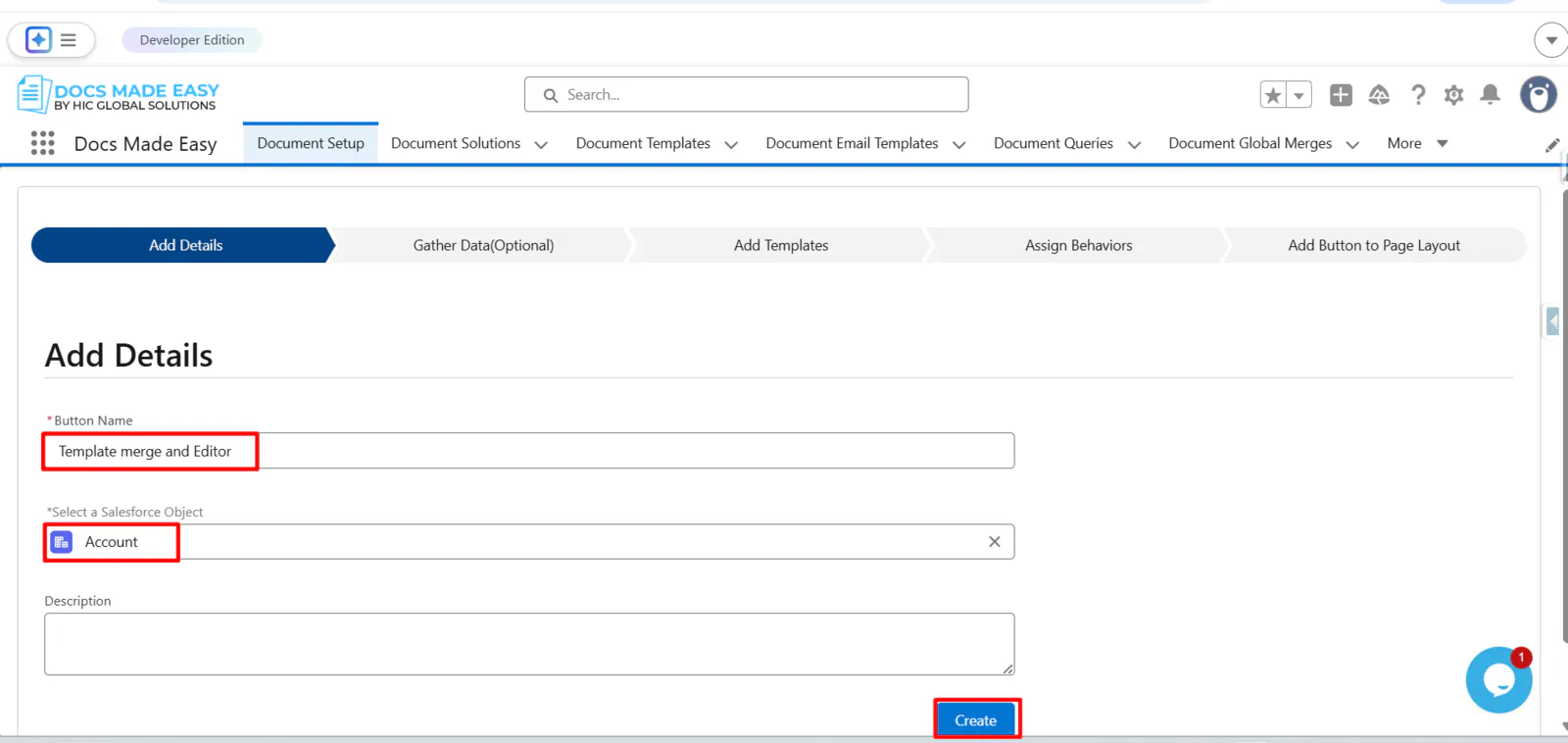
Enter the button name, select the Salesforce object and click Create. Then click Next.
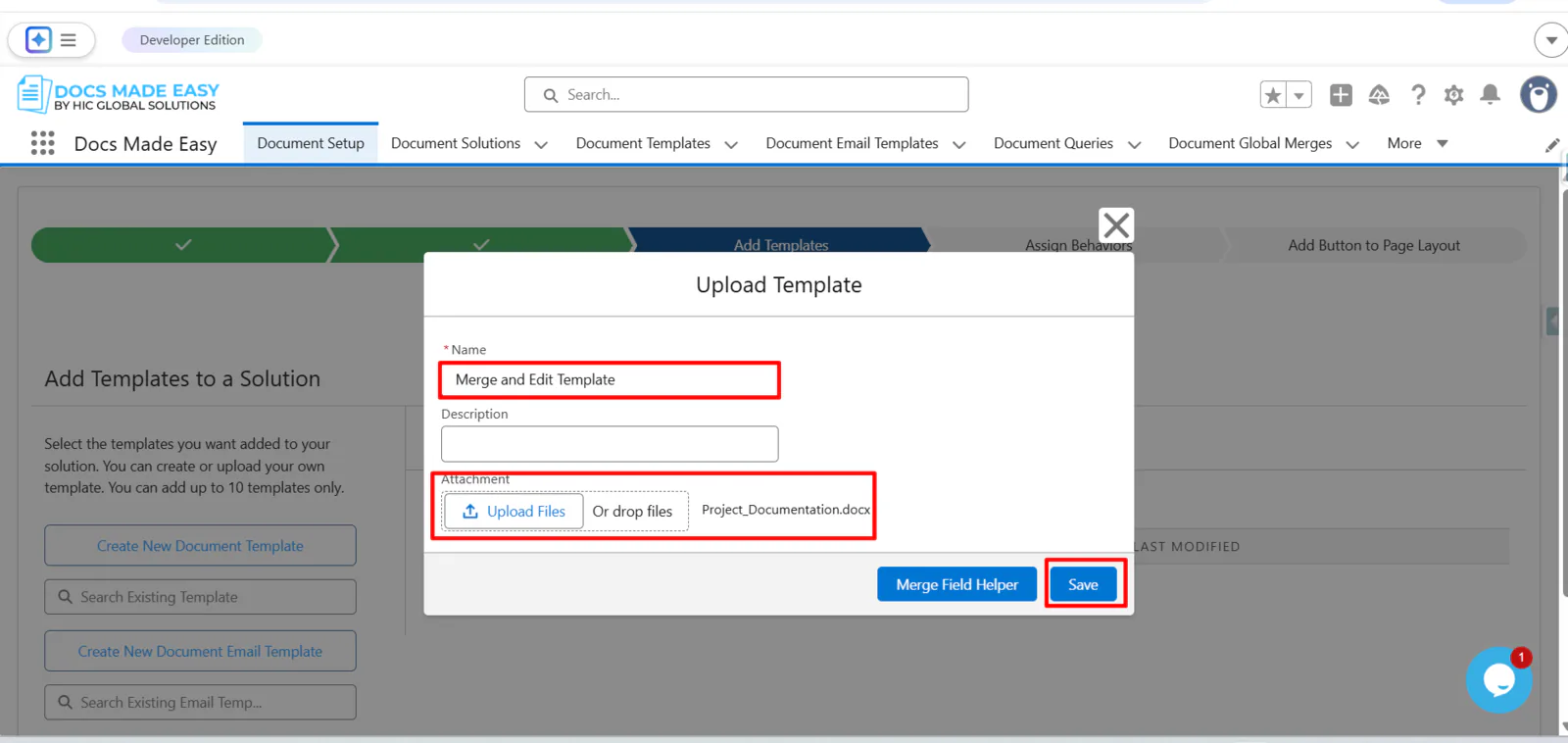
Click Create New Document Template. The Upload Template window opens.
Enter the Template Name, upload the template file and click Save.
Click Next to go to the Assign Behaviors step, then click Next again.
Add the button to the page layout
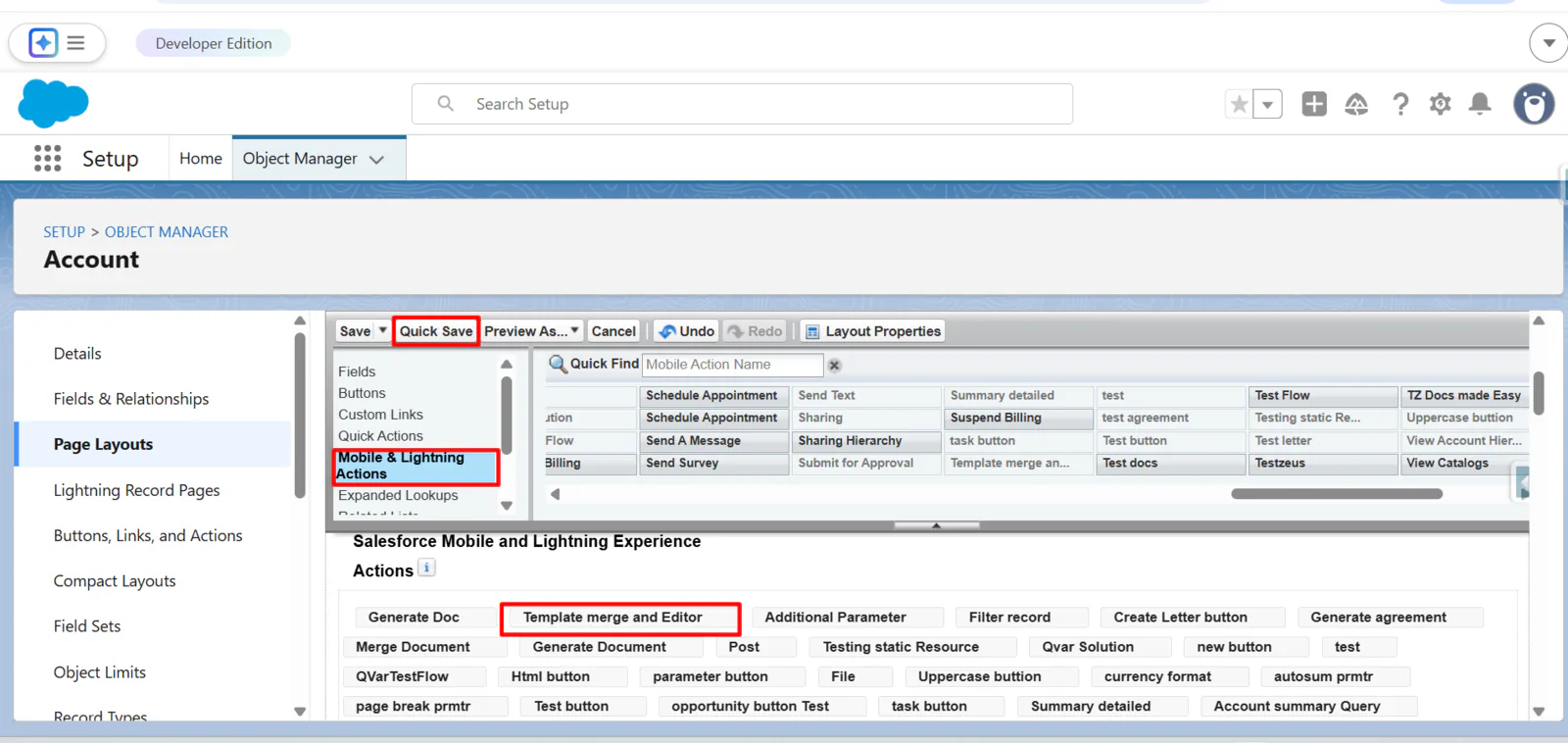
Click Go to Page Layouts, then click Account Layout. The page layout editor opens.
From Mobile & Lightning Actions, drag the Template merge and Editor button into the Salesforce Mobile and Lightning Experience Actions section, then click Quick Save.
Merge, edit and download a document
Open an account record and click Template merge and Editor.
Click the dropdown arrow next to Download (Template) and select Merge and Edit.
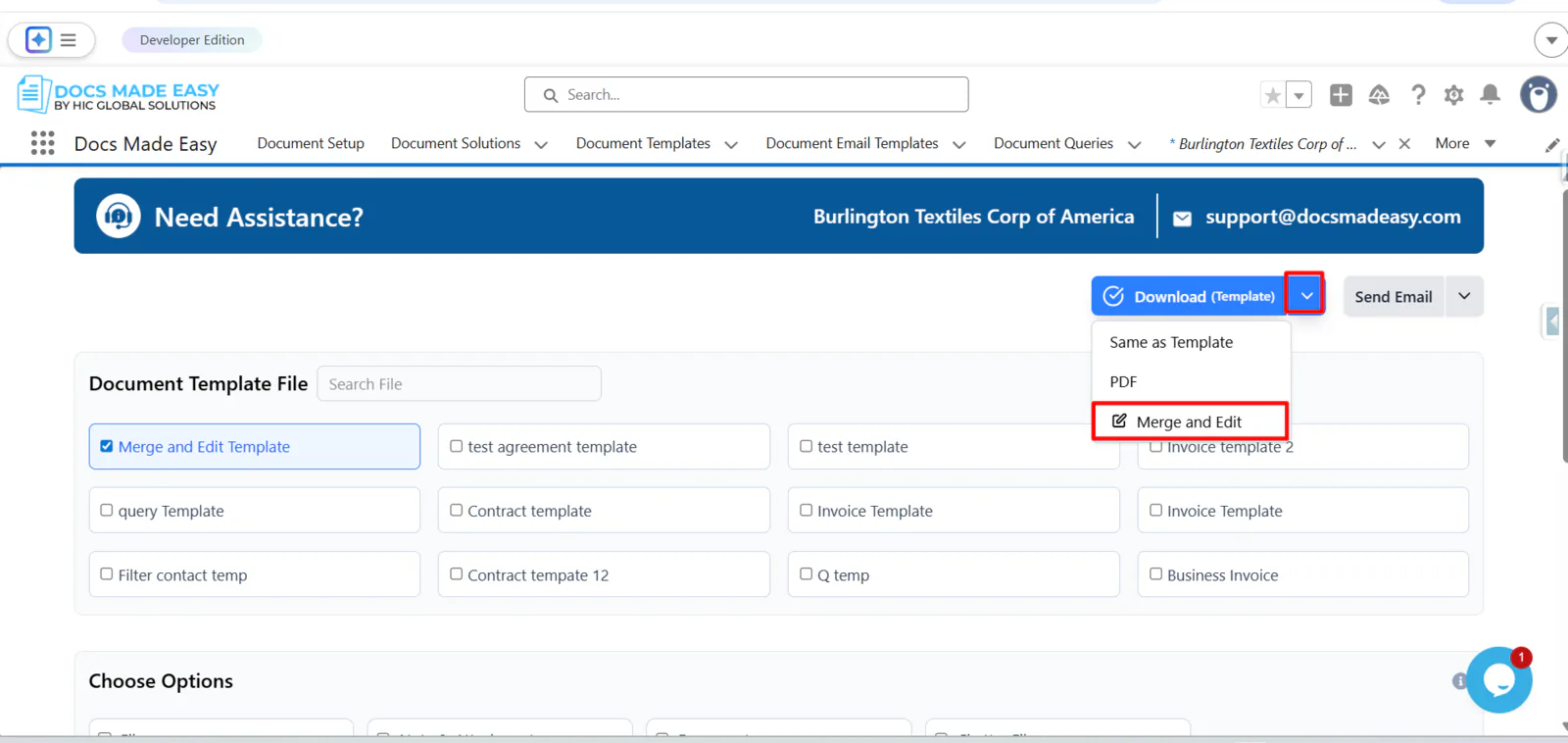
Click Merge and Edit (Editor). Docs Made Easy merges the template with the record data and opens the result in the document editor.
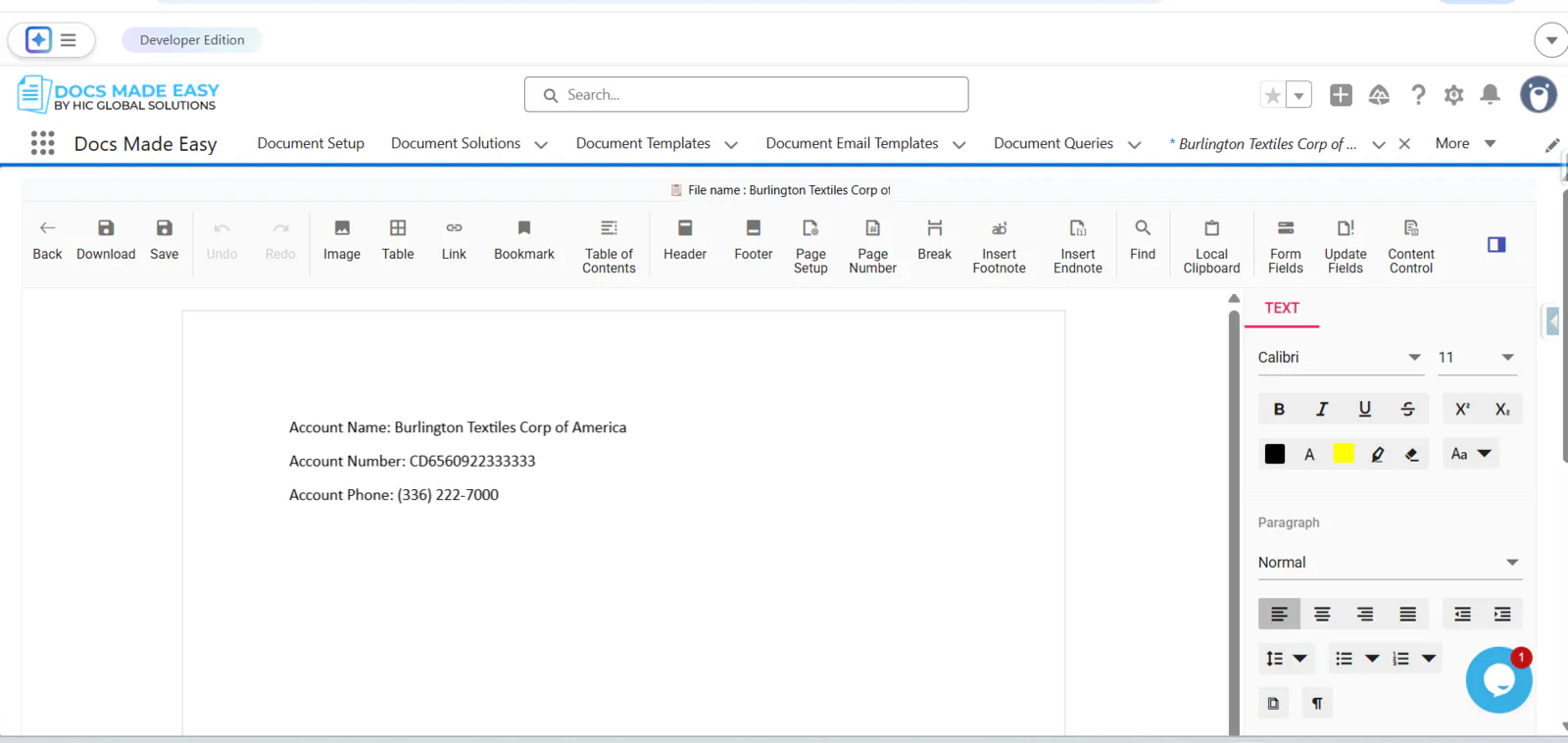
Edit the content as needed.
Click Download in the editor. Docs Made Easy downloads the edited document to your device.
Related: Create a template with the Document Automation Wizard · Give a generated document a custom file name