
You can generate documents for many Salesforce records at once with Document Bulk Merge. First, you create a document query that selects the records. Then you create a Document Bulk Merge record that combines the query with a document solution, and run it as a batch.
Before you begin
- You have a document solution and its Solution ID. See Create a document template with the Document Automation Wizard.
- You can open Document Queries and Document Bulk Merge in Docs Made Easy.
- Document Bulk Merge is a Pro feature. The user who runs the batch needs the Docs Made Easy and Docs Made Easy Pro licenses, the Docs Made Easy Business User or Docs Made Easy Admin permission set, and the Docs Made Easy Pro User permission set. See Assign licenses and permission sets.
Create the document query
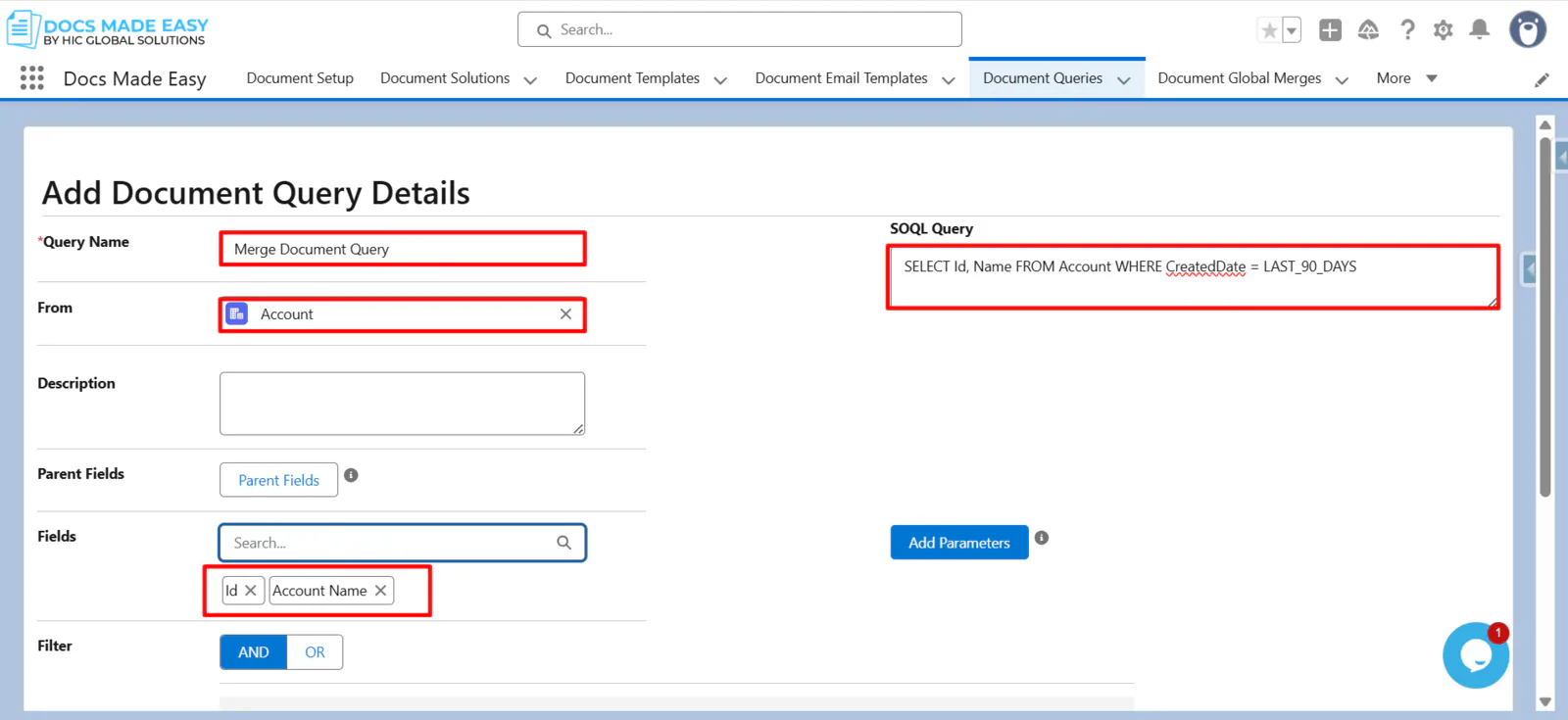
In Salesforce, open Docs Made Easy, click Document Queries, then click New. The new query form opens.
Enter a Query Name, select the object (in this example, Account), choose the fields you need, such as Id and Account Name, and click Save.
Create and run the bulk merge
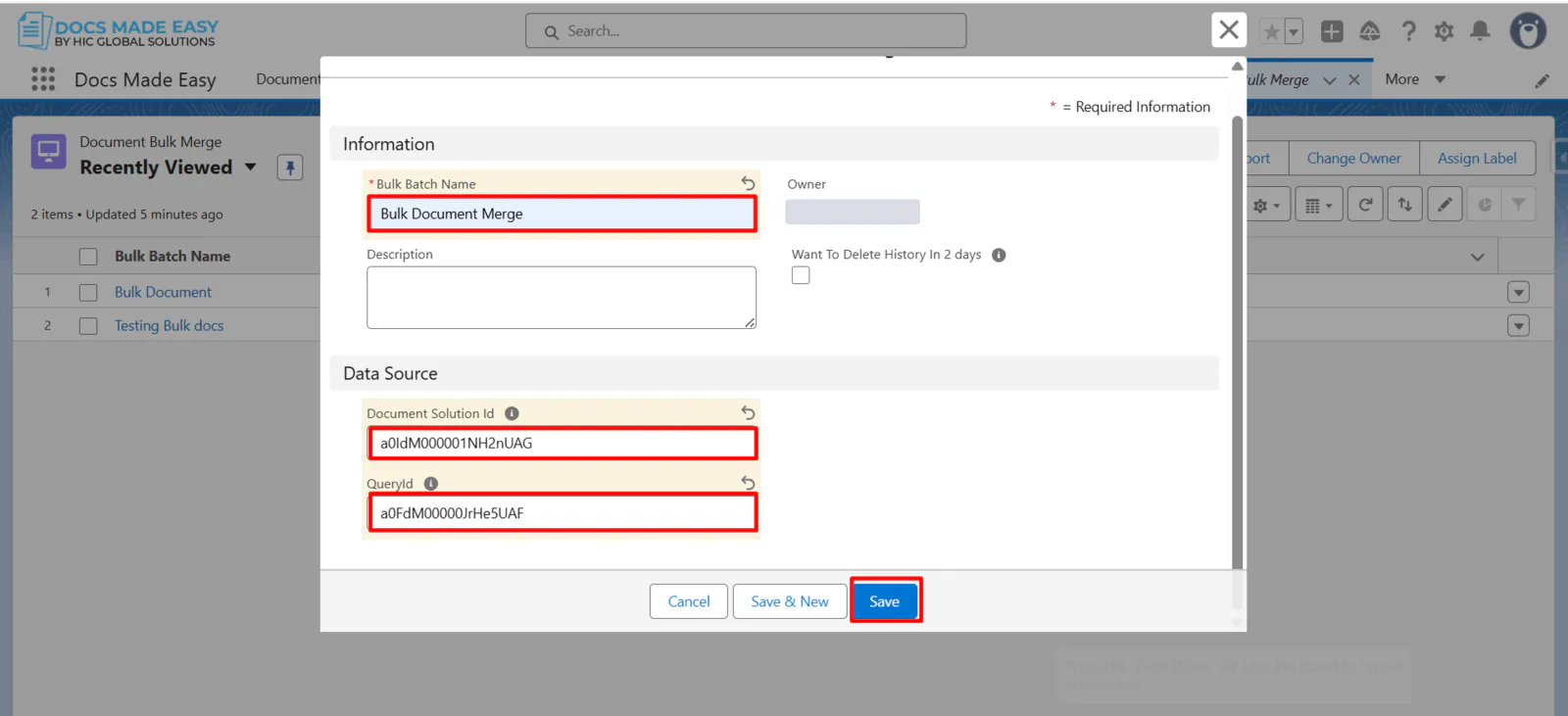
Open the App Launcher, search for Document Bulk Merge and open it. Click New to create a bulk merge record.
Enter the Bulk Batch Name, Solution ID and Query ID, then click Save.
On the saved Document Bulk Merge record, click Run Batch. The batch options appear.
Choose an action. To run the process later instead, select Schedule Batch.
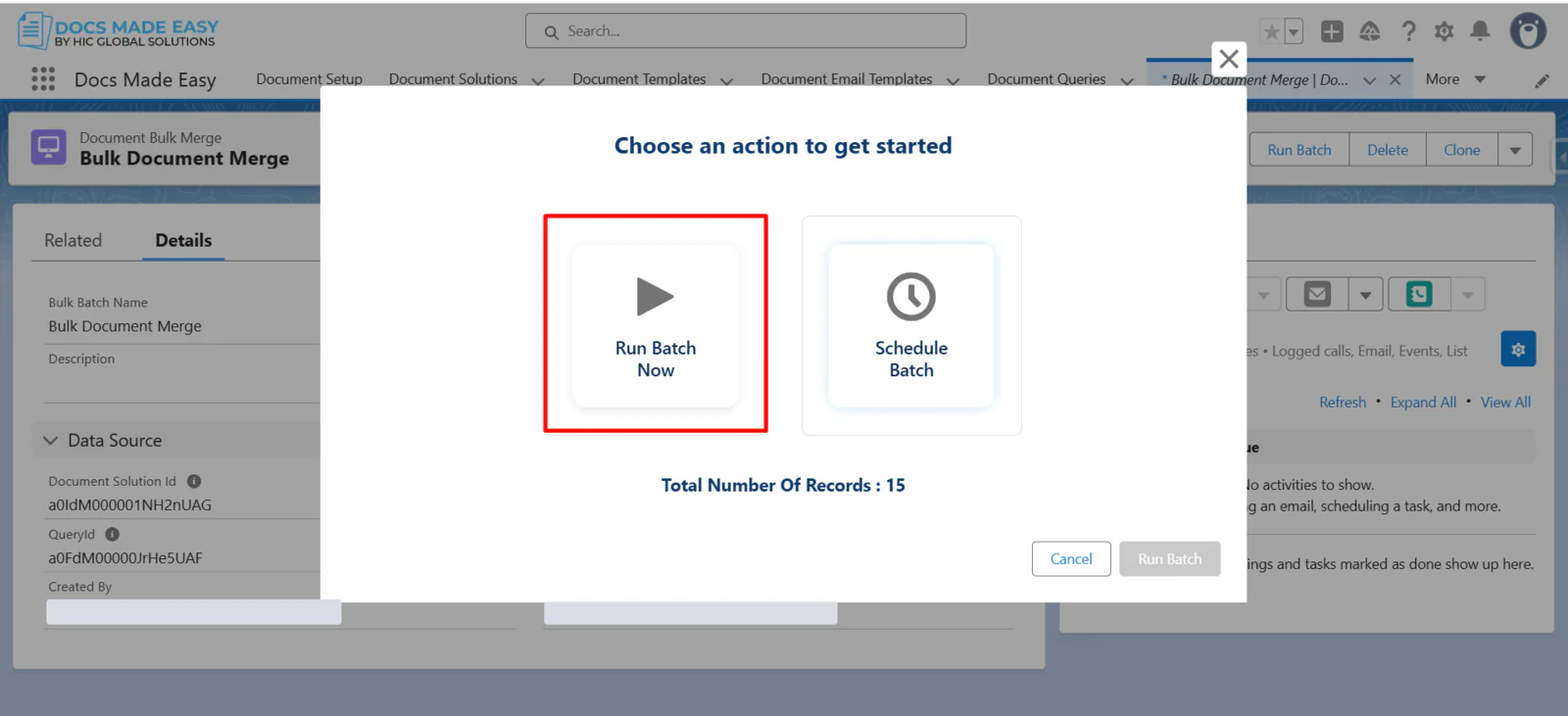
Click Run Batch to start the batch. Docs Made Easy runs Bulk Document Generation in the background. When the process is complete, the message Bulk Document Generation is Complete! appears.
Bulk generation runs from the solution ID, so a syntax or configuration problem in the solution makes the batch fail at the start. If the solution is set up correctly, the batch won't fail on individual records, but empty fields merge as blanks. The batch size is configurable.
Find the generated documents
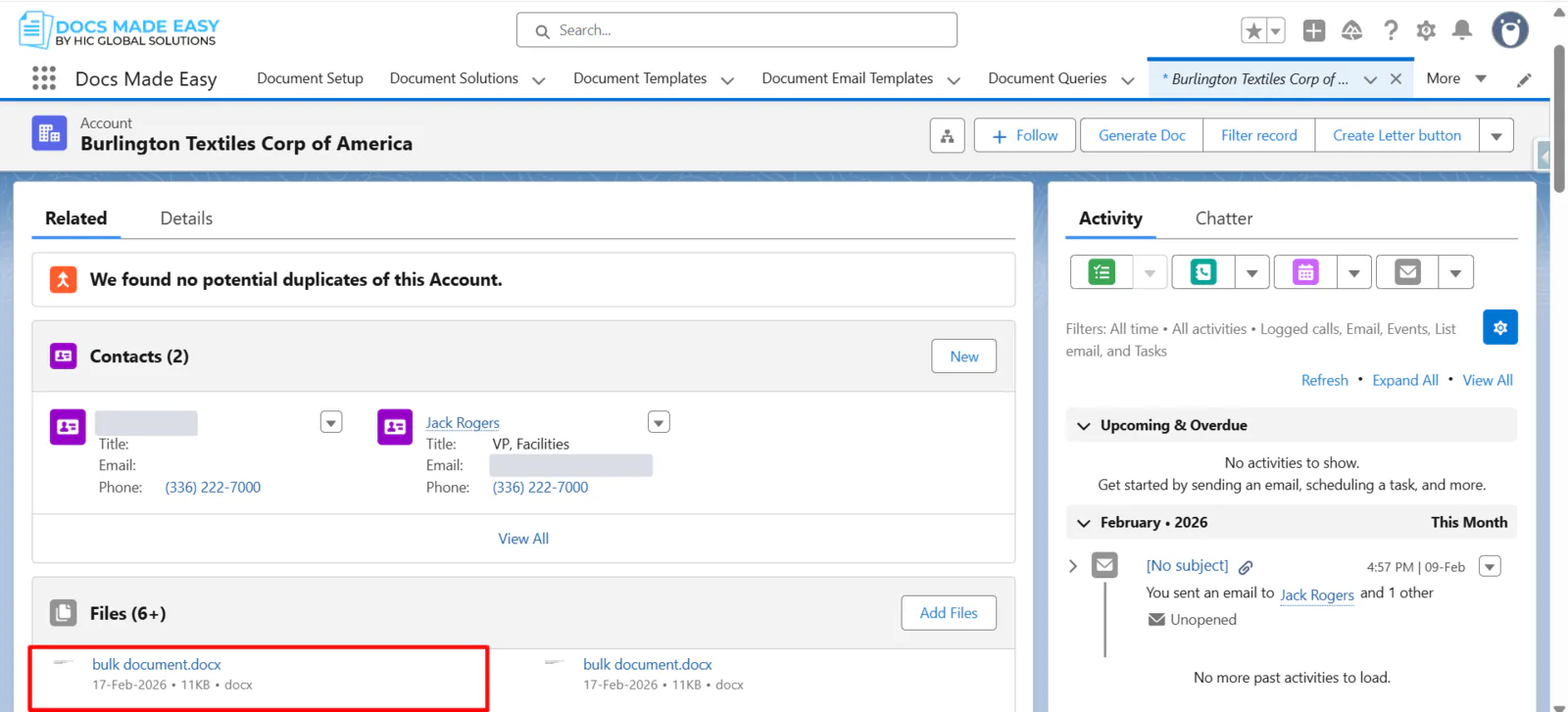
Docs Made Easy saves each generated document in both Files and Notes & Attachments on its record. The solution's bgm setting doesn't change that. In this example, each Account record included in the LAST_90_DAYS query gets its own file.
Related: Create a document query with the pv0 parameter · Automate document generation with Flow