
Your Org ID identifies your Salesforce org. The Docs Made Easy support team may ask for it when you contact them. You find it on the Company Information page in Setup, where Salesforce labels it Organization ID.
Before you begin
- You need access to Setup in Salesforce.
Find your Org ID
Click the gear icon, then click Setup. Setup opens in a new tab.
In the Quick Find box, search for Company Information.
Open Company Information and copy the value in the Organization ID field. It starts with
00D. Share this value with the support team.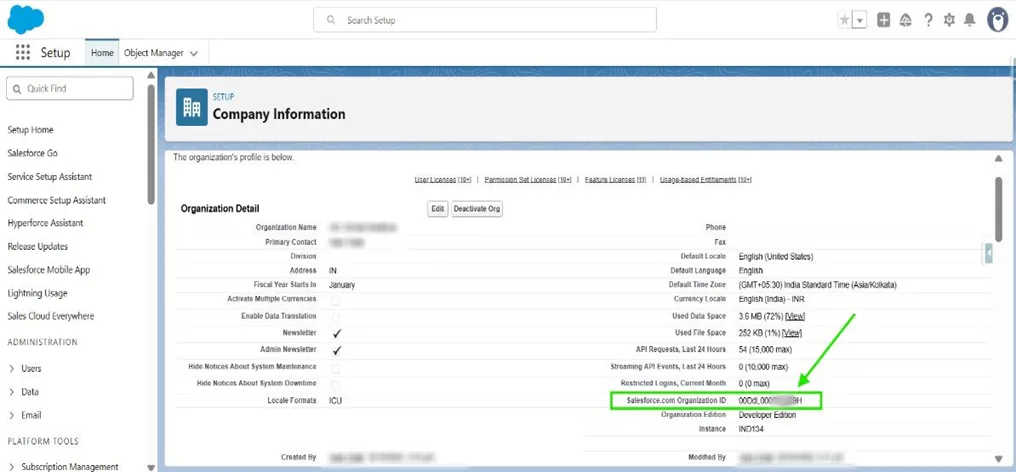
Related: Assign licenses and permission sets and Fix the "Org ID didn't match" error when configuring Sign Made Easy.