
Use this syntax to show the results of a SOQL query in an Excel (XLSX) template. Before you start, create the query. See Use SOQL queries in Docs Made Easy.
Syntax
&=${{QueryAlias.mergeFieldApiName}}
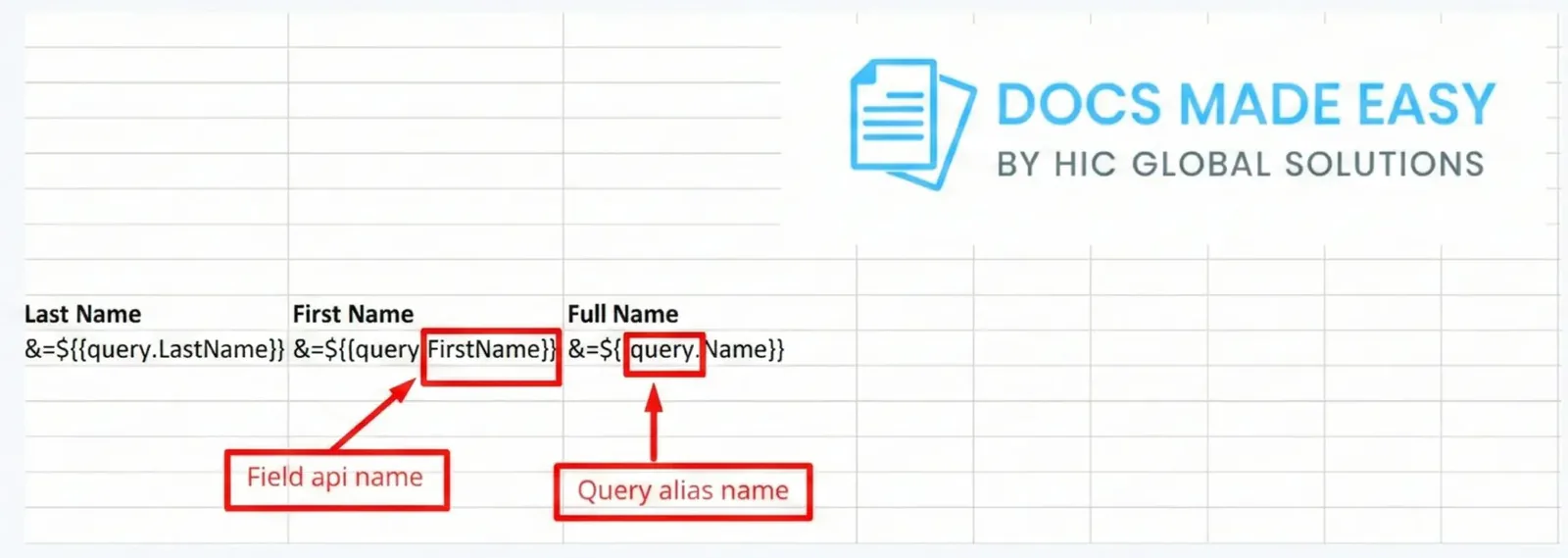
QueryAliasmust match the alias defined in the query.mergeFieldApiNamemust exactly match a field used in the query.
This syntax is required for the data to render in Excel output.
Example
This query uses the alias query:
SELECT Id, LastName, FirstName, Name FROM Contact WHERE Account.Id = '{pv0}'
To show its results, add the merge fields to the Excel file like this:
| Last Name | First Name | Full Name |
|---|---|---|
&=${{query.LastName}} | &=${{query.FirstName}} | &=${{query.Name}} |
The template in Excel looks like this:
Upload the template
Save the Excel file.
Upload it in the Add Template section of your document solution.
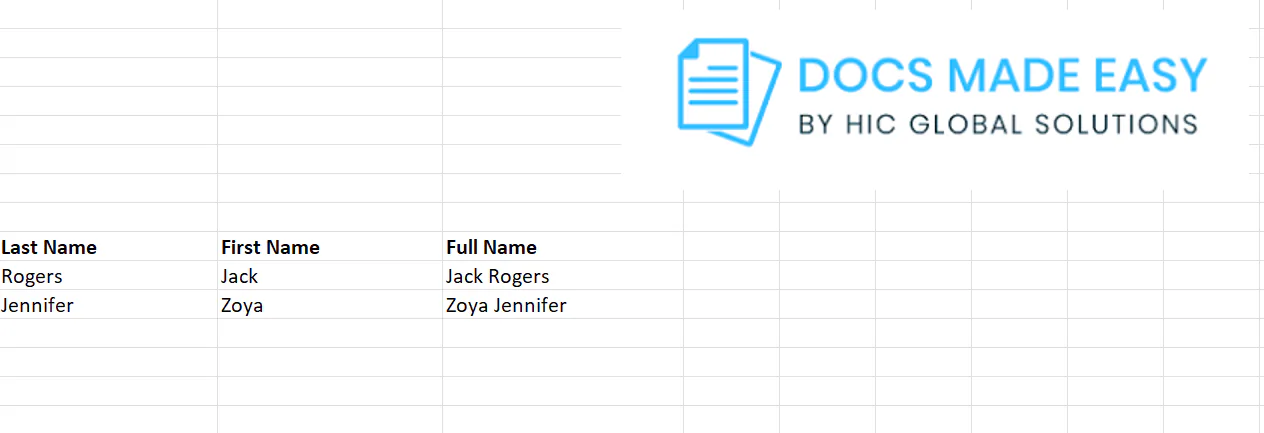
Generate the document. The query results appear in the Excel output.
Related: Use SOQL queries in Docs Made Easy · Create a document query with the pv0 parameter