
At a glance
- Edition: Basic
- Action required: Upgrade to get these changes.
- Highlights:
- Add PNG, JPG and JPEG images and page breaks in the Template Editor. See Headers, footers and page setup.
- Repeat the first page's header or footer on every page with one click. See Headers, footers and page setup.
This release improves the Template Editor so you can add more personalization and branding to your documents. It also improves the Insert Fields page and app performance.
Get the latest version · Check your installed version and upgrade
New features
1. Images in document templates
You can now add images to your document templates. Paste an image or insert it manually.
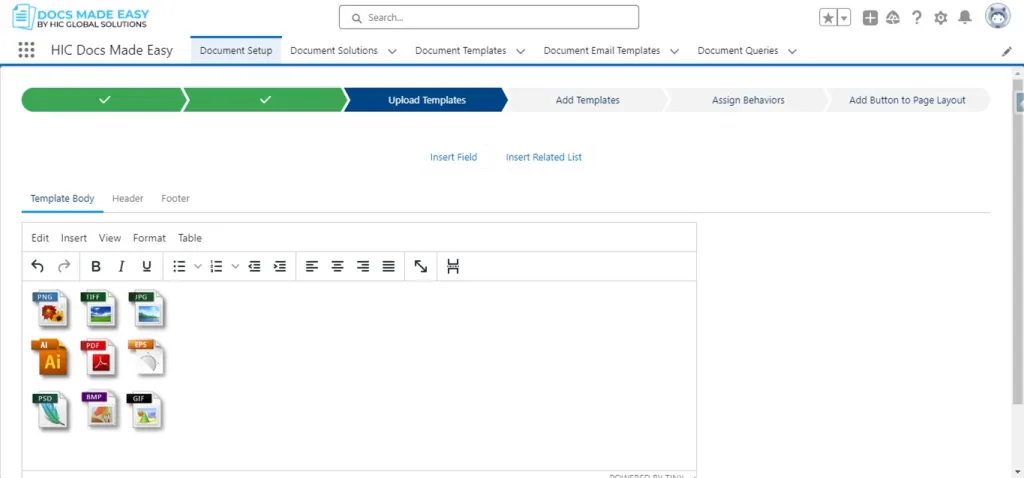
The supported image formats are PNG, JPG and JPEG.
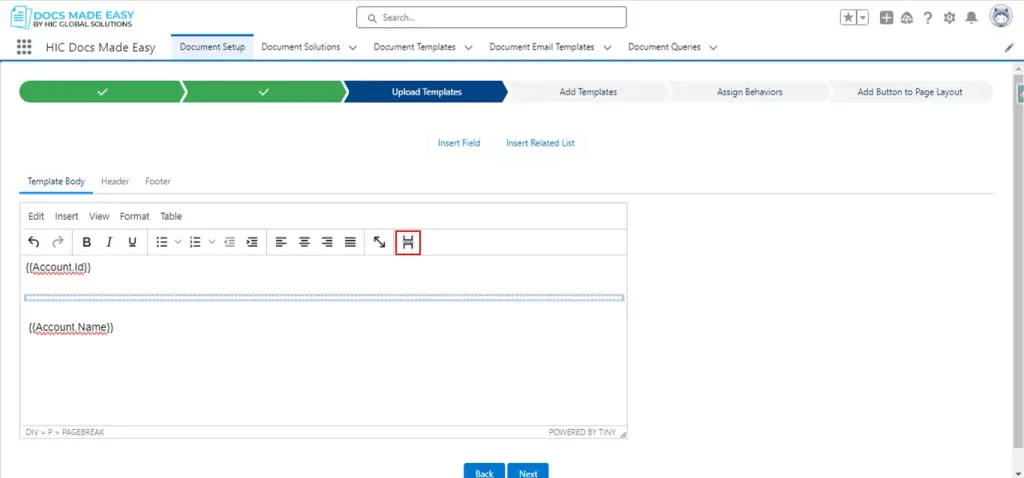
2. Page breaks
Use the new page break option to control where a page ends and the next one begins in your document template.
3. Header and footer for remaining pages
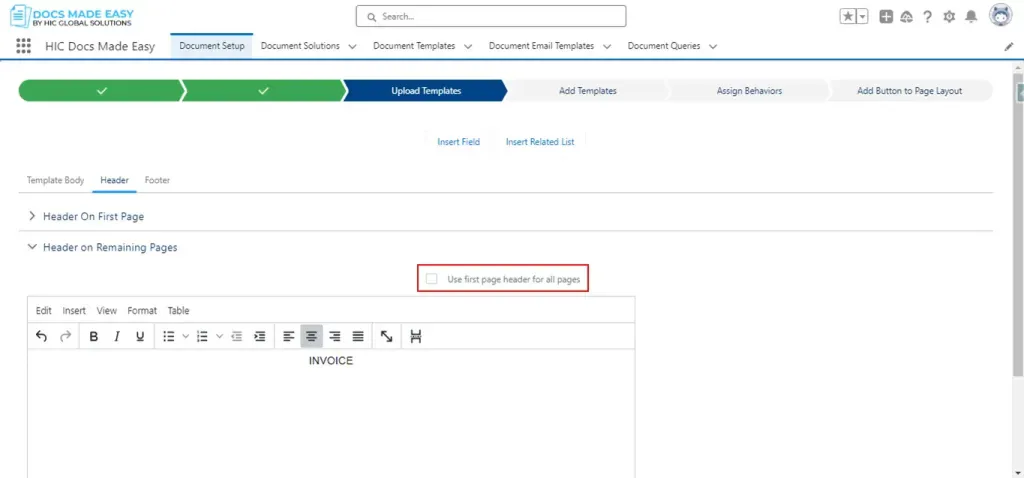
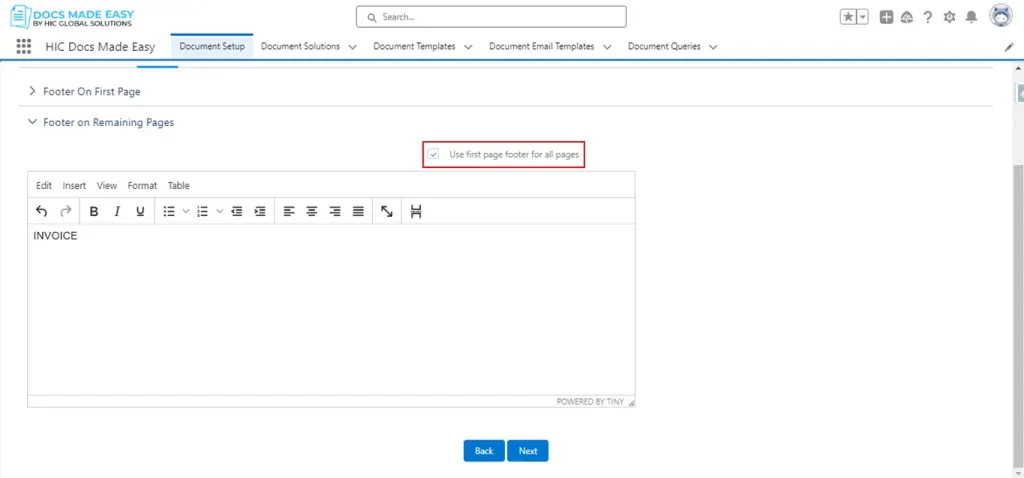
Apply the same header and footer to all remaining pages with a single click:
- Select Use first page header for all pages to repeat the header.
- Select Use first page footer for all pages to repeat the footer.
The footer has the same option.
For images, page breaks, headers and footers in both Word templates and the Template Editor, see Headers, footers and page setup in templates.
Bug fixes
Insert Field page
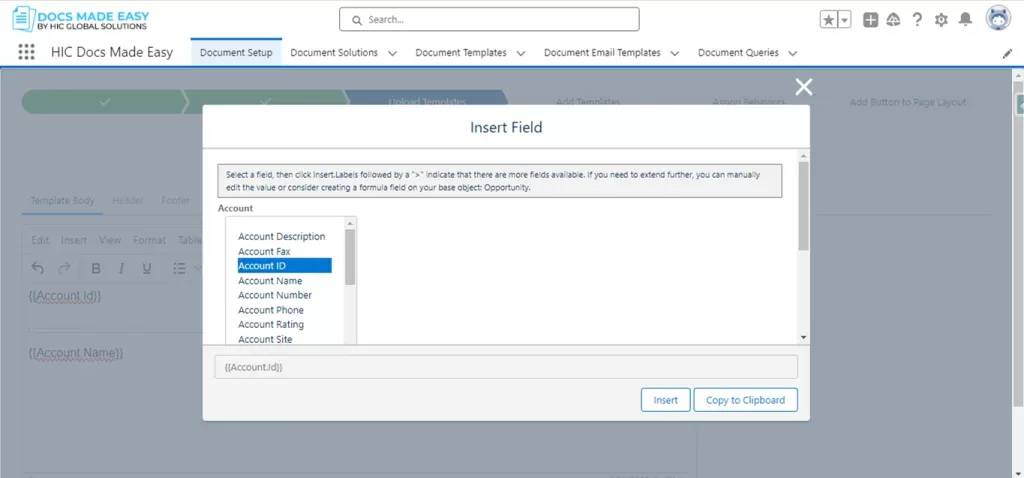
Fixed: Navigating and selecting fields on the Insert Field page was difficult, which could lead to selecting the wrong field. The page now uses background colors to show which fields are selected.
Enhancements
We've optimized performance to make Docs Made Easy faster, so you can take on more complex projects.
Related: Previous release: Release notes: October 2023 (v1.10.2) · Next release: Release notes: January 2024 (v1.12.0)