
At a glance
- Edition: Pro
- Action required: Upgrade to get these changes.
- Highlights:
- Generate, email or attach documents from the record page with Quick Merge.
- See who generated which documents, in which formats, and export the report with usage tracking.
- Move document solutions from Sandbox to Production with the Solution Migration Utility.
This release of Docs Made Easy Pro adds new document automation features, usage tracking, a migration utility and usability improvements that simplify Salesforce document workflows.
Upgrade to v1.17.0 · Check your installed version and upgrade
New features
1. Quick Merge
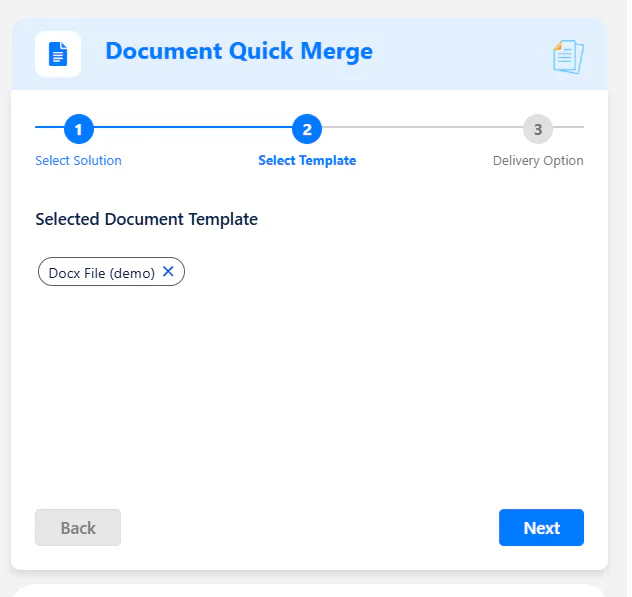
Quick Merge is a document generation component that lets you generate, merge and send documents directly from the Salesforce record page. Select a document solution, choose a template and generate documents in a few clicks. You can then email the files or attach them to the related record from the same window.
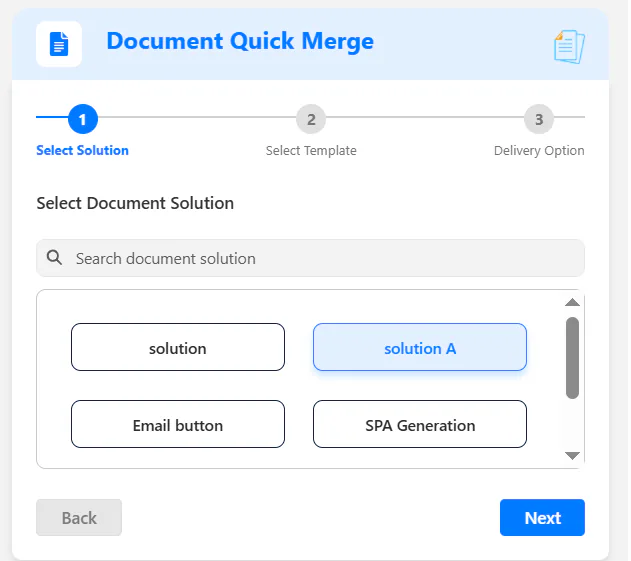
Key highlights:
- Select document solutions and templates directly from the Salesforce record page.
- Generate documents from one central window.
- Send generated documents to recipients by email.
After you generate documents, you can send them from the same window.
Add the recipients and send the documents by email.
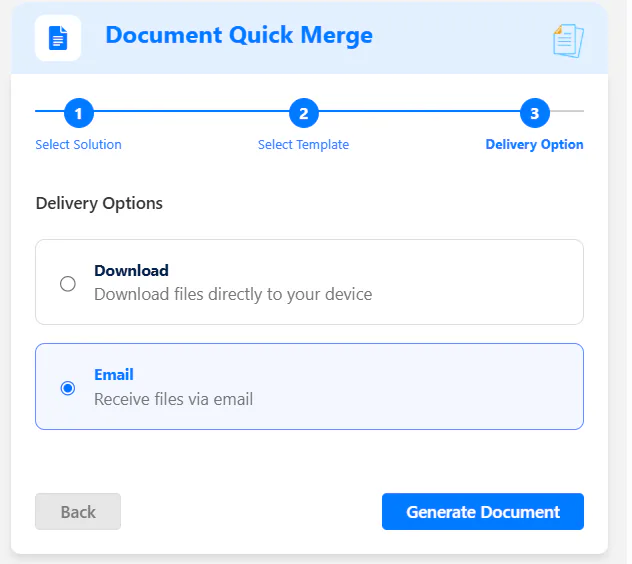
See Generate documents from the record page with Quick Merge.
2. Document Solution Collection
A Document Solution Collection groups several related document solutions into one collection. Add the collection to a Lightning component on the Salesforce record page, and users can open several document workflows from one place. This reduces navigation time and simplifies document work across teams.
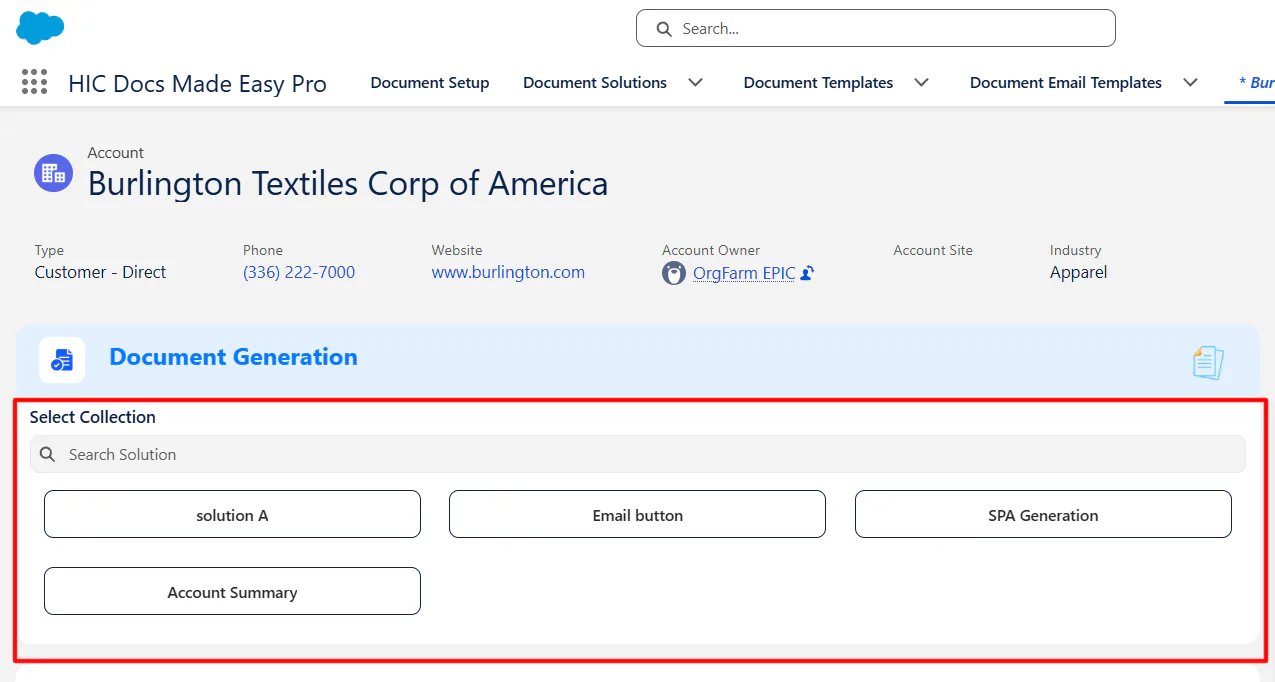
Key highlights:
- Launch several document workflows from one Salesforce component.
- Reduce navigation time by organizing related document solutions into a single collection.
- Give your team faster access to frequently used document generation processes.
See Create a Document Solution Collection.
3. Usage tracking
Usage tracking helps administrators monitor document generation across the org. It shows the total number of documents generated, who generated them, the formats used (such as PDF, Word or PowerPoint) and where each came from: the API (including Flow, bulk and Quick Merge), the Composer or a preview. It covers the whole org. It doesn't track email: email is sent through Salesforce and recorded in the record's activity history. It also doesn't show how many documents your plan has left.
Export Usage Report
Use Export Usage Report to export document usage data for the selected period as an Excel file, for analysis and record-keeping outside Salesforce.
Key highlights:
- Track the total number of documents generated.
- Monitor document generation by user.
- View generated document formats, such as PDF, Word and PowerPoint.
- See whether documents came from the API, the Composer or a preview.
- Improve reporting and operational visibility.
- Monitor document workflows in one place.
The Usages page shows document generation activity across the org.
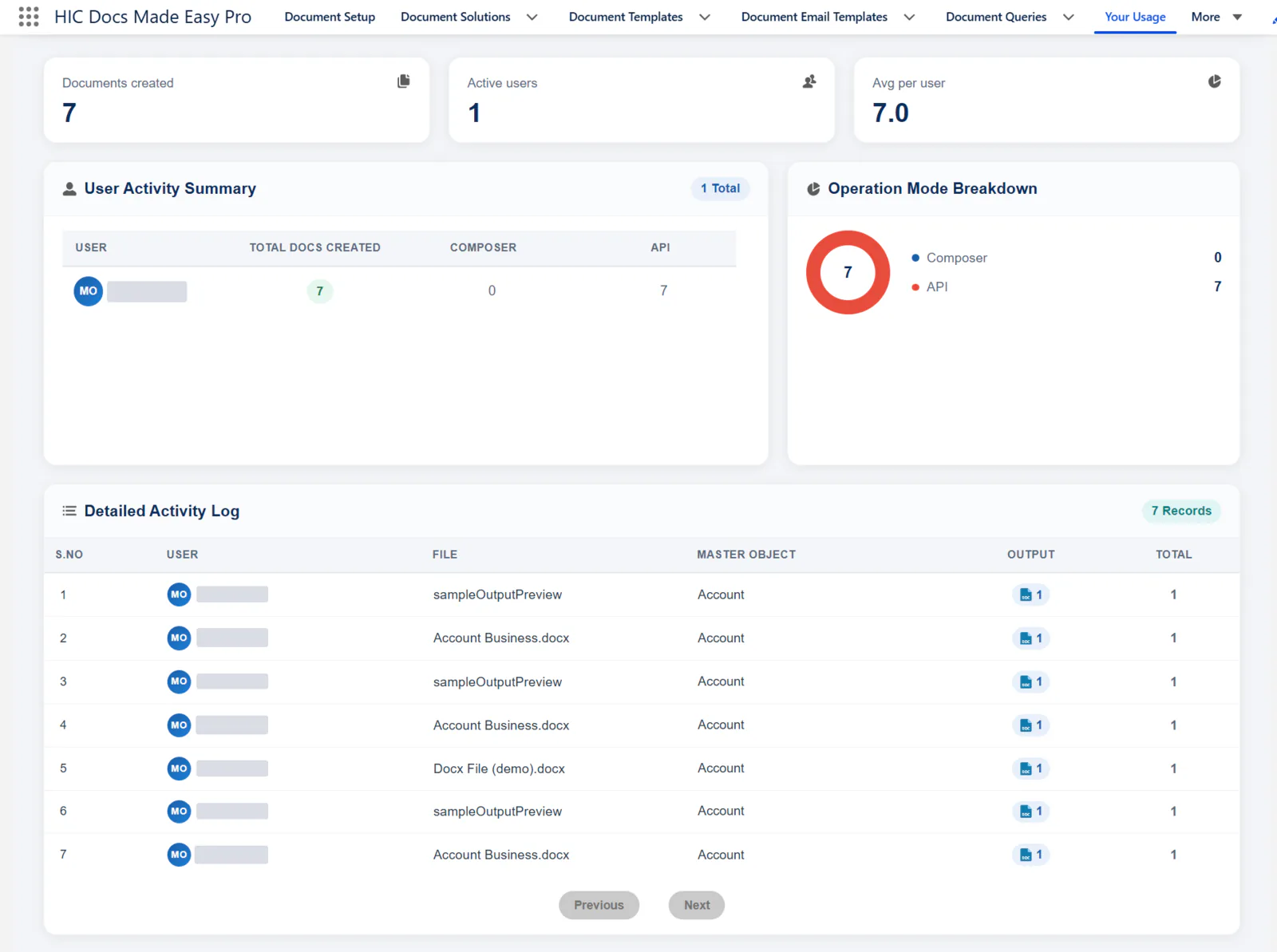
Use the usage details to review generation activity by user.
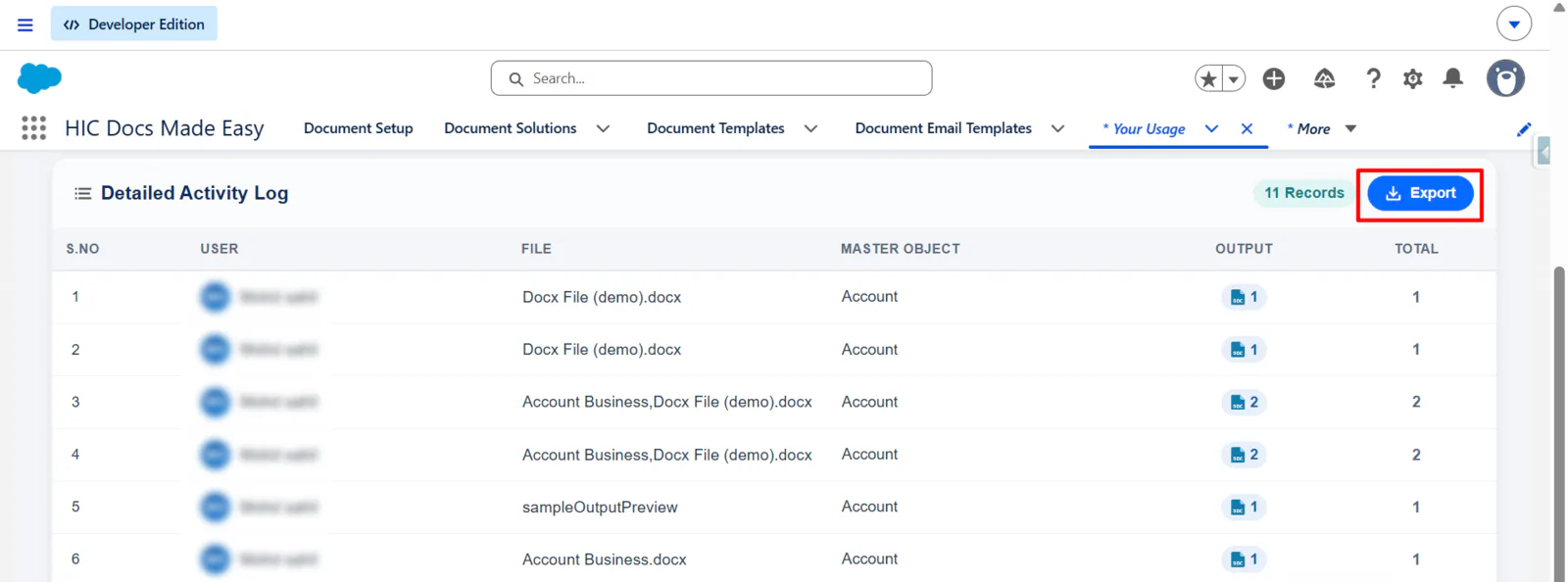
See Track document usage and export the usage report.
4. Apex interface support
Docs Made Easy now supports Apex Data Relationships, so you can fetch, process and structure Salesforce data in code before merging it into document templates.
Create custom Apex classes with the Docs Made Easy Apex Data Interface to retrieve data from several Salesforce objects, apply your own business logic and generate documents that go beyond standard SOQL relationships.
Key highlights:
- Process data with custom Apex code.
- Fetch and merge data from several Salesforce objects.
- Apply custom business logic before document generation.
- Build advanced dynamic document generation workflows.
Apex data relationships also work in Basic.
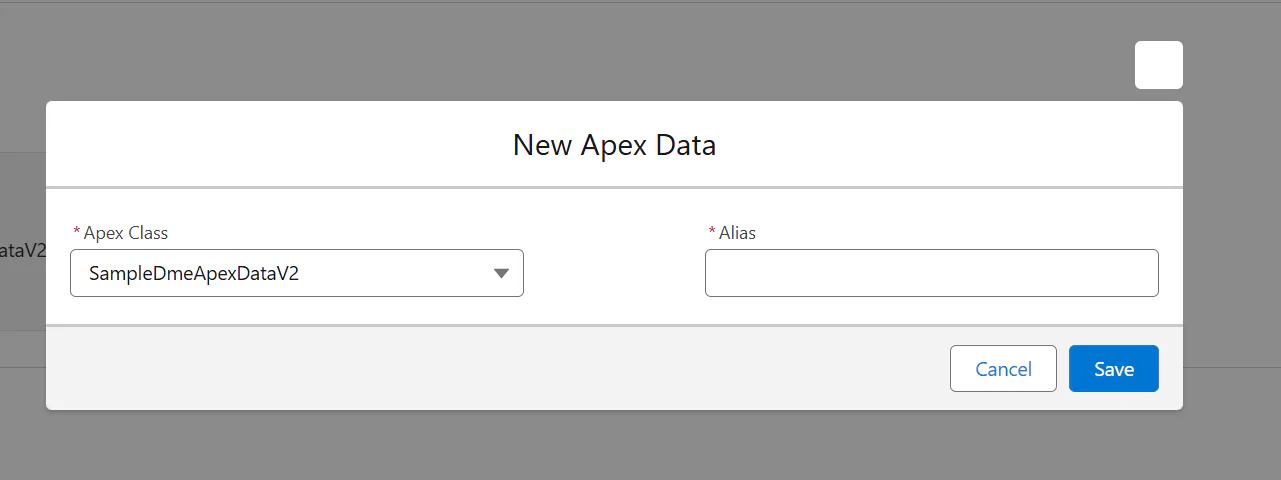
See Apex data relationships in Docs Made Easy.
5. Document Solution Migration
The Solution Migration Utility lets administrators export and import Docs Made Easy solution configurations between Salesforce orgs. It reduces manual setup by migrating document solutions, configurations and related settings from Sandbox to Production or between other environments.
A simpler migration process helps teams keep orgs consistent, implement faster and avoid configuration errors during deployments.
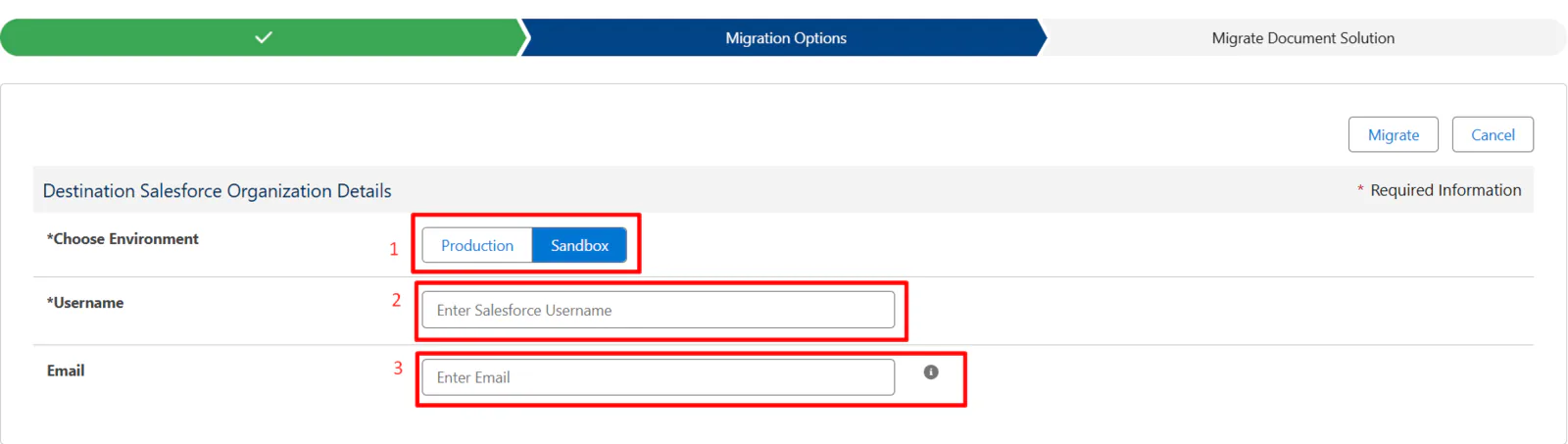
Key highlights:
- Export and import Docs Made Easy solution configurations.
- Simplify Sandbox-to-Production migrations.
- Reduce manual setup and deployment effort.
- Keep Salesforce environments consistent.
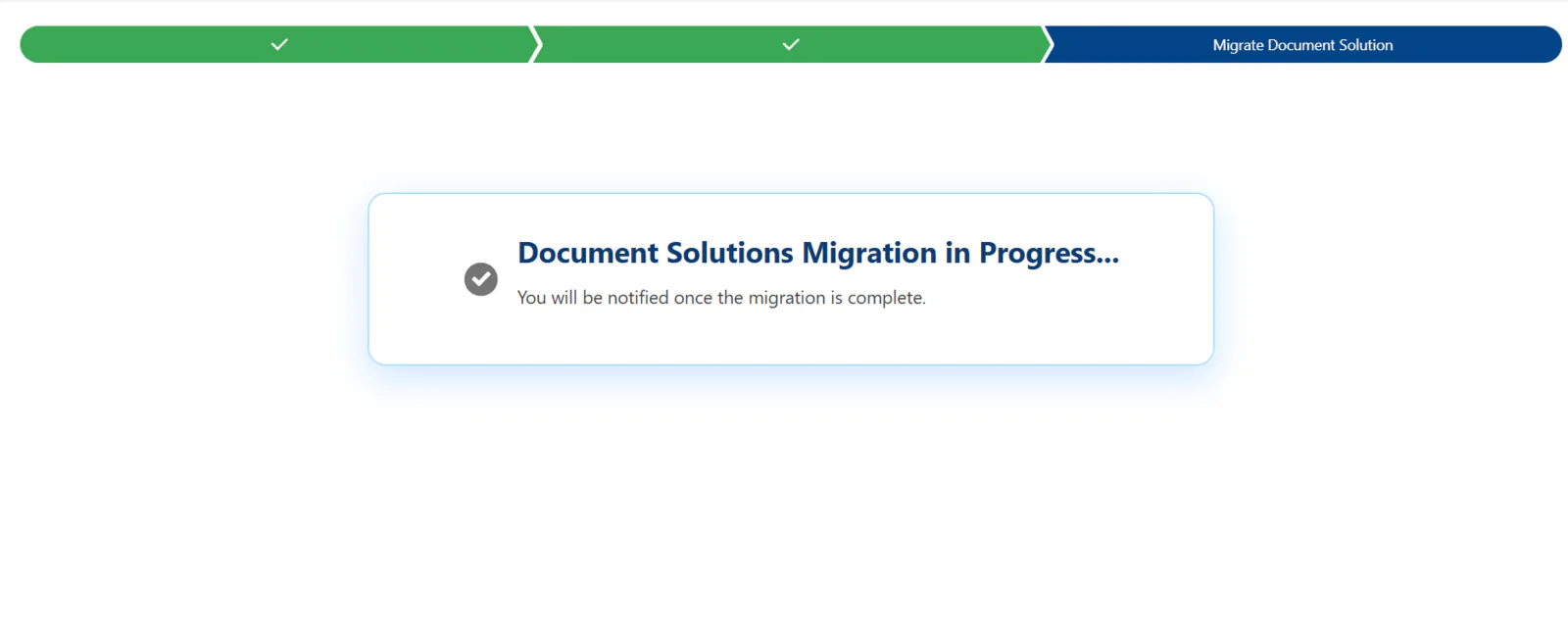
See Migrate document solutions from Sandbox to Production.
Enhancements
Salesforce Enterprise and Starter Edition support
Previous versions had limited compatibility with Salesforce Starter Edition and some Enterprise Edition environments. Docs Made Easy Pro v1.17.0 supports Salesforce Enterprise and Starter Editions, so more businesses can use document generation and automation in Salesforce. To see which Salesforce editions Docs Made Easy runs in, see Compare editions.
Related: Release notes: November 2025 (Pro v1.9.0) · Release notes: July 2026 (v1.25.0)