
At a glance
- Edition: Basic
- Action required: Upgrade to get these changes.
- Highlights:
- Send generated documents for eSignature through Sign Made Easy, right from Salesforce. See Generate and send documents for eSignature.
- Check the records a SOQL query returns before you use it. See Filter a query to the current record (pv0).
This release integrates Docs Made Easy with Sign Made Easy, a Salesforce eSignature app, so you can collect eSignatures on generated documents. It also adds new parameters on the setup page, an email template search bar and a SOQL query preview.
Get the latest version · Check your installed version and upgrade
New features
This release adds new options on the setup page (the Assign Behaviors page) for eSignatures, email and query generation.
1. Add sign parameter
- Collect eSignatures with the new sign parameter on the Assign Behaviors page.
- Add the sign parameters you need. Docs Made Easy adds them to the button URL to collect eSignatures on the document.
- Add standard recipients or custom recipients.
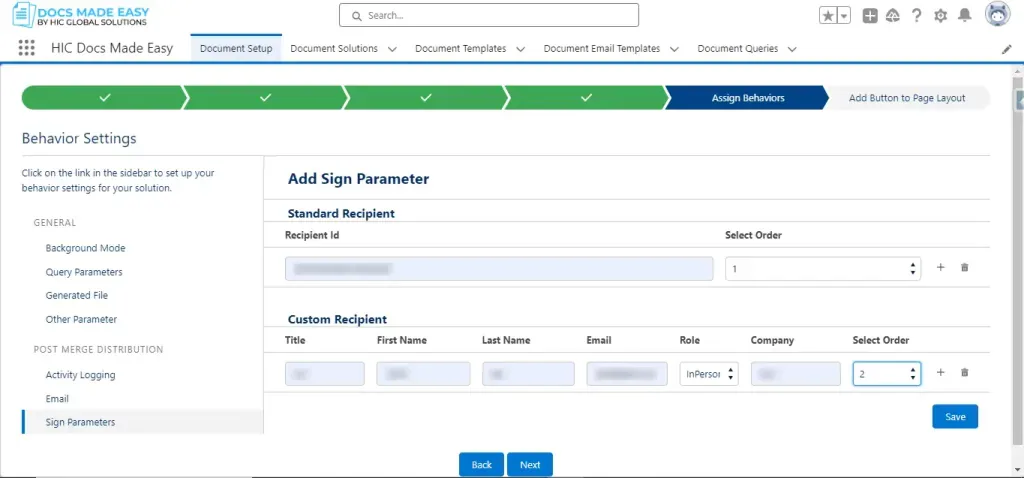
See Generate and send documents for eSignature.
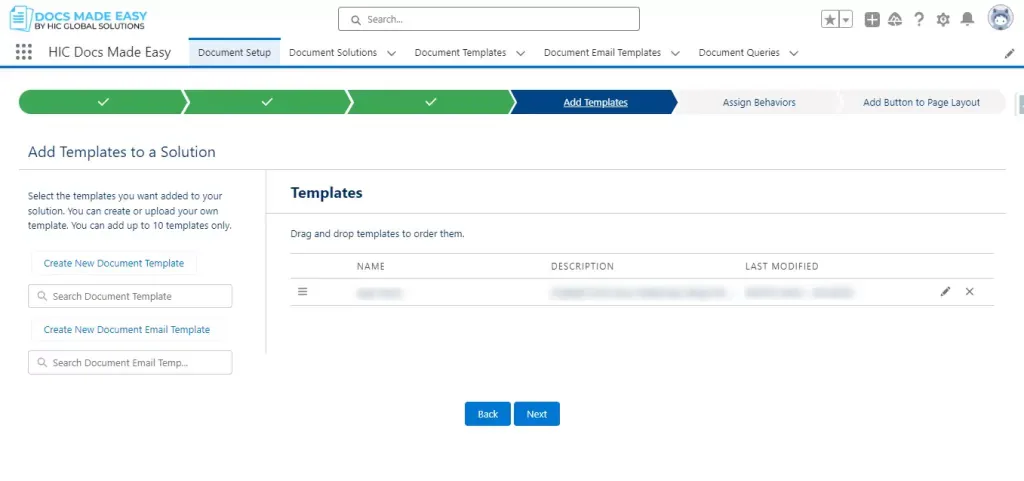
2. Search bar for email templates
The new search bar on the Add Template page helps you find email templates.
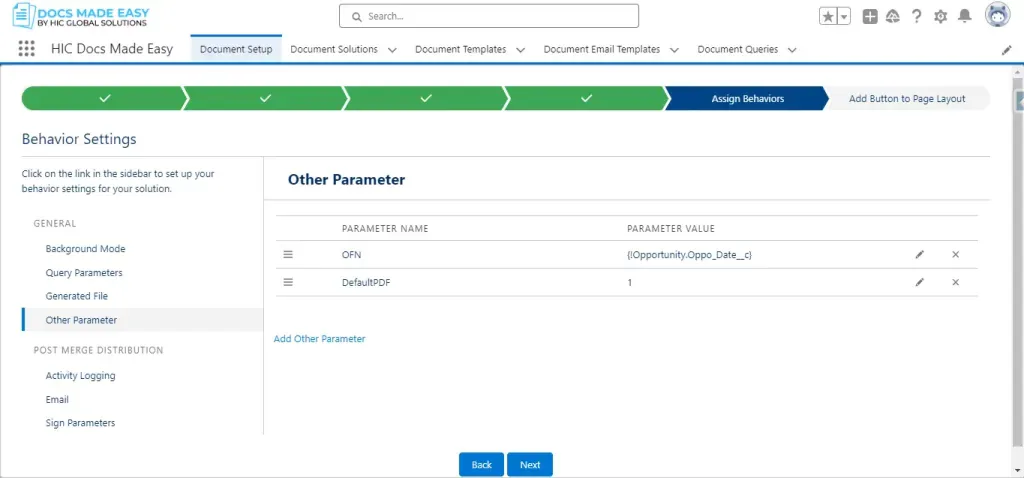
3. Other Parameter on the Assign Behaviors page
Use the new Other Parameter option to add any parameters. Docs Made Easy adds them to the button URL.
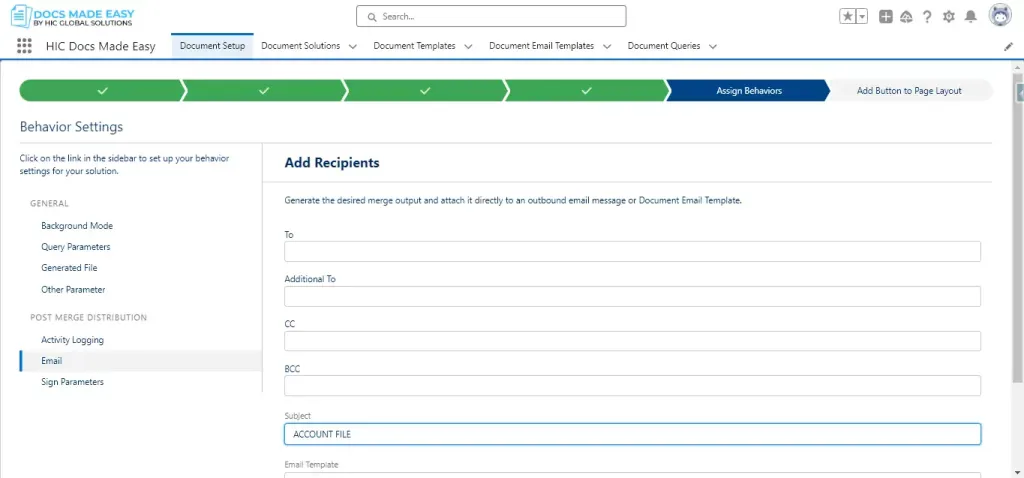
4. Subject field in email
v1.13 adds an email Subject field to the email parameter, so you can set the email subject on the Assign Behaviors page.
5. SOQL query preview
Run custom queries to retrieve the specific results you need. The SOQL query preview gives you a flexible way to check the data your query returns.
For example, enter the Salesforce ID of a suitable record in the pv0,pv1,… field, along with all other values, and click Preview to test your query.
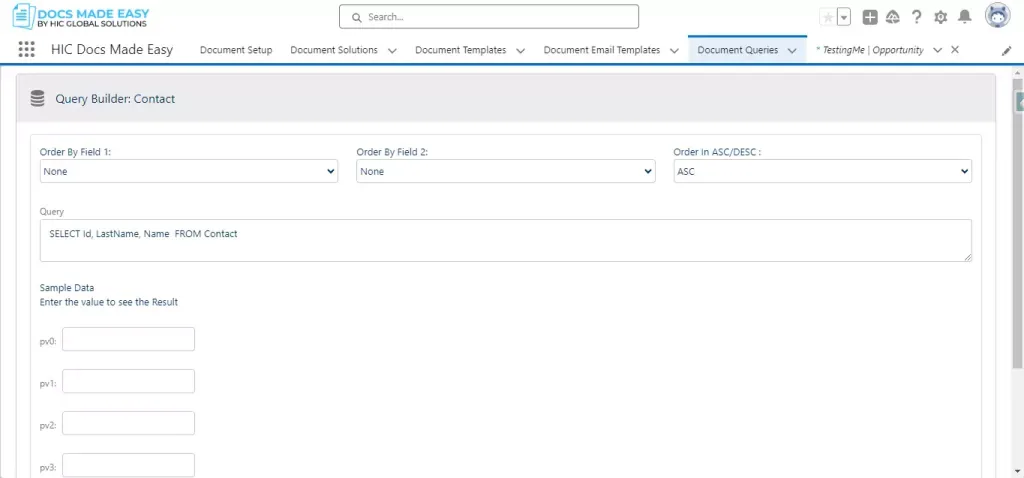
The preview shows the records that the query returns.
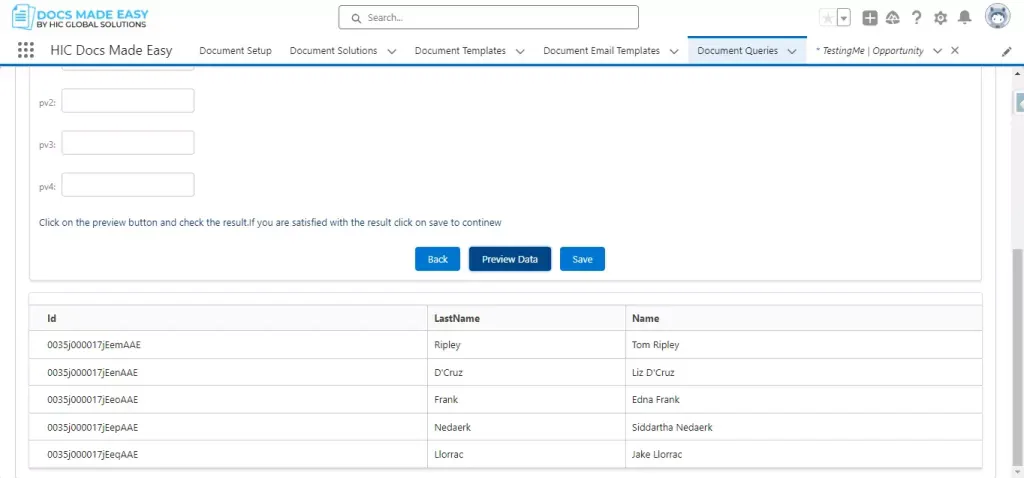
See Filter a query to the current record (pv0).
Bug fixes
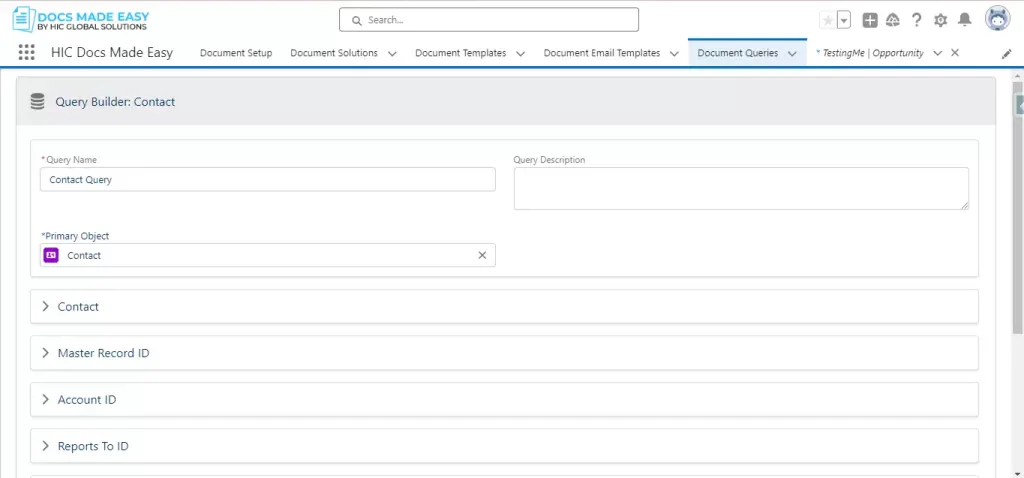
Deleting document email templates
Fixed: You couldn't delete document email templates. You can now, and the page layout is also cleaner and better organized.
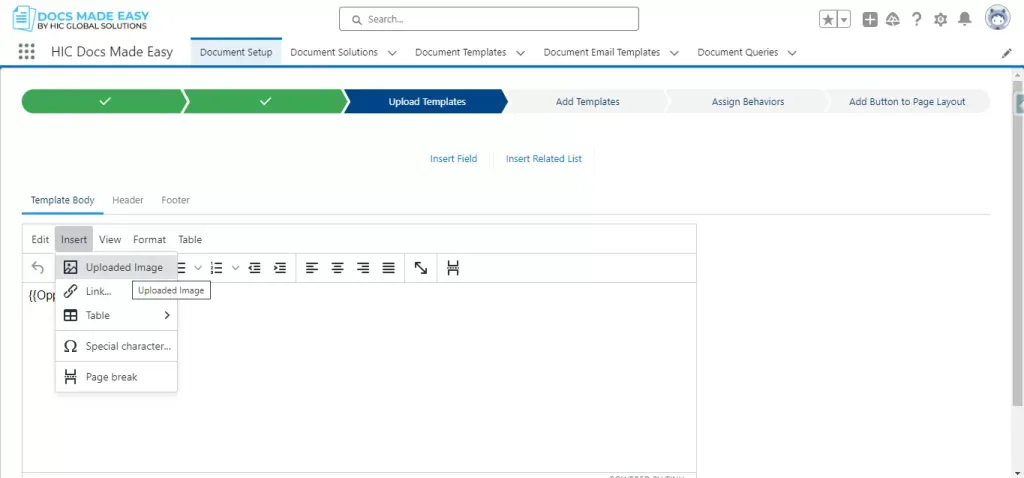
Template editor (Insert image)
Fixed: The Insert button in the template editor didn't work. You can now upload images with the Insert image option. See Headers, footers and page setup in templates for images in the Template Editor.
Enhancements
We've optimized performance to make Docs Made Easy faster, so you can take on more complex projects.
Related: Previous release: Release notes: January 2024 (v1.12.0) · Next release: Release notes: April 2024 (v1.19.0)