
At a glance
- Edition: Basic
- Action required: Upgrade to get these changes.
- Highlights:
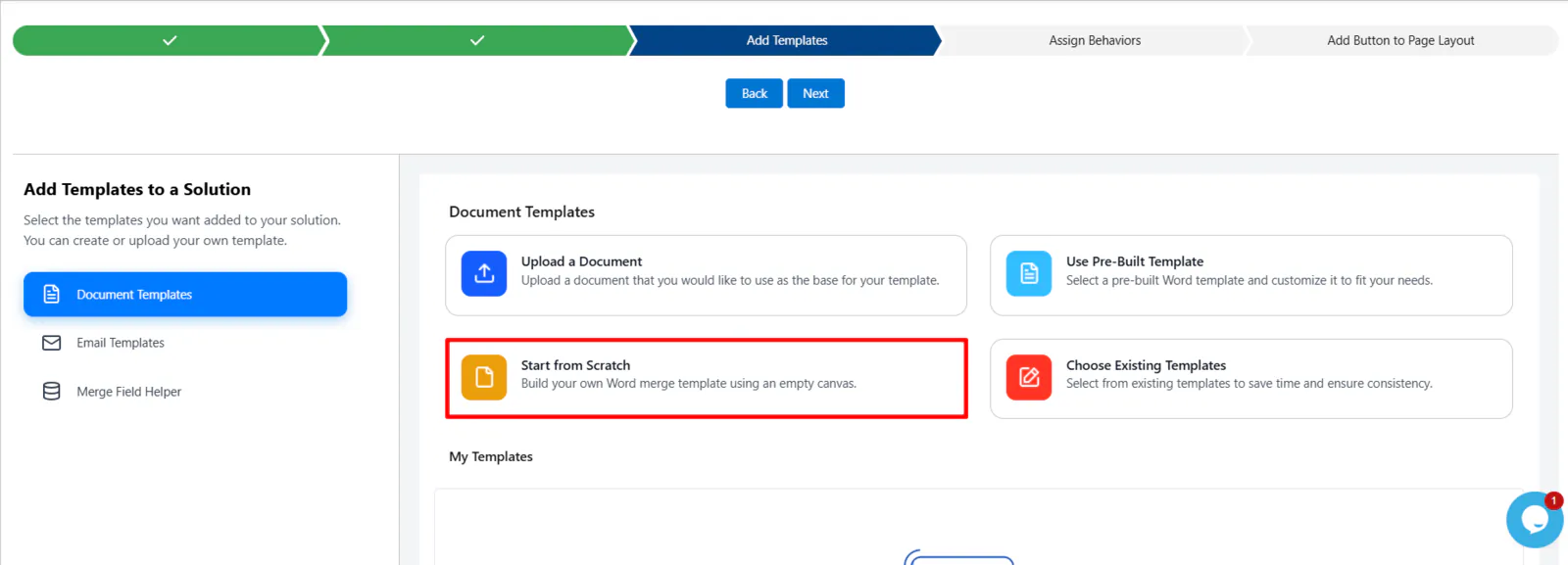
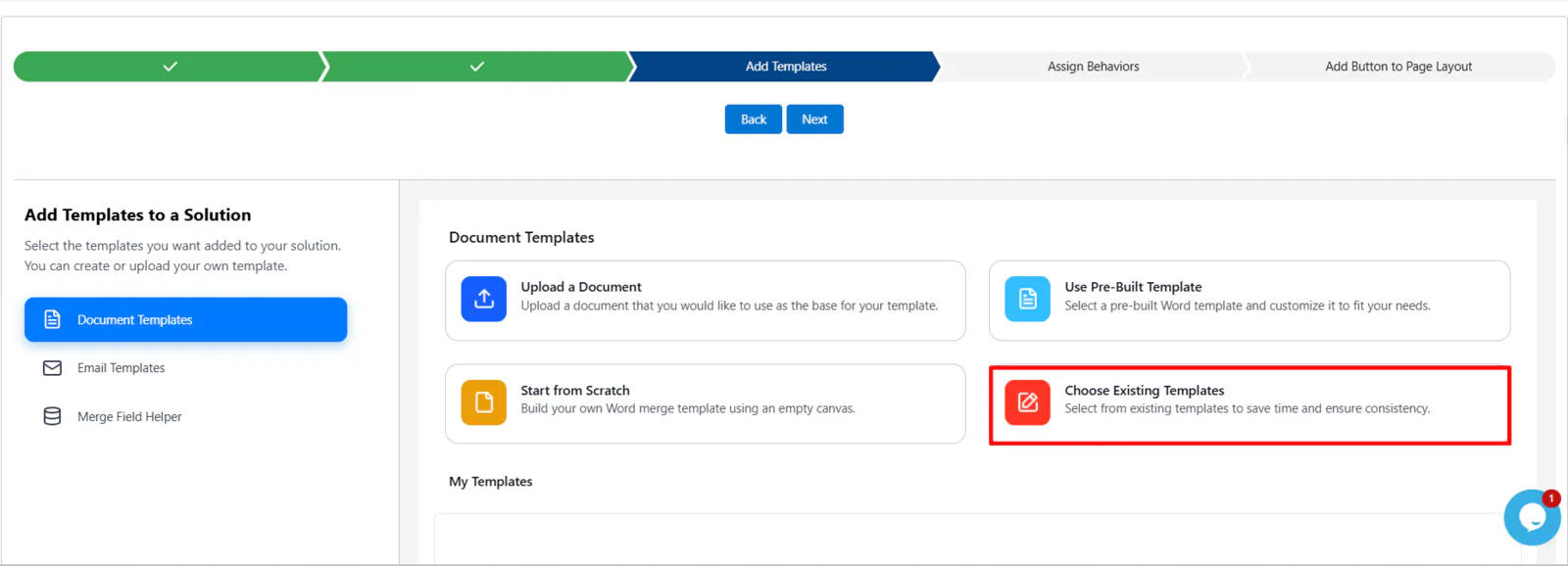
- Start a template by uploading a file, picking a pre-built one, building from scratch or reusing an existing one. See Add a template four ways.
- Check a document with your record data merged in before you generate it. See Preview a merged document.
- Fetch merge data with a custom Apex class when a query can't express your logic. See Apex data relationships.
This release of Docs Made Easy improves template creation, the email template wizard and the Merge Field Helper, and adds a merge preview and Apex-based data fetching.
Upgrade to v1.25 · Check your installed version and upgrade
New features
1. Redesigned Setup and Composer pages
The Setup page and Composer page have a cleaner layout. Menus are simpler, actions are grouped logically and there is more white space, so you can find the option you need without hunting through nested menus.
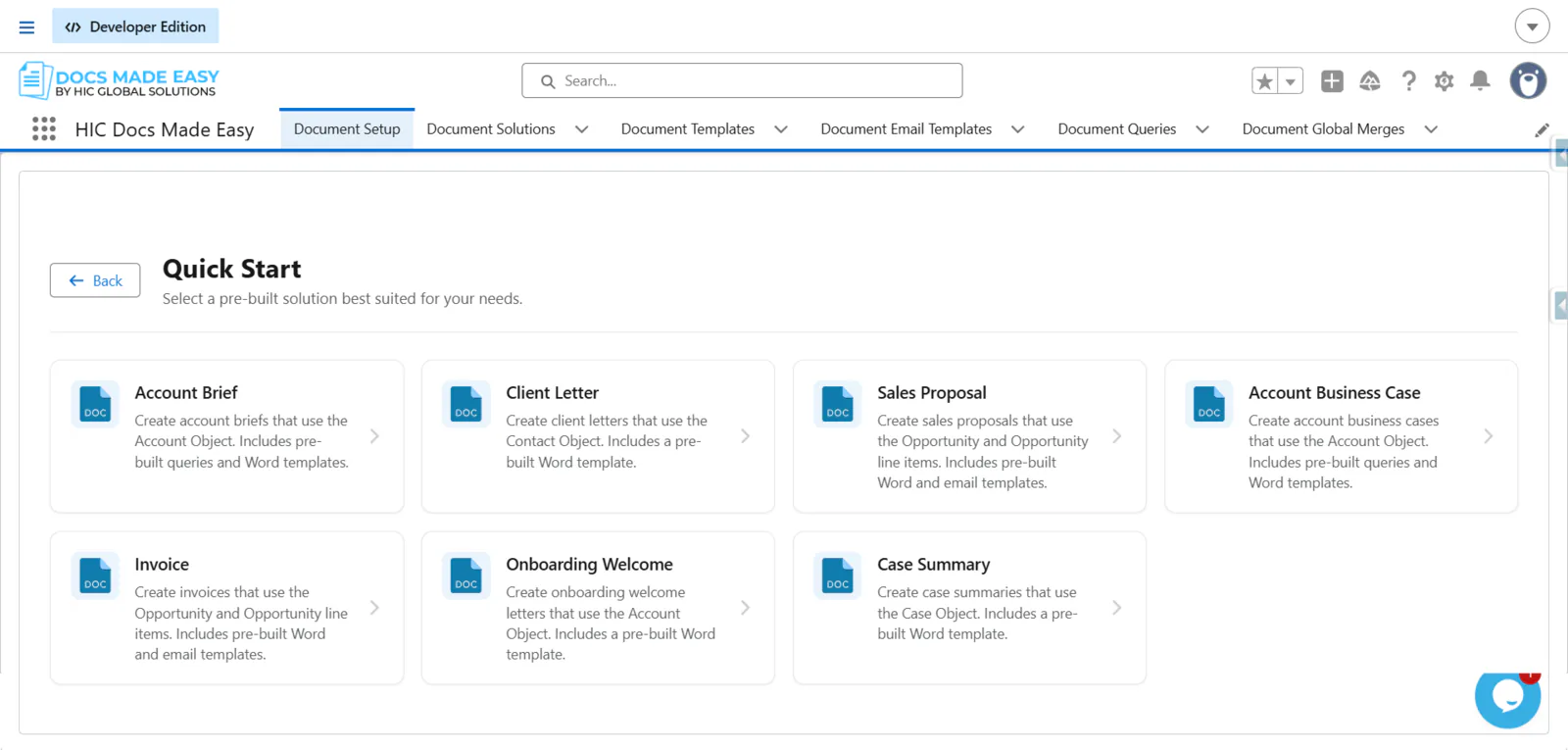
The Composer page uses the same simplified layout.
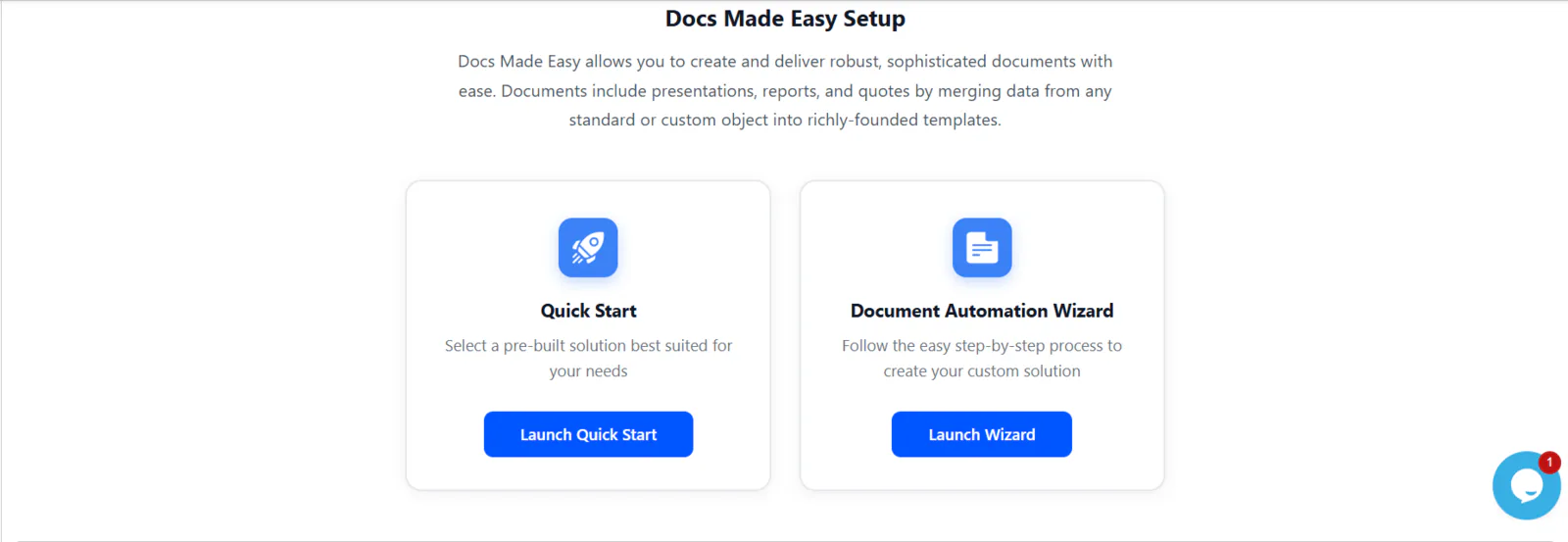
2. Four ways to add a template
You can now create a document template in four ways, so you can start from the right place for your content and workflow.
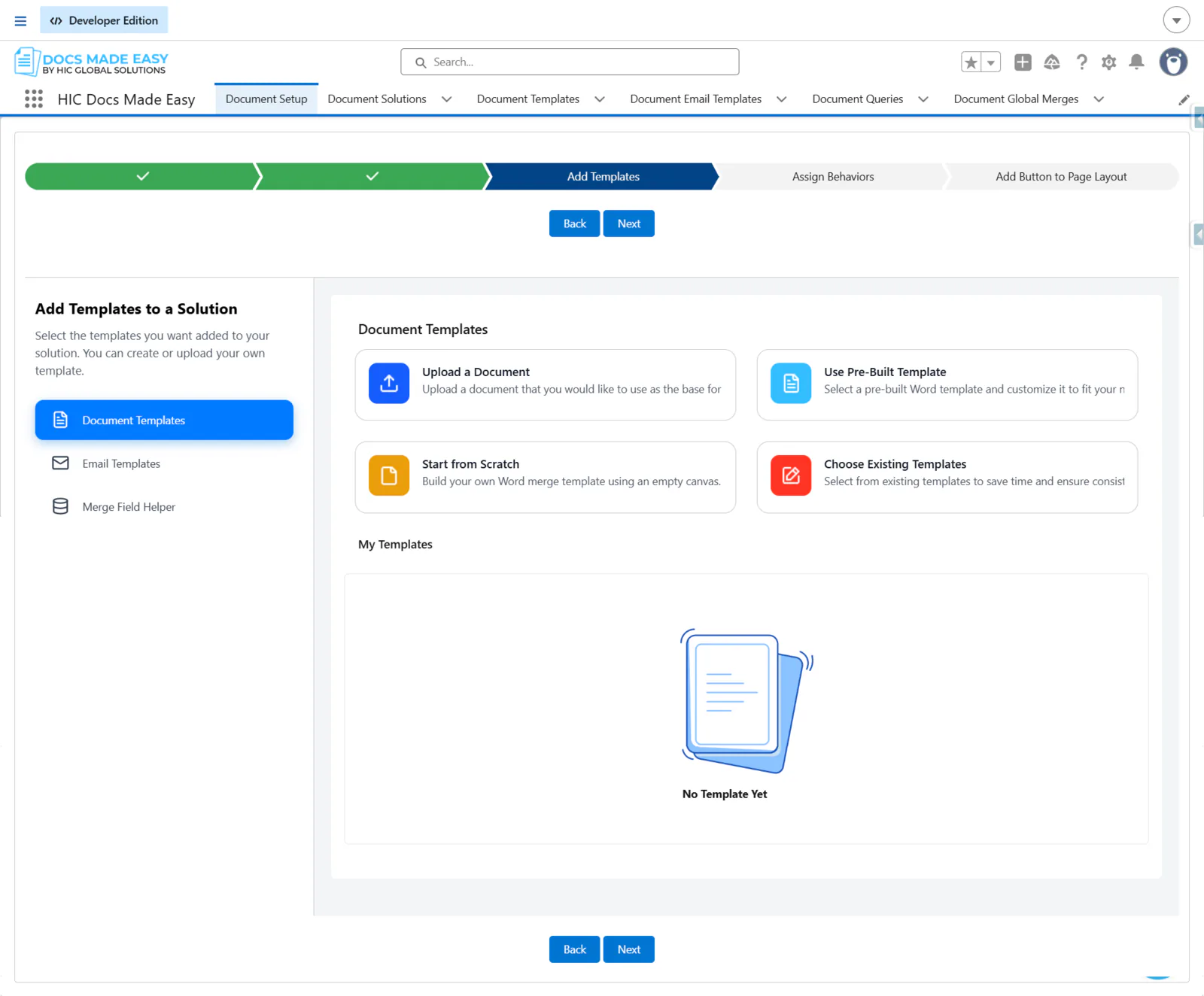
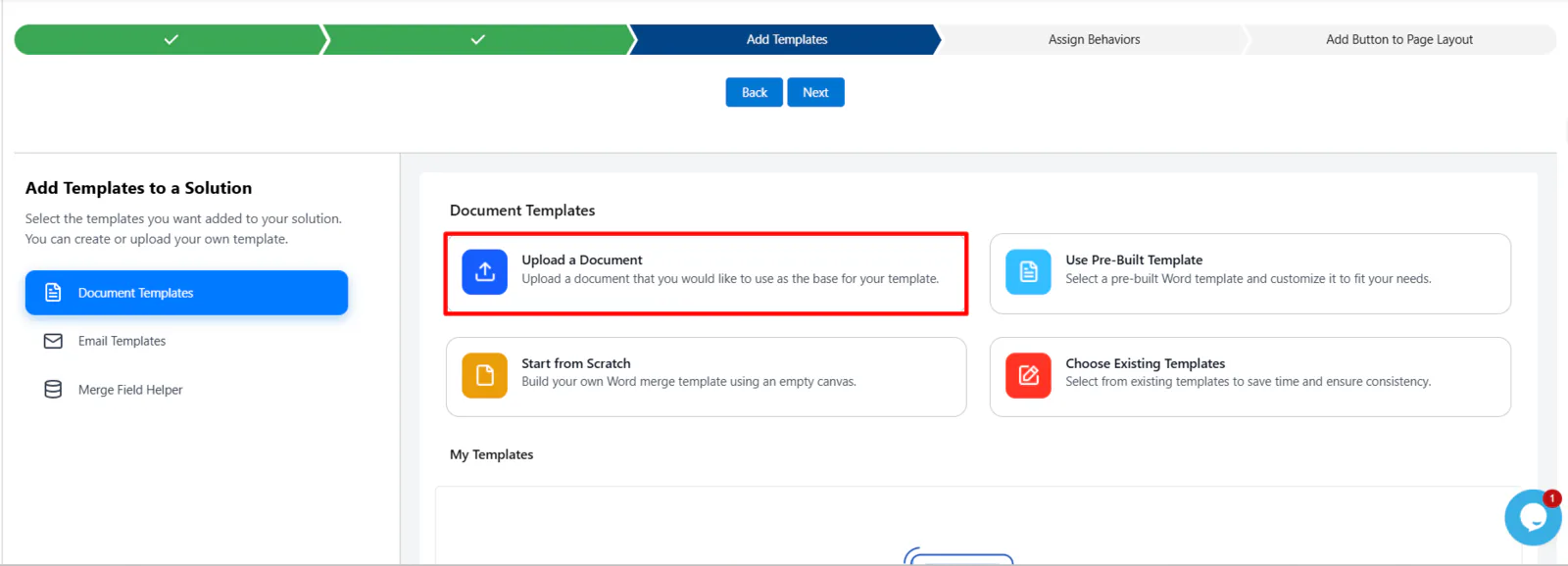
Upload a document: Upload a formatted Word, PowerPoint, Excel or Adobe file. It becomes a usable template immediately, ready for merge fields. Basic uses Word (.docx) templates; PowerPoint, Excel and PDF form templates need Pro.
Use a pre-built template: Pick from a library of Word (.docx) templates for common objects and business needs, such as an invoice for an Opportunity or a sales order for an Order, and customize it. The library is in both Basic and Pro.
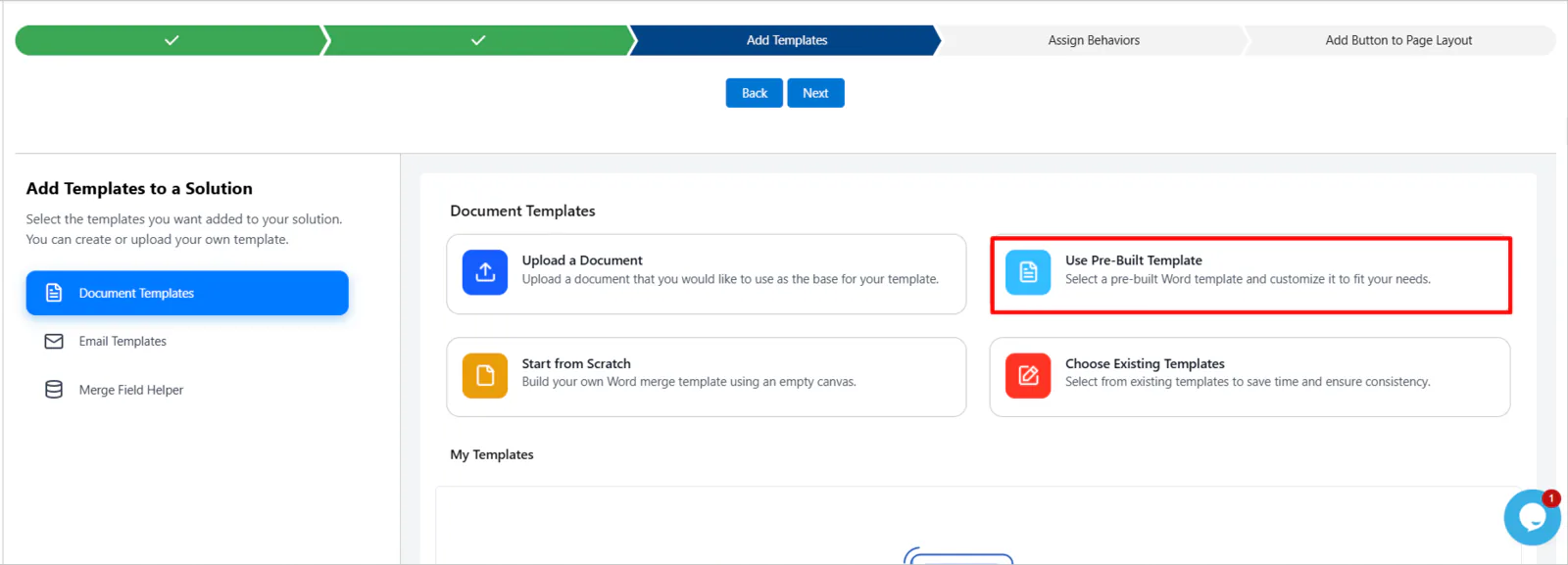
Start from scratch: Create a new template in the in-app Template Editor and build it section by section, with full control over layout and wording. The editor works with Word (.docx) templates only.
Choose existing templates: Reuse a template that already exists in your org, for example one built for another button or use case.
See Add a template: upload, pre-built, from scratch or existing.
3. Template syntax in more formats
This release called it "Pro syntax", but that name isn't an edition tier. There is no Pro-only syntax and no Pro-only parameter: every merge field, conditional and switch works in both Basic and Pro.
The syntax for conditional logic, formatting and calculations previously worked only in Word templates. From v1.25, it also works in PowerPoint, Adobe Form (PDF form) and Excel templates. Those template types need Pro.
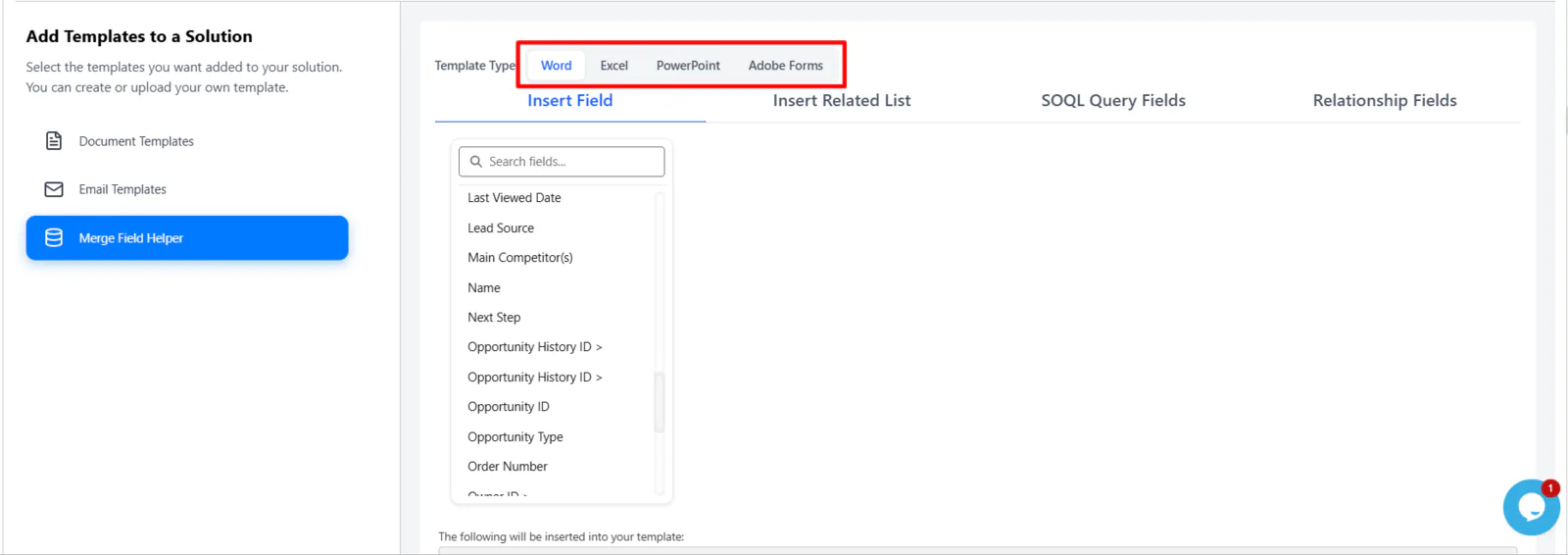
For merge fields, tables and switches, see Template syntax basics. For which edition includes what, see Compare editions.
4. Merge preview before you generate
You can now preview a merged document before the final generation step. Instead of generating a document, opening it and going back to fix a field, you can catch issues in a live preview first.
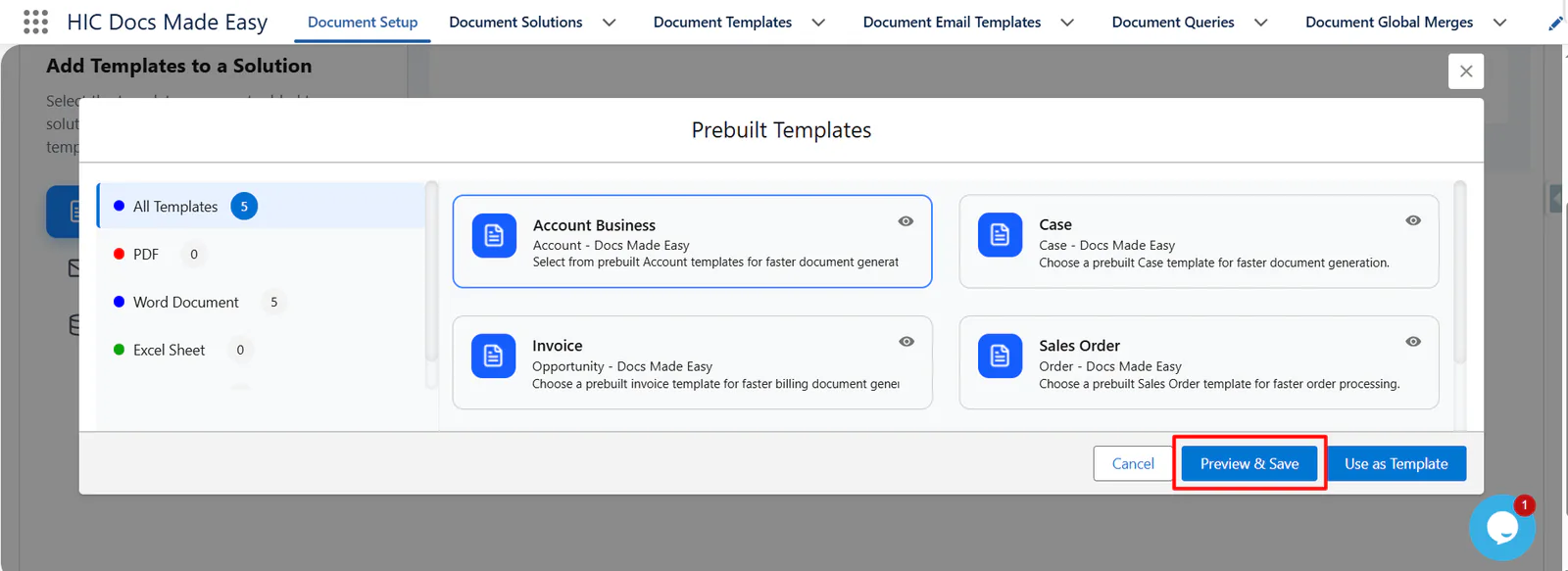
The preview shows the document with your record data merged in, exactly as it will be generated. It's available in Basic and Pro, but not for Excel or PowerPoint templates. A preview counts as a generated document for usage, but nothing is saved to the record unless you download and save it.
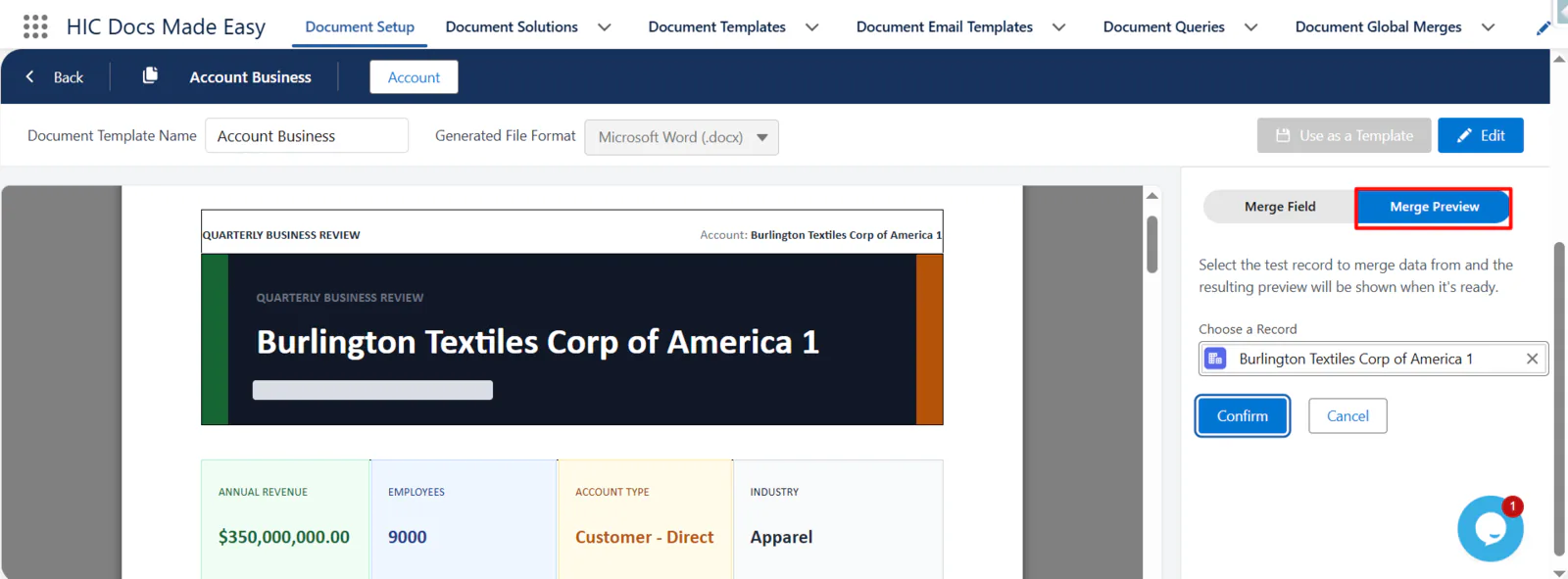
See Preview a merged document before you generate it.
5. Fetch data with an Apex class
For complex data requirements, you can now fetch merge data through a custom Apex class instead of a standard query alone. Use it when a document needs logic that a SOQL-based query builder can't express, such as multi-step calculations, calls to external systems or data assembled from several unrelated objects.
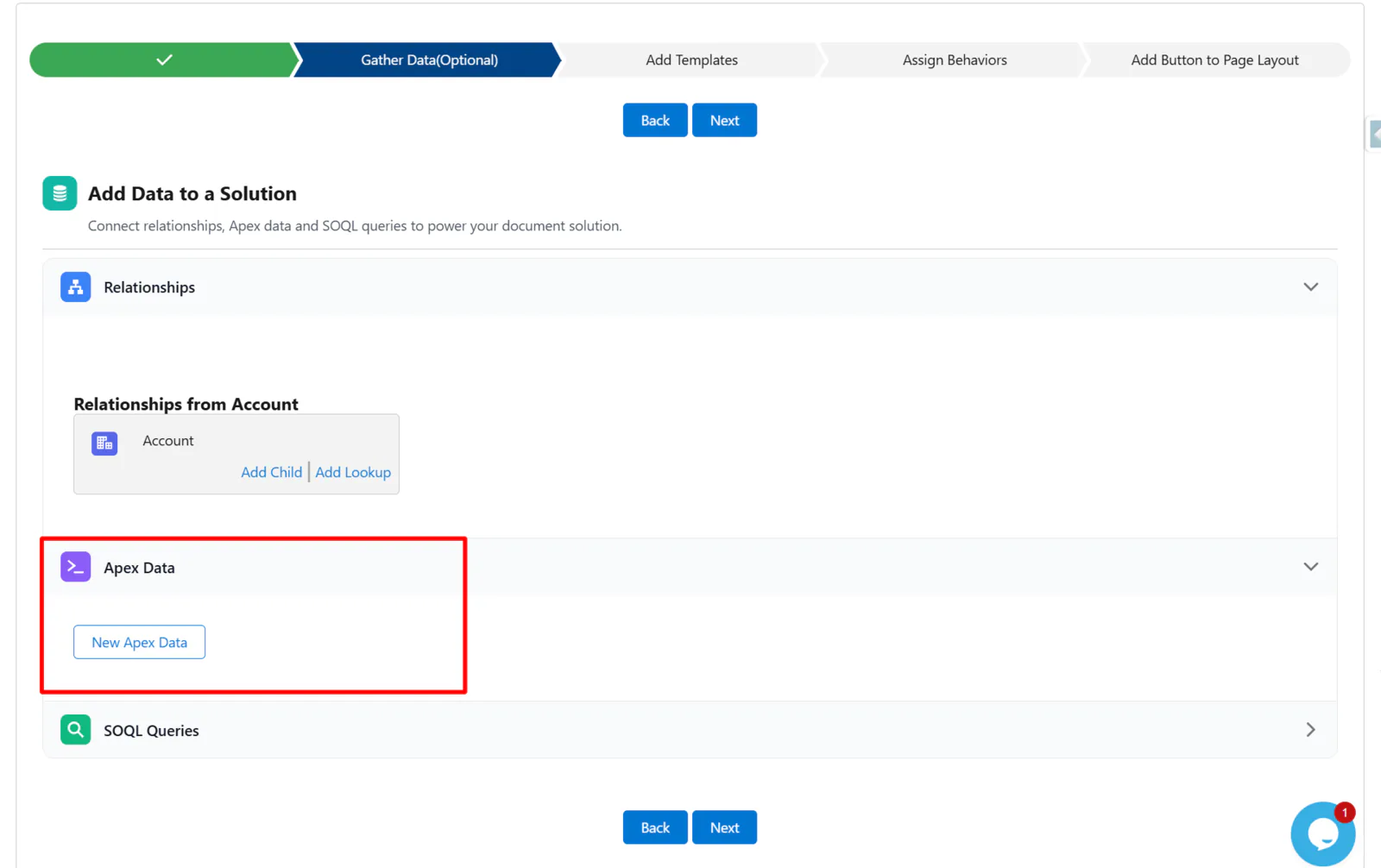
Because the logic lives in Apex, this approach suits admins or developers who are comfortable writing and maintaining Apex code. The sample provided is a starting point to adapt to your own object model and business rules, not a drop-in solution. For details, see Apex data relationships in Docs Made Easy.
Enhancements
Smarter email template wizard
The email template wizard has been reworked, so building the email that carries your document is as quick as building the document itself.
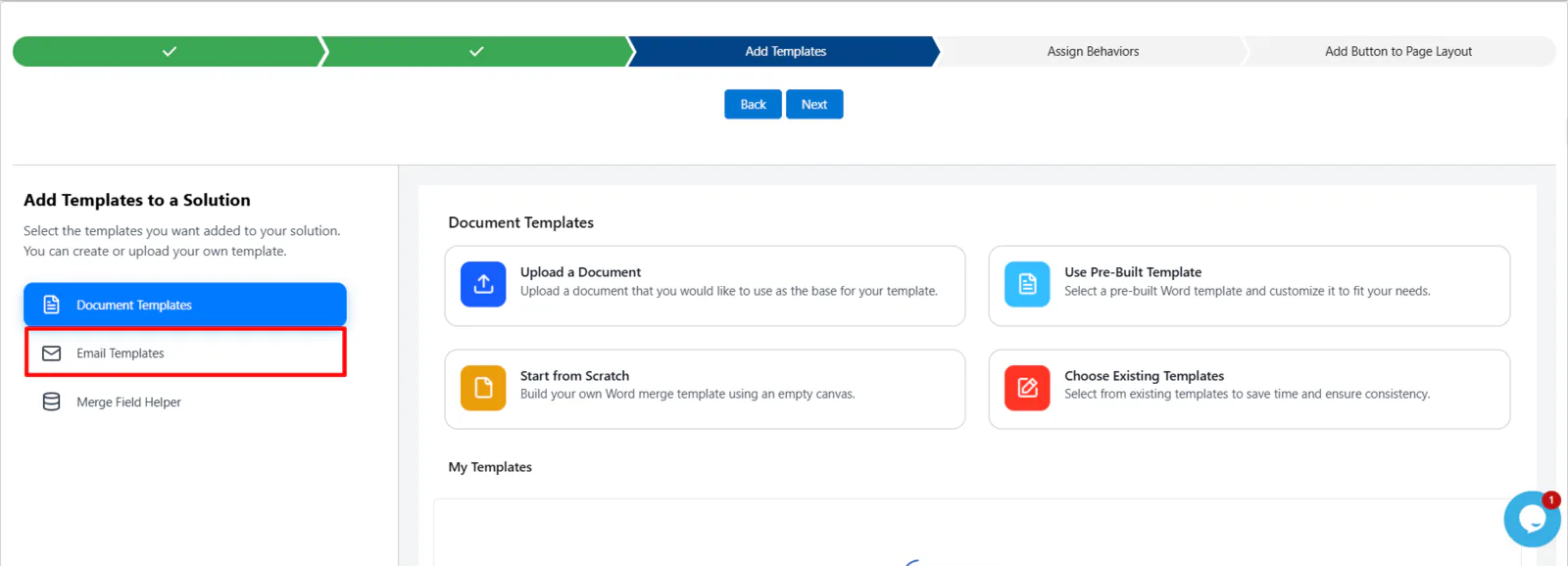
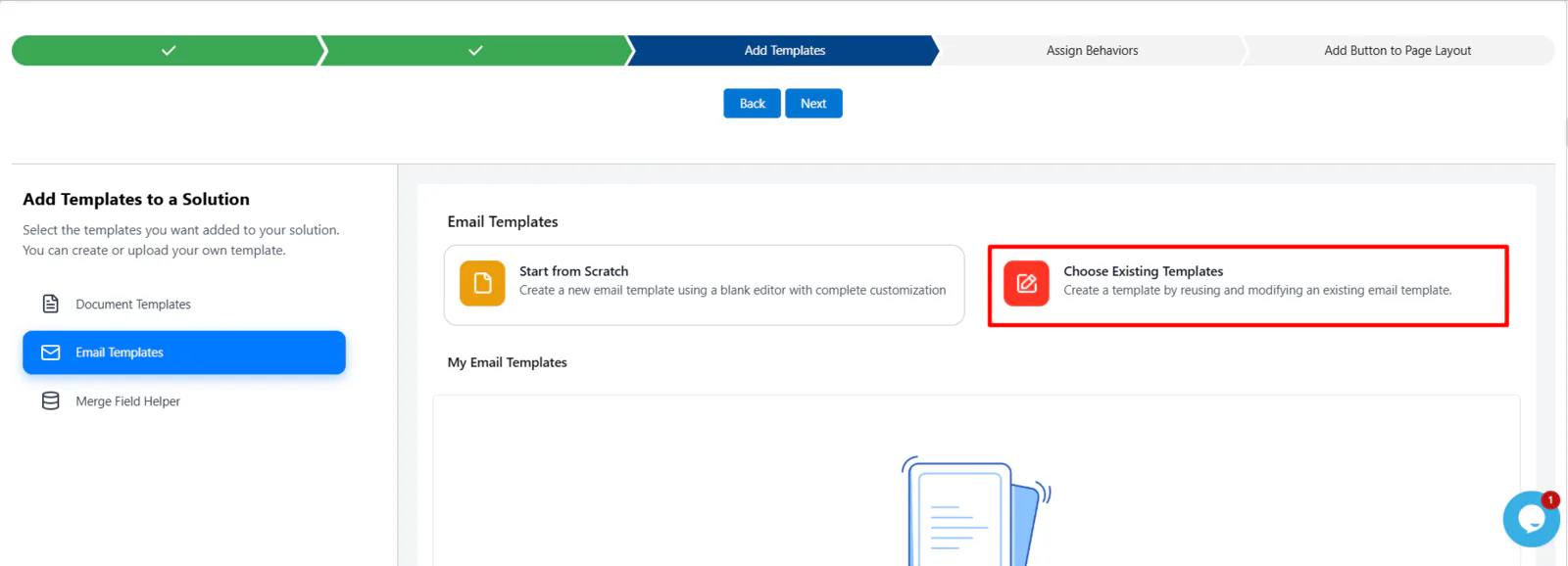
You can build an email template in two ways:
Write from scratch: Compose a new email template inside the solution, with a subject line, body and merge fields. Save it to reuse with any button or automation that sends documents to clients or internal teams.
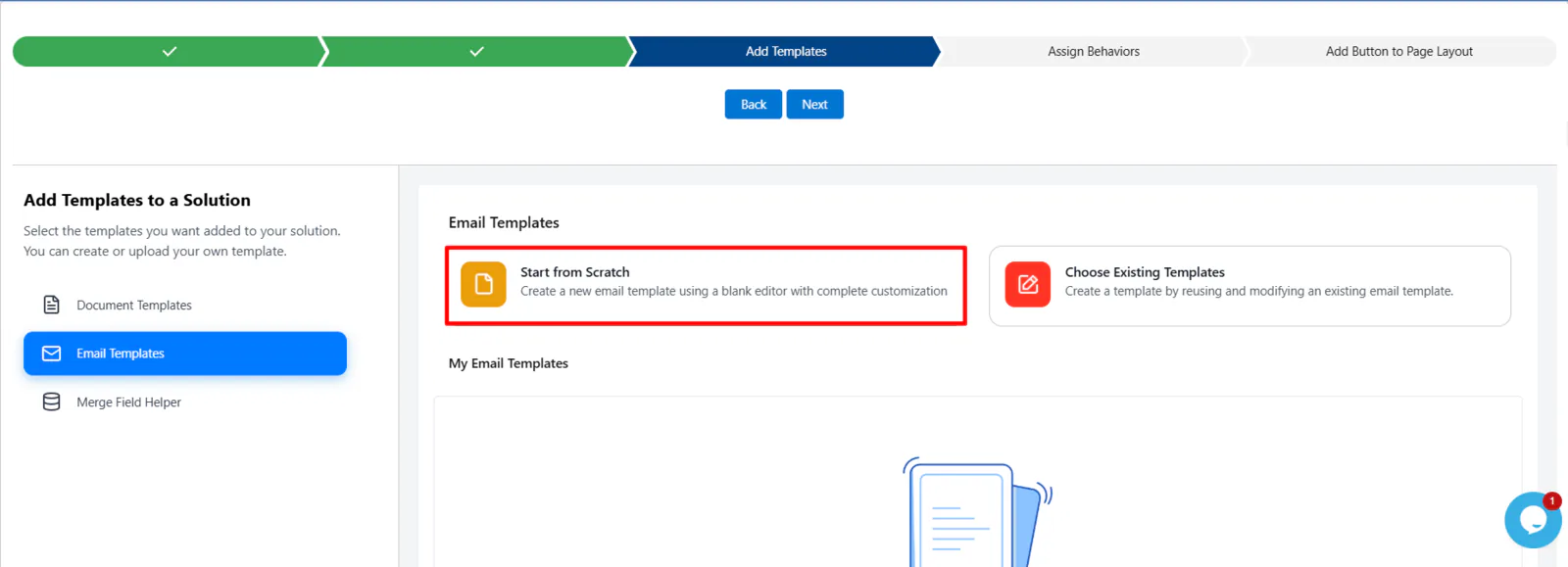
Choose an existing template: Select an email template already configured in your org instead of rebuilding it. This keeps your messaging consistent across every workflow that sends documents with Docs Made Easy.
Improved Merge Field Helper
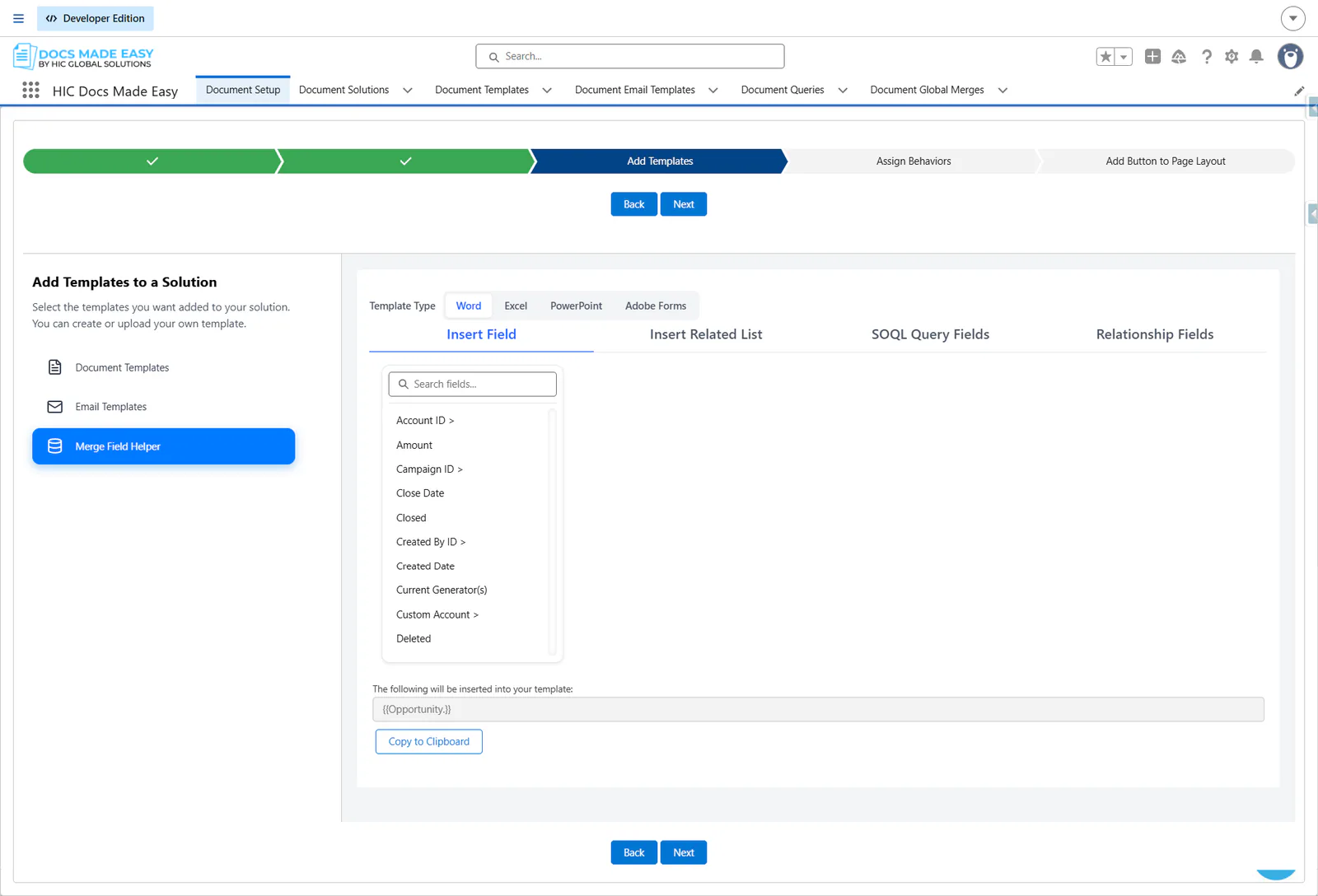
The Merge Field Helper, which inserts Salesforce data into a template, has a refreshed interface. It's faster to find and insert the right fields, especially in templates that use data from several related objects. See Copy merge fields with the Merge Field Helper.
Bug fixes
- Fixed: You could run into problems generating documents in Incognito or Private browsing windows. In version 1.25.0, document generation works reliably in both modes.
- Fixed: Emails attached documents only from the templates added to the solution and ignored the templates you selected on the Composer screen. In version 1.25.0, Docs Made Easy attaches the templates you select on the Composer screen. See The email wasn't sent or arrived without the attachment.
Related: Release notes: September 2025 (v1.23.15) · Release notes: July 2026 (Pro v1.17.0)