
At a glance
- Edition: Basic
- Action required: Upgrade to get these changes.
- Highlights:
- Pull parent, child and lookup relationship data into a template without writing SOQL. See Set up object relationships in Gather Data.
- Add nested tables to a template, with built-in guidance and examples. See Use nested queries and nested tables.
- Find solutions faster on the redesigned Setup and Composer pages, with search, pagination and tooltips.
This release of Docs Made Easy improves search, relationship data, the email interface and the Query Builder, and adds support for external uploads, for better control and usability.
Get the latest version · Check your installed version and upgrade
Enhanced user interface
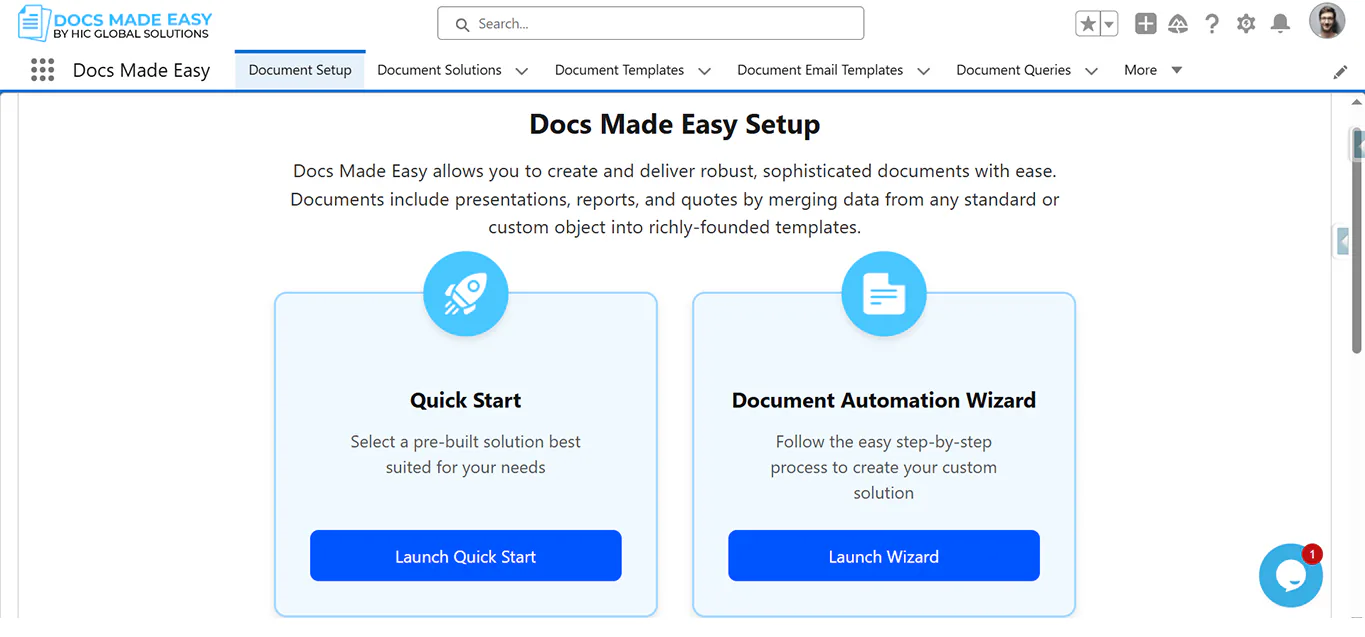
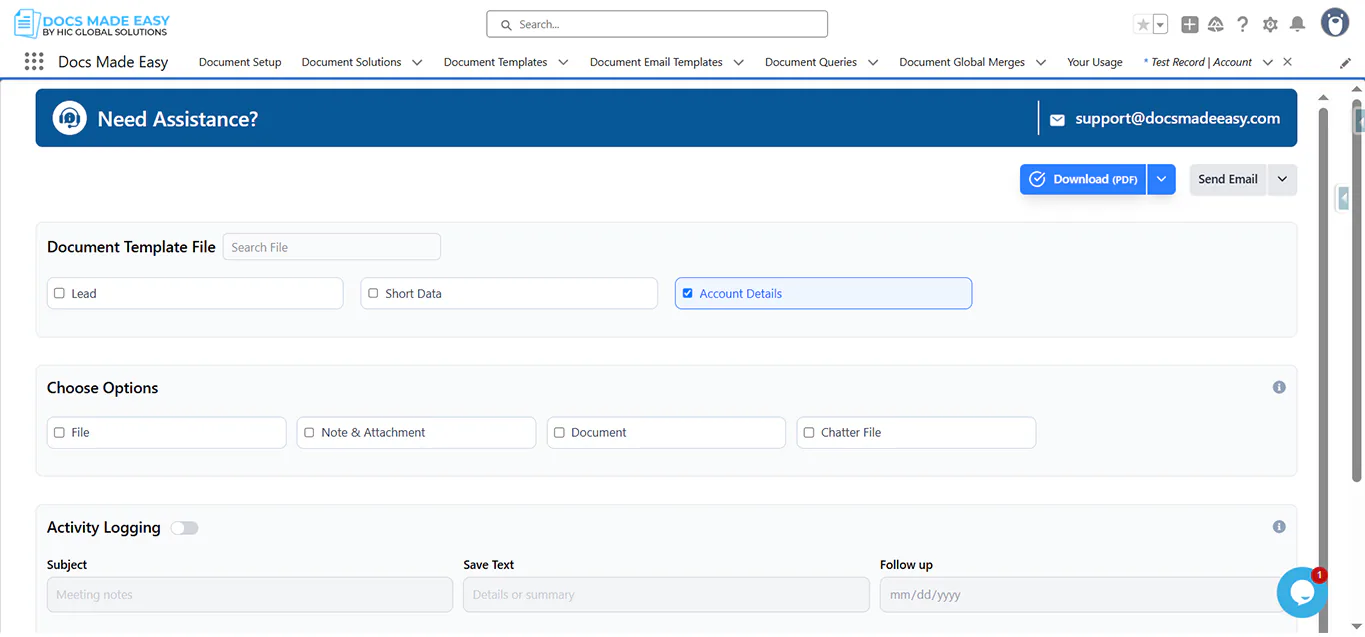
Improved Setup and Composer pages
The Setup and Composer pages have a cleaner, more intuitive layout, so you can navigate more smoothly and find what you need with less effort.
The Setup page:
The Composer page:
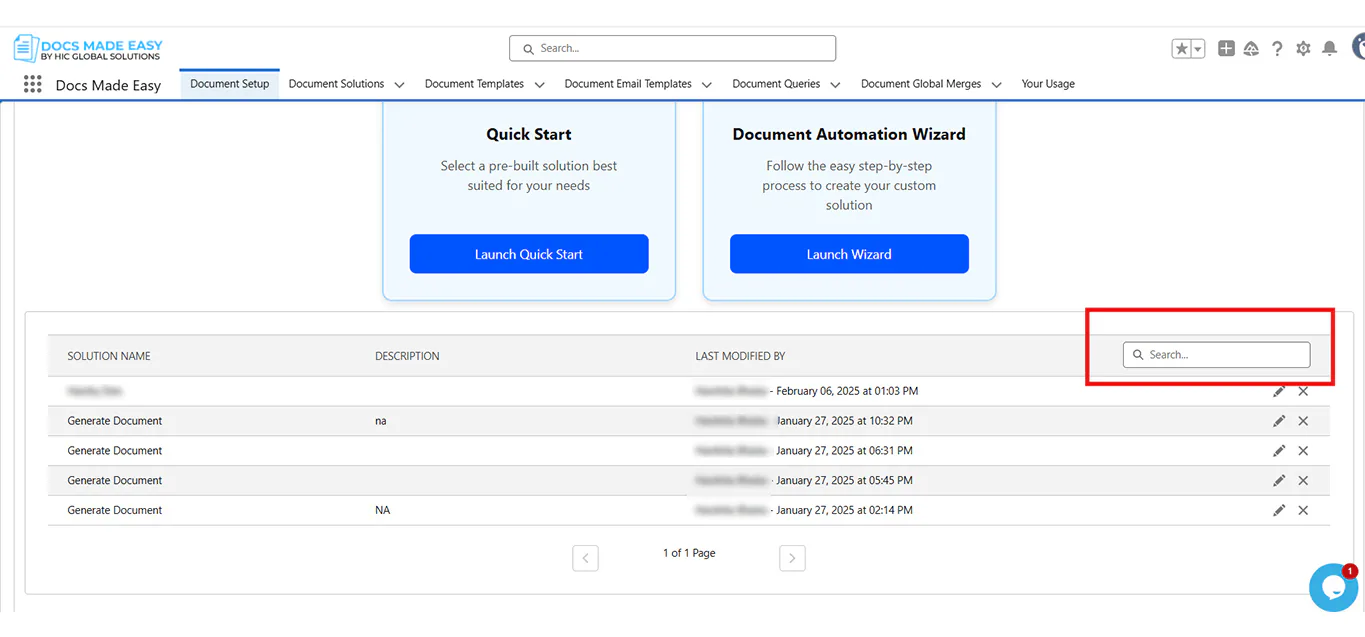
New search bar
Search for any solution quickly, instead of navigating through several searches.
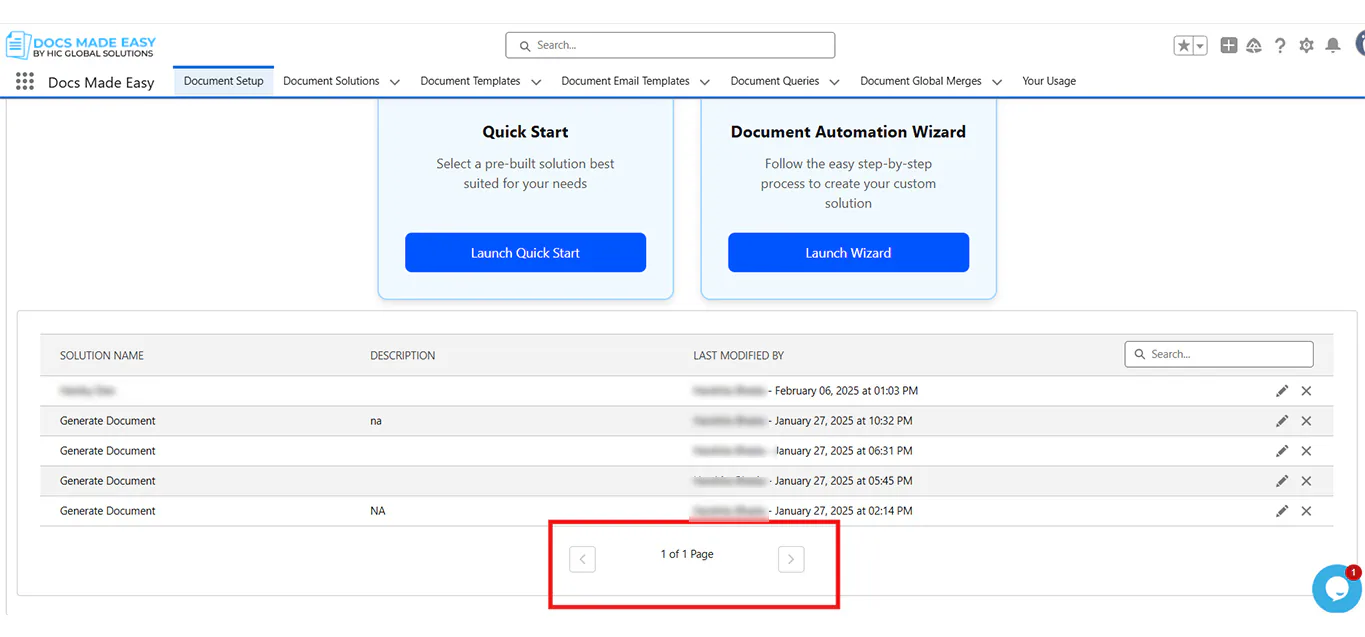
Pagination
Lists are now split into pages, which makes large amounts of data easier to browse.
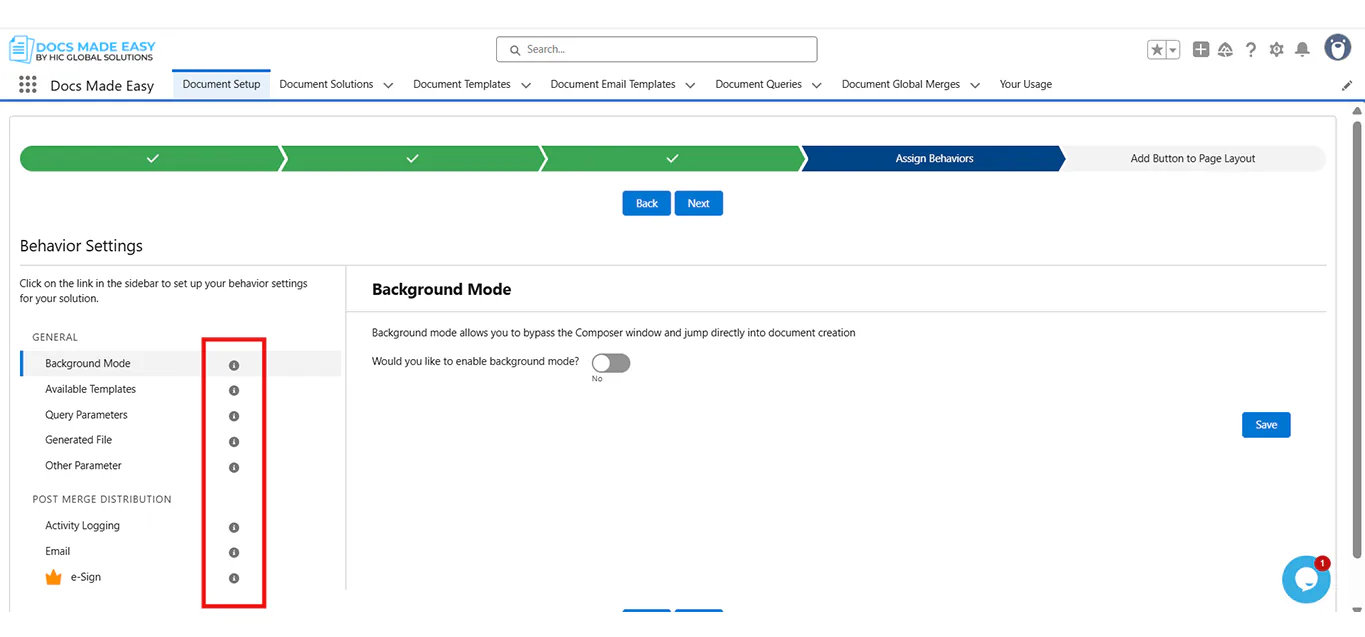
Contextual tooltips
Tooltips on key features give you in-app guidance where and when you need it, which shortens the learning curve.
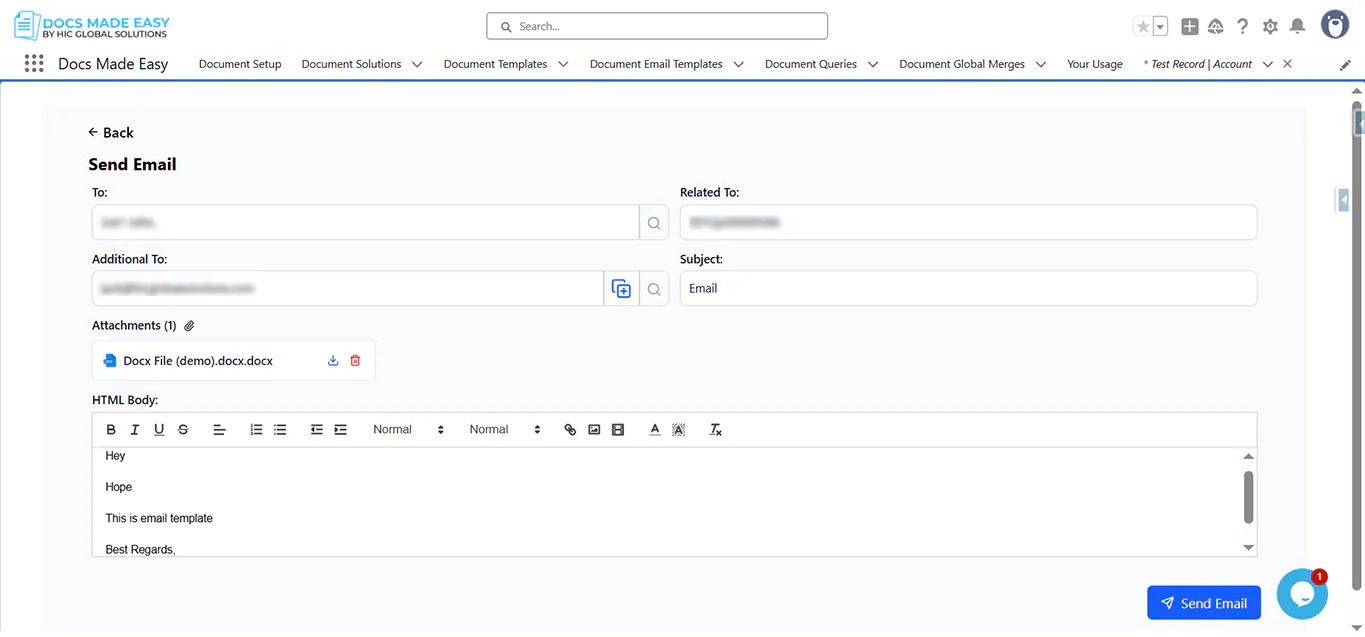
Improved email interface
The email interface is easier to use, so you can send emails with smoother delivery and fewer errors. See Where generated documents go: download, Files, attachments and email.
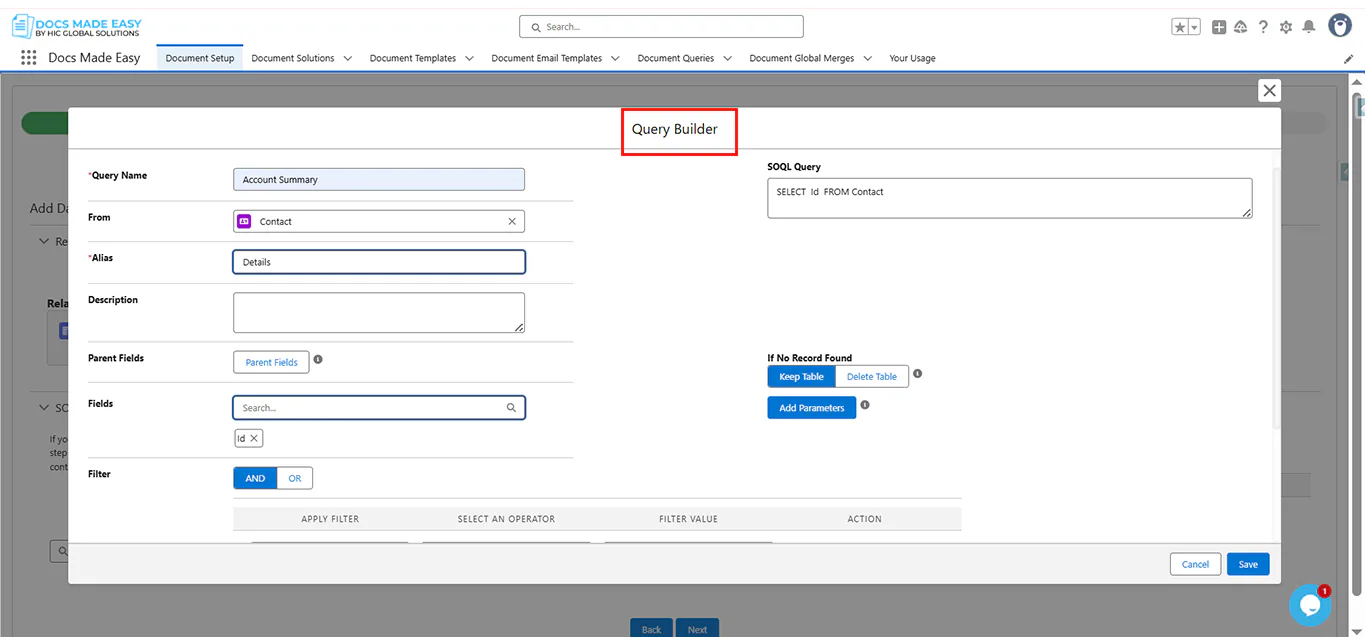
Improved Query Builder
The upgraded Query Builder makes it faster and simpler to create, modify and visualize queries. See Pull data into a template with a SOQL query.
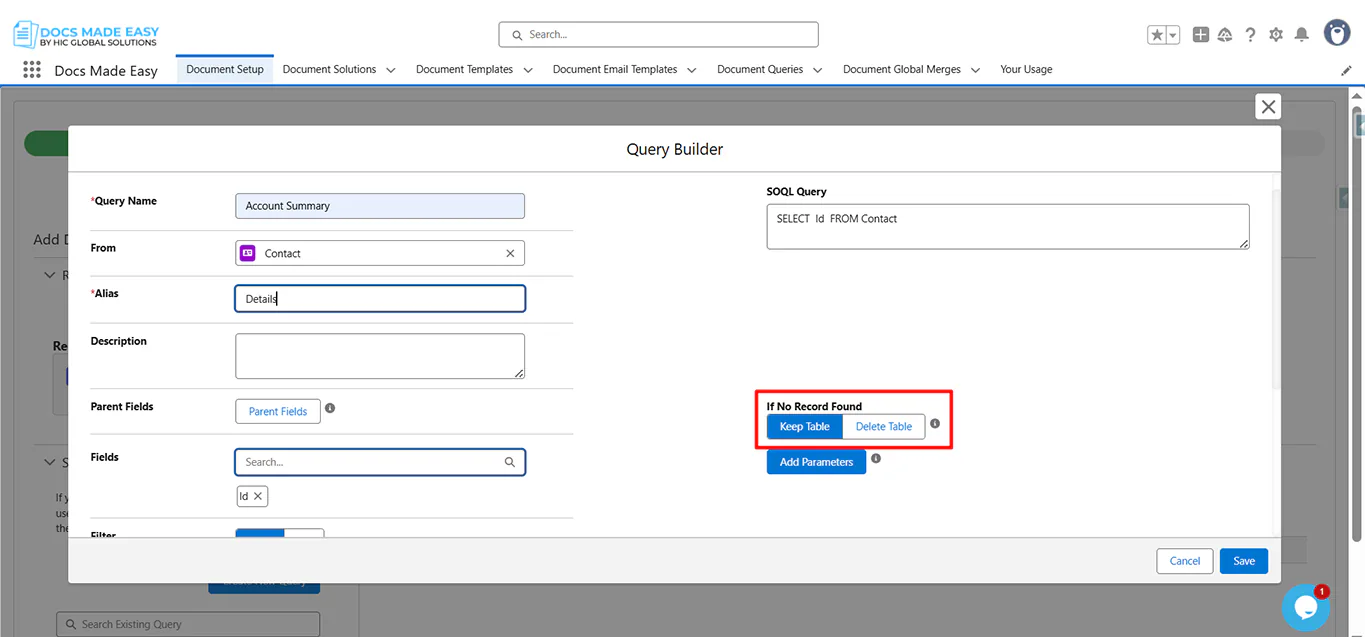
Keep Table and Delete Table buttons
Use Keep Table or Delete Table to decide whether a table stays in the document when no records are found, which gives you more control over how your data is displayed.
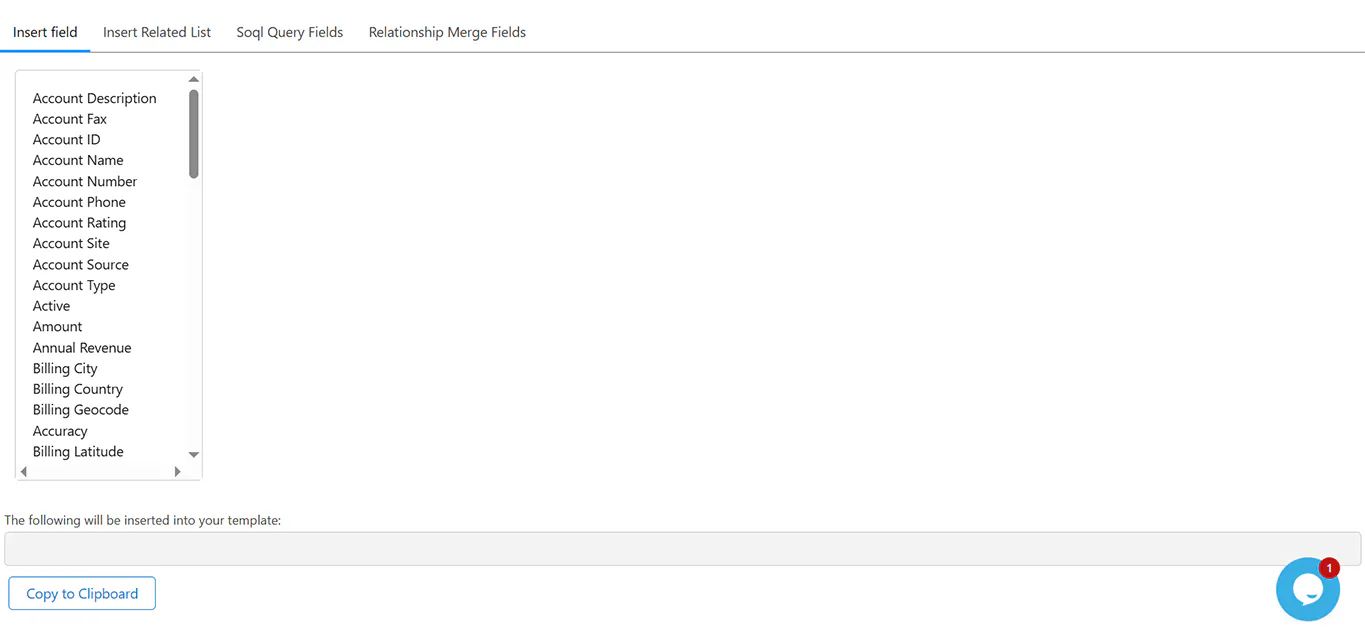
Improved Merge Field Helper
The Merge Field Helper has a cleaner layout and simpler navigation, so finding and adding merge fields while you build a template is quicker. See Copy merge fields with the Merge Field Helper.
New features
1. Fetch relationship object data
You can now pull data from parent, child or lookup relationship objects directly into your document templates. You don't need to write complicated SOQL queries or set up custom logic.
- No complex setup: Choose your fields, and Docs Made Easy handles the relationships in the background.
- Standard and custom relationships: Access fields from related objects, such as
Account.NameandOpportunity.Owner.Email, or from custom objects, such asInvoice__r.Total_Amount__c.
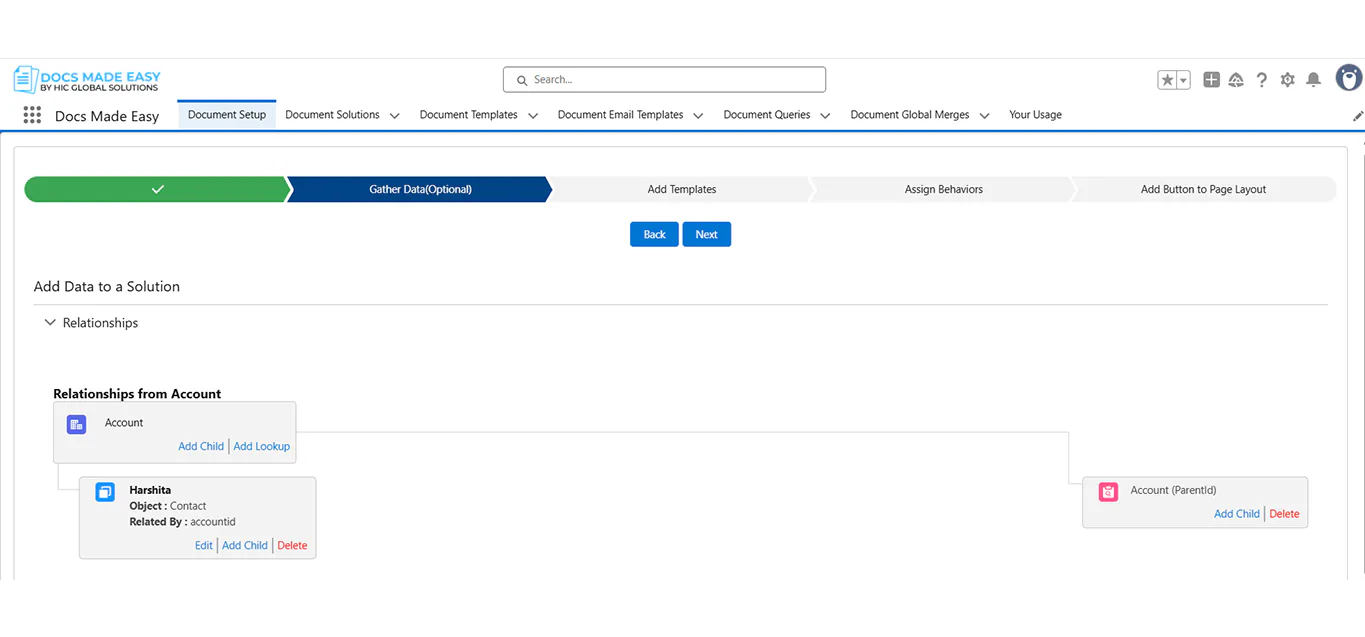
See Set up object relationships in Gather Data.
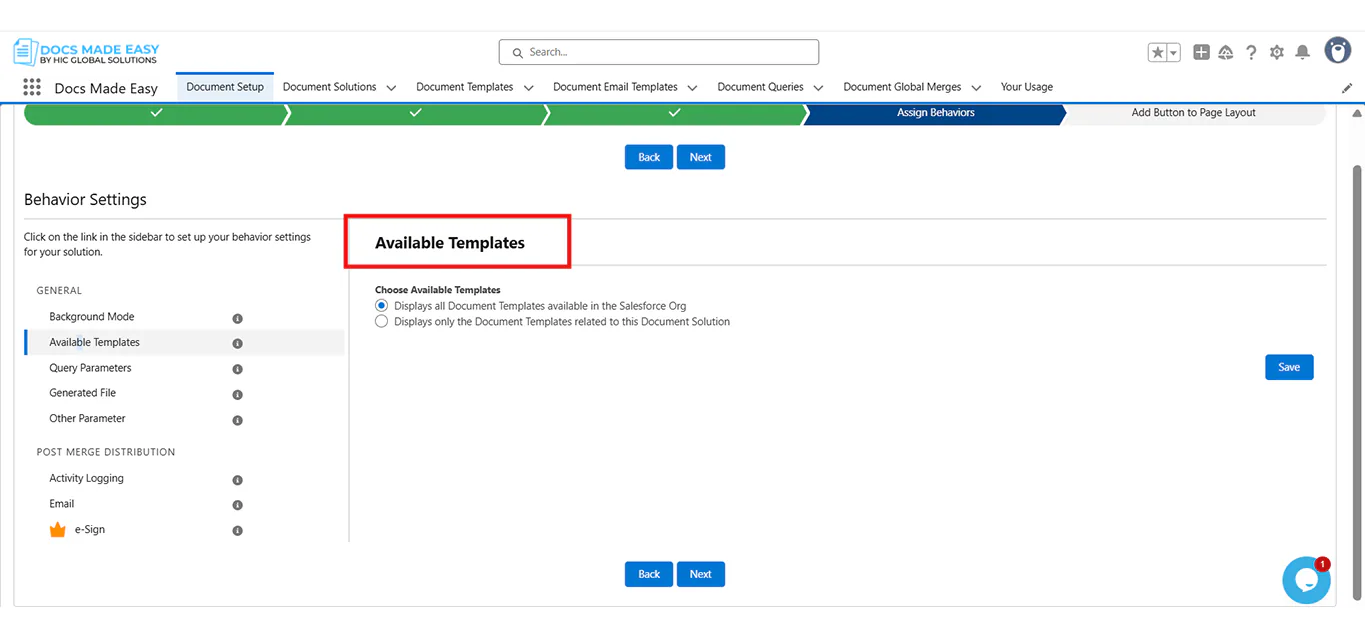
2. Smarter template selection
Choose to see only the templates linked to your current document solution, or view all templates in one place, to find and manage templates faster.
3. Nested table syntax
You can now add nested tables to your templates, with built-in guidance and ready-to-use examples.
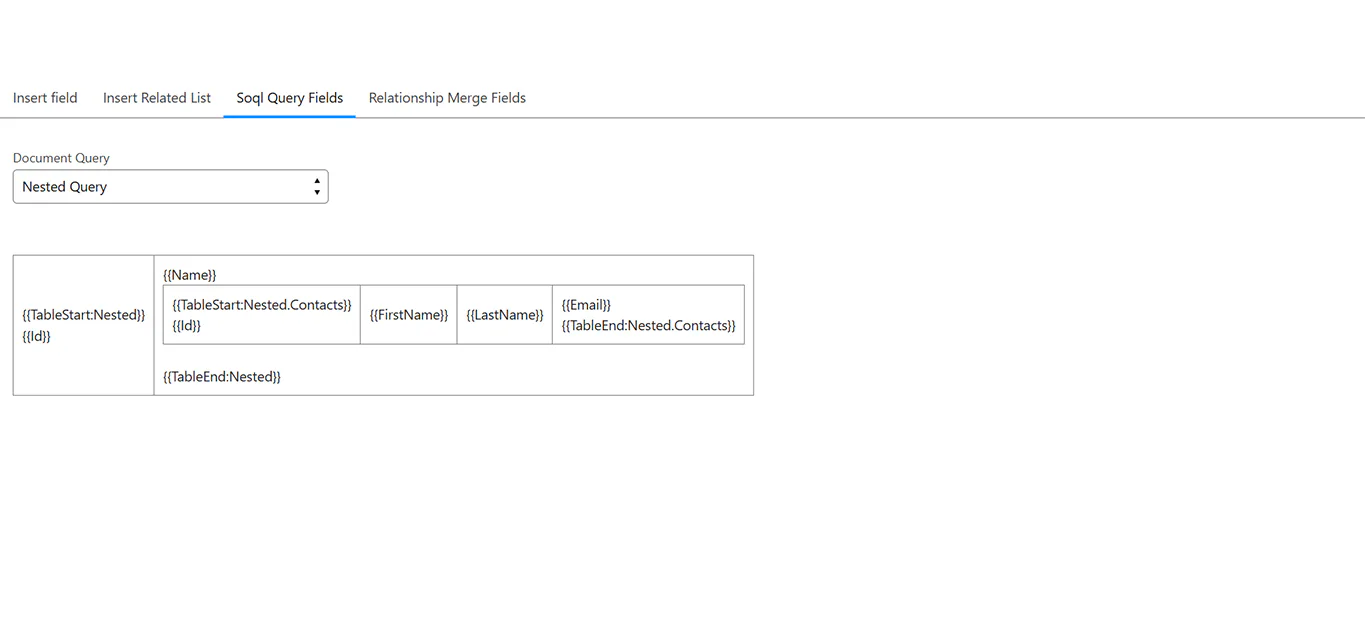
The outer table uses the query's alias, for example {{TableStart:ALIAS}}. The inner table uses the alias followed by the relationship, for example {{TableStart:ALIAS.Opportunities}}. Nested tables work in Word (.docx) templates only, not Excel.
See Use nested queries and nested tables in a template.
Deprecated features
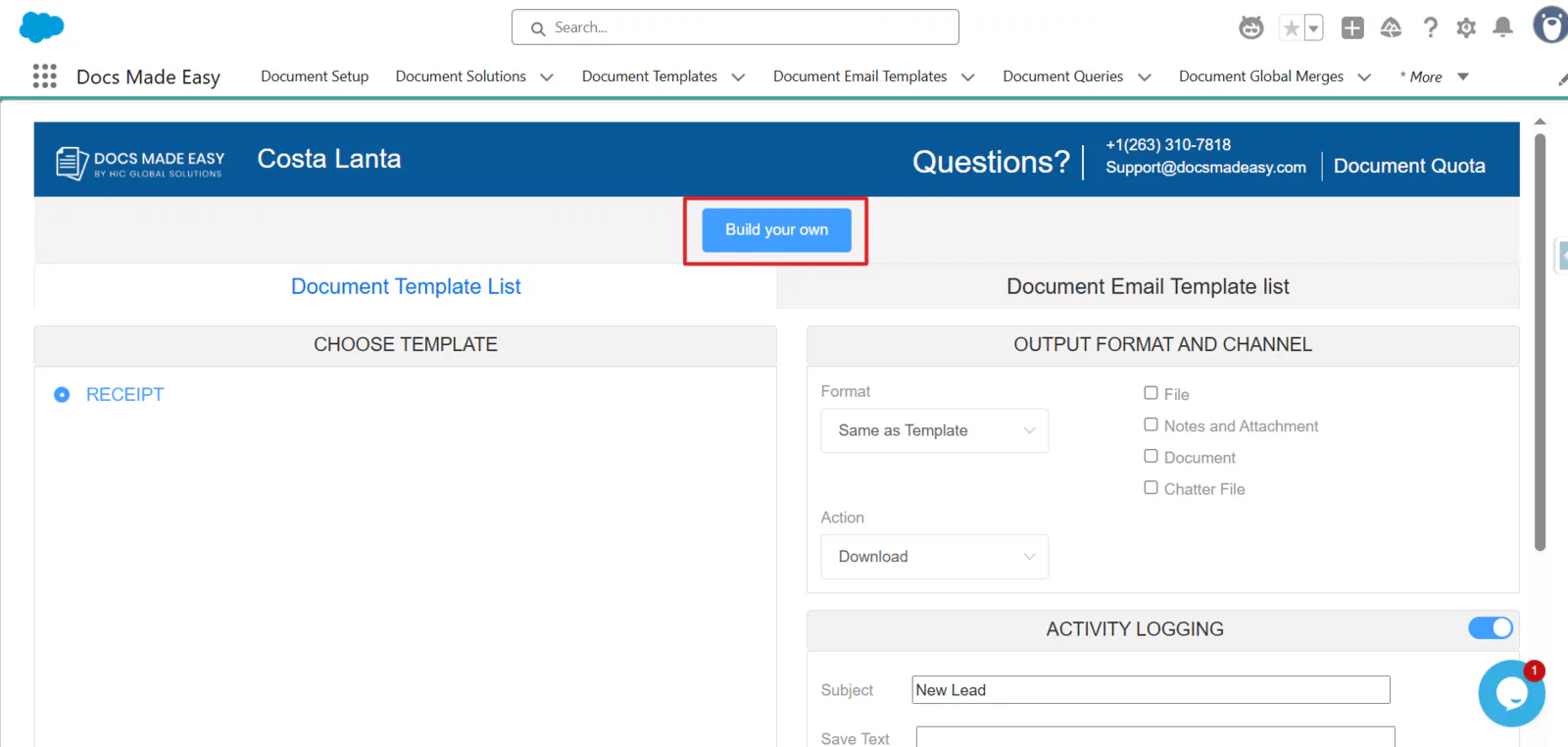
This release removes the Build Your Own button. To copy merge field syntax, use the Merge Field Helper or the Available Merge Field button on the Gather Data page. See Copy merge fields with the Merge Field Helper.
Bug fixes
This release fixes minor issues so you can generate documents faster and more efficiently.
Related: Release notes: June 2024 (v1.21) · Release notes: September 2025 (v1.23.10)