
At a glance
- Edition: Basic
- Action required: Upgrade to get these changes. Templates that use the previous syntax keep working, but the new syntax is recommended.
- Highlights:
- Write merge fields as
{{ObjectName.FieldName}}instead of{!ObjectName.FieldName}. See Template syntax basics and Old vs new merge syntax. - Group detail data by a field with Table Group. See TableGroup.
- Group query results under a header field with TableGroup start. See TableGroupStart.
- Write merge fields as
This release introduces a new merge syntax, a table grouping feature and fixes for activity logging and email template previews. It also includes performance improvements.
Get the latest version · Check your installed version and upgrade
What's new in v1.10.2
This release changes the basic merge syntax and the table syntax. The syntax is updated across all document formats in the platform, including:
- Accounts brief
- Sales proposal
- Client Letter
Syntax updates
Basic syntax
The basic merge syntax has changed from {!ObjectName.FieldName} to {{ObjectName.FieldName}}.
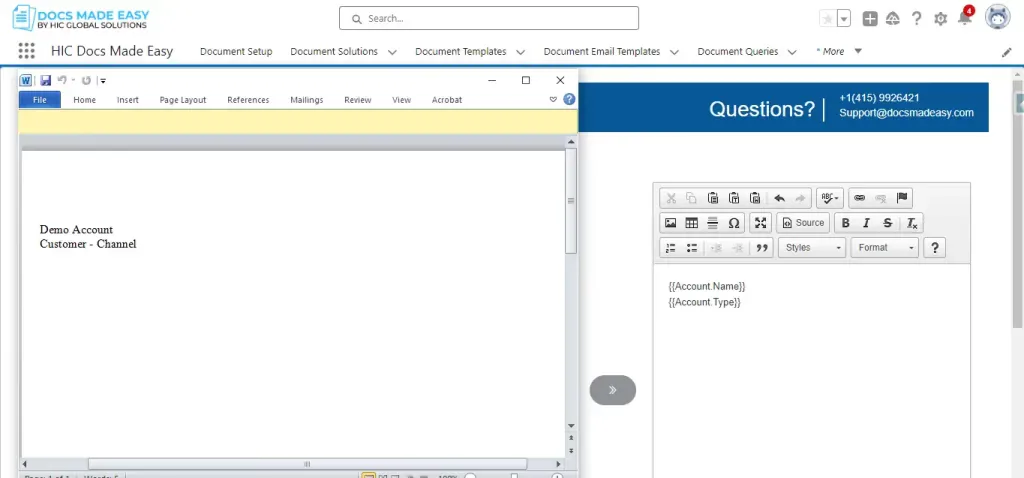
Table start
The updated syntax for tables is:
{{TableStart:DatasetName}} {{FieldName}} {{TableEnd:DatasetName}}
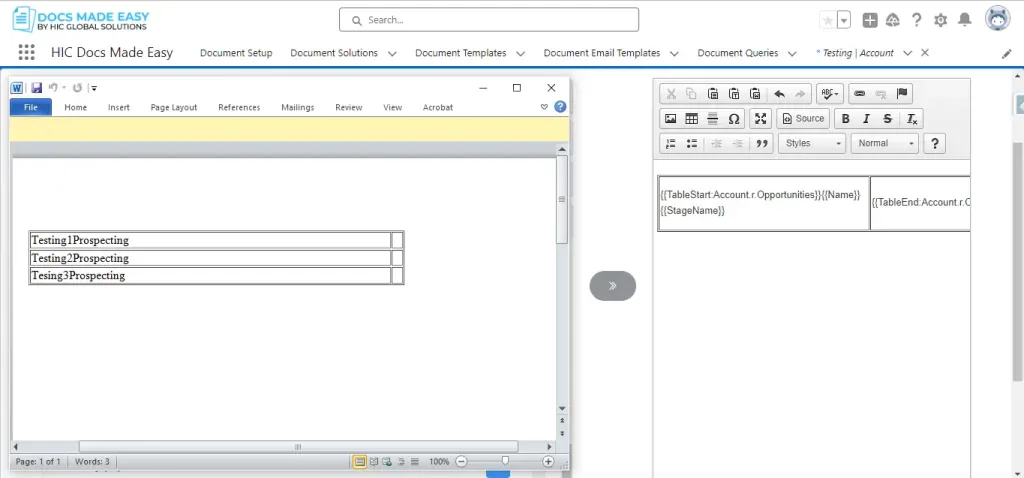
For both, see Template syntax basics: merge fields, tables and switches.
New features
1. Table group
The new Table Group feature groups detail data by a specific field. Use this syntax:
{{TableGroup:Account.r.Contacts:Id:Show}}
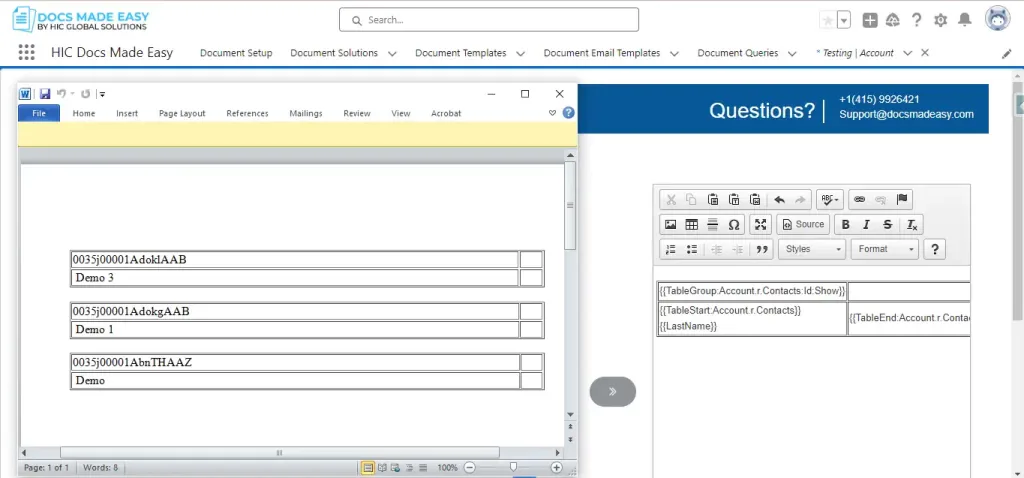
See TableGroup.
2. Query data with TableGroup start
When you run a query with TableGroup start, the output retrieves the records and also adds a header field, which makes the data easier to read. Use this syntax:
{{TABLEGROUPSTART:QueryData1:LastName}} {{LastName}} {{TABLEGROUPEND:QueryData1:LastName}}
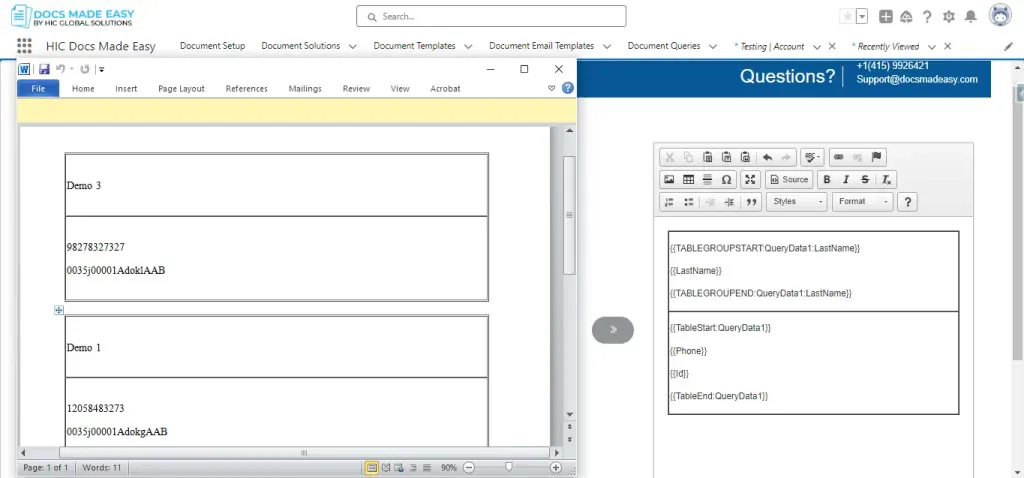
See TableGroupStart.
The platform still supports both the new and the old syntax, but we recommend the new syntax.
Bug fixes
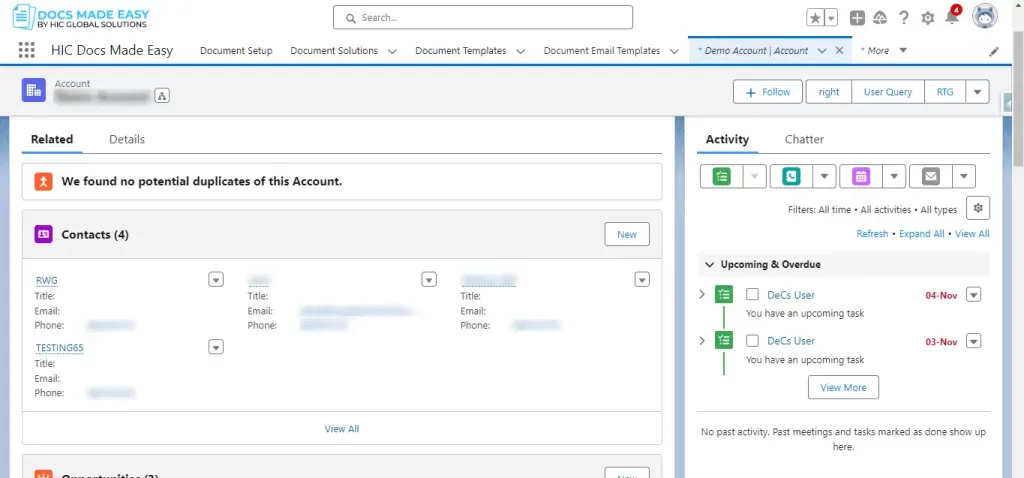
Activity logging
Fixed: The activity logging feature didn't work properly. It now works as expected. See Activity logging.
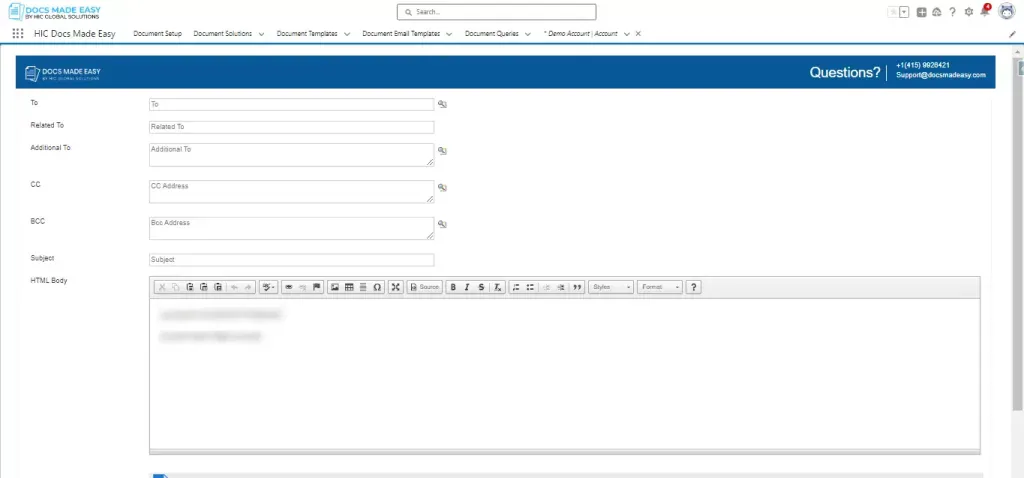
Email document templates
Fixed: Email preview didn't work properly. You can now preview the email template before you send an email.
Enhancements
We've optimized performance to make the app faster, so you can take on more complex projects.
Related: Old vs new merge syntax · Next release: Release notes: December 2023 (v1.11.0)