
The owdemailid parameter sends emails from an organization-wide email address configured in Salesforce. Docs Made Easy sends the email on behalf of that address, which keeps your branding consistent and helps you follow company email policies.
Syntax
As an Other Parameter on the solution's Assign Behaviors page:
Parameter Name:  owdemailid
Parameter Value: 0D2WU0000001tDl
In the solution button's URL (Docs Made Easy adds each Other Parameter to the button URL for you; see Parameters explained):
&owdemailid=0D2WU0000001tDl
Values
| Value | Effect |
|---|---|
| The 15-character ID of a Salesforce organization-wide email address | Docs Made Easy sends the email on behalf of that address. |
These IDs usually start with 0D2 and are different in every org, so update the value after a sandbox refresh or migration.
Where to add it
On your solution's Assign Behaviors page, click Other Parameter in the sidebar, then click Add Other Parameter.
Enter
owdemailidin Parameter Name and the address ID in Parameter Value, then click Save.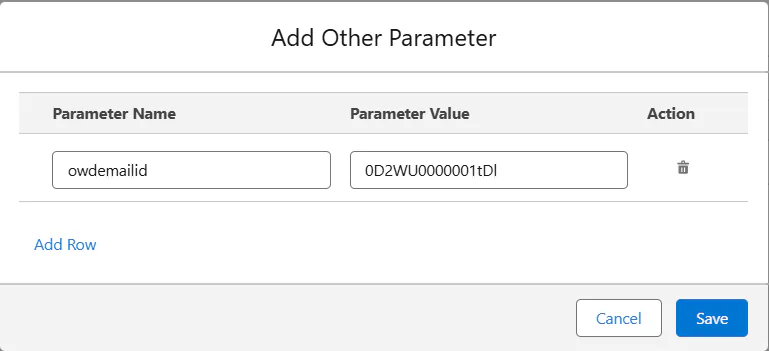
Example
- Input: an organization-wide email address in Setup > Organization-Wide Addresses with the ID
0D2WU0000001tDl. - Parameter:
owdemailid=0D2WU0000001tDl. - Output: Docs Made Easy sends the generated document's email on behalf of that organization-wide address.
Works in
owdemailid is set on the solution, not written in a template, and affects only the email that sends the document.
Common errors
- The email comes from your own address instead of the organization-wide address. Check that the address exists, is verified and is available to the sender's profile, and that the ID comes from this org. See Email not sent or missing the attachment.
- The email isn't sent. See Email not sent or missing the attachment.