
The SC (Save a Copy) parameter preselects one or more save-location checkboxes on the Composer page. Use it to control where generated documents are saved without using Background Mode (bgm).
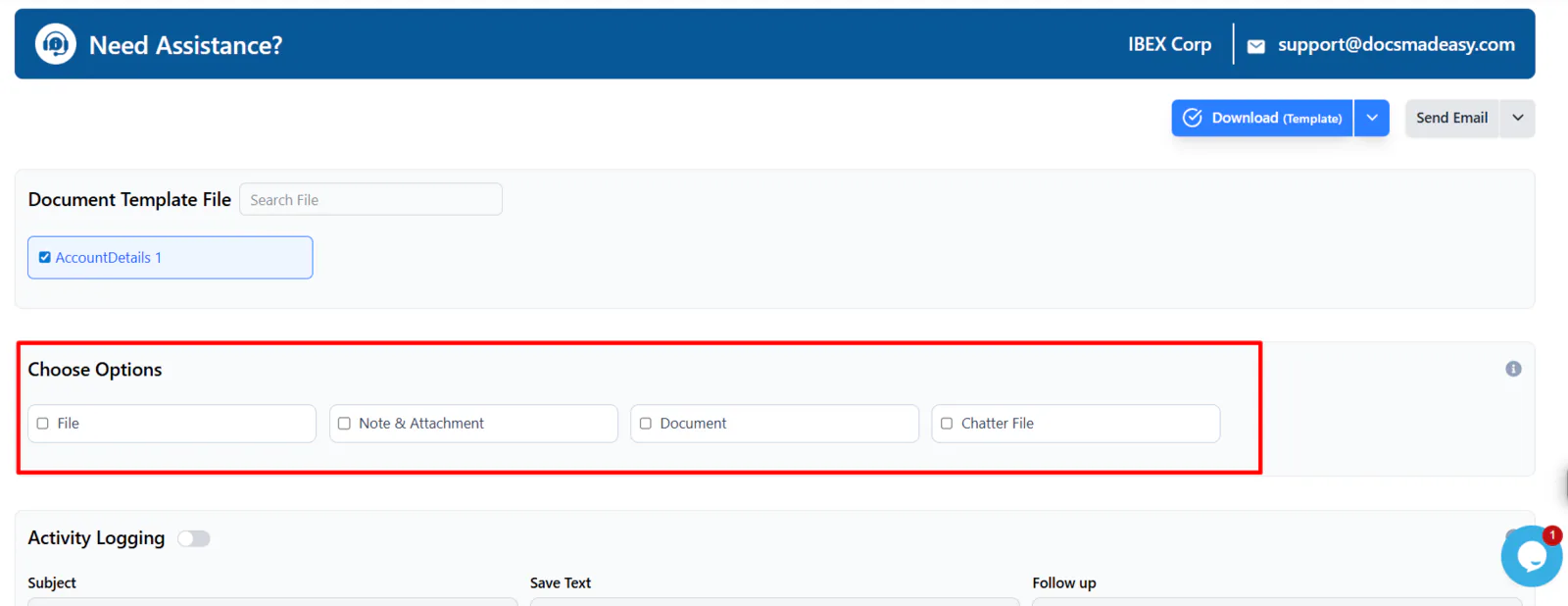
By default, the Composer page offers four save locations:
- Files
- Notes & Attachments
- Chatter
- Documents
Syntax
As an Other Parameter on the solution's Assign Behaviors page:
Parameter Name:  SC
Parameter Value: chatterFile
In the solution button's URL:
&SC=chatterFile
Values
| Value | Effect: preselects the checkbox for |
|---|---|
file | Files |
notesAttachment | Notes & Attachments |
chatterFile | Chatter |
document | Documents |
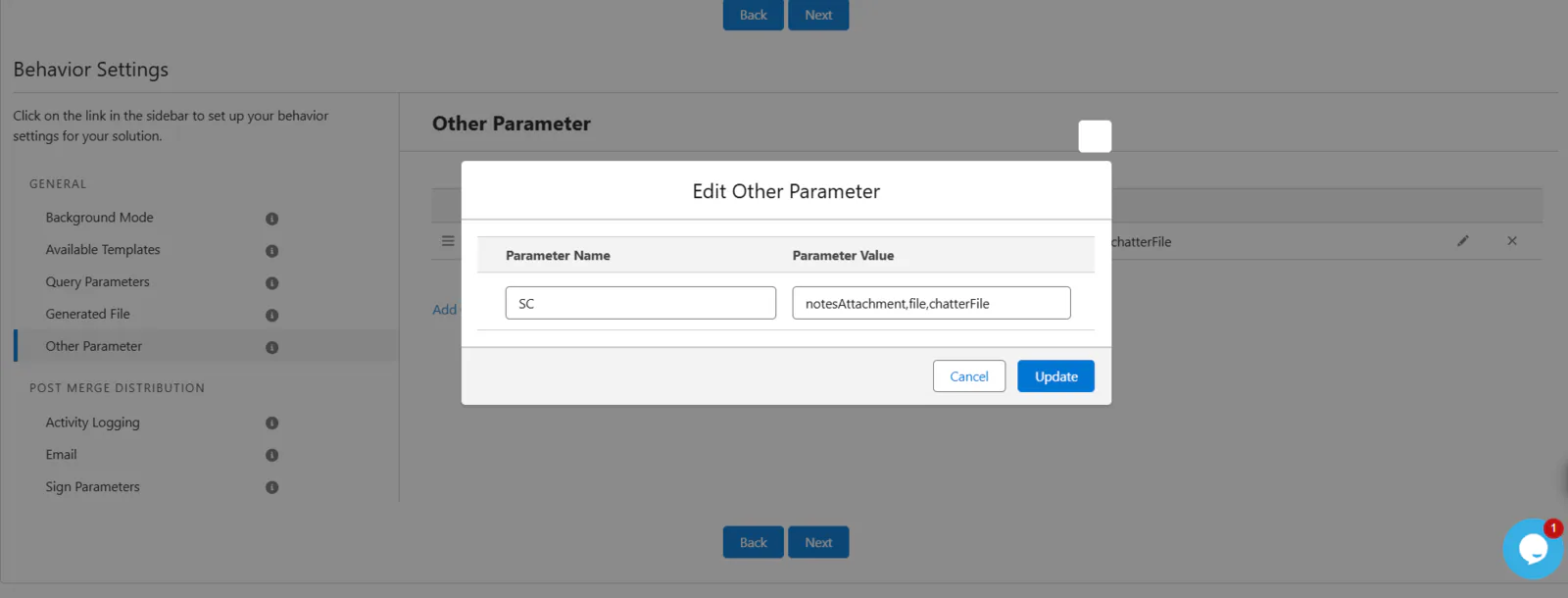
To preselect several checkboxes, separate the values with commas, for example notesAttachment,file,chatterFile.
Where to add it
On your solution's Assign Behaviors page, click Other Parameter in the sidebar, then click Add Other Parameter.
Enter
SCin Parameter Name and one or more values in Parameter Value, then click Save.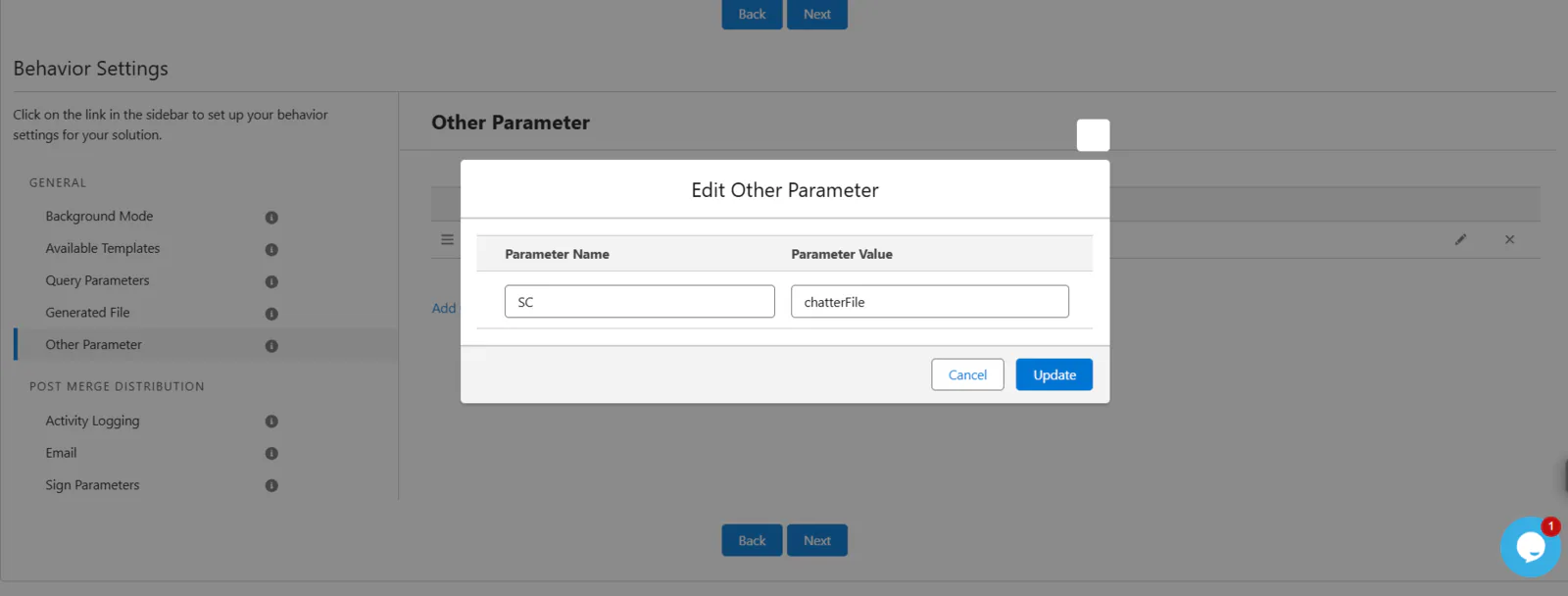
Example
| Parameter value | Composer page when it opens |
|---|---|
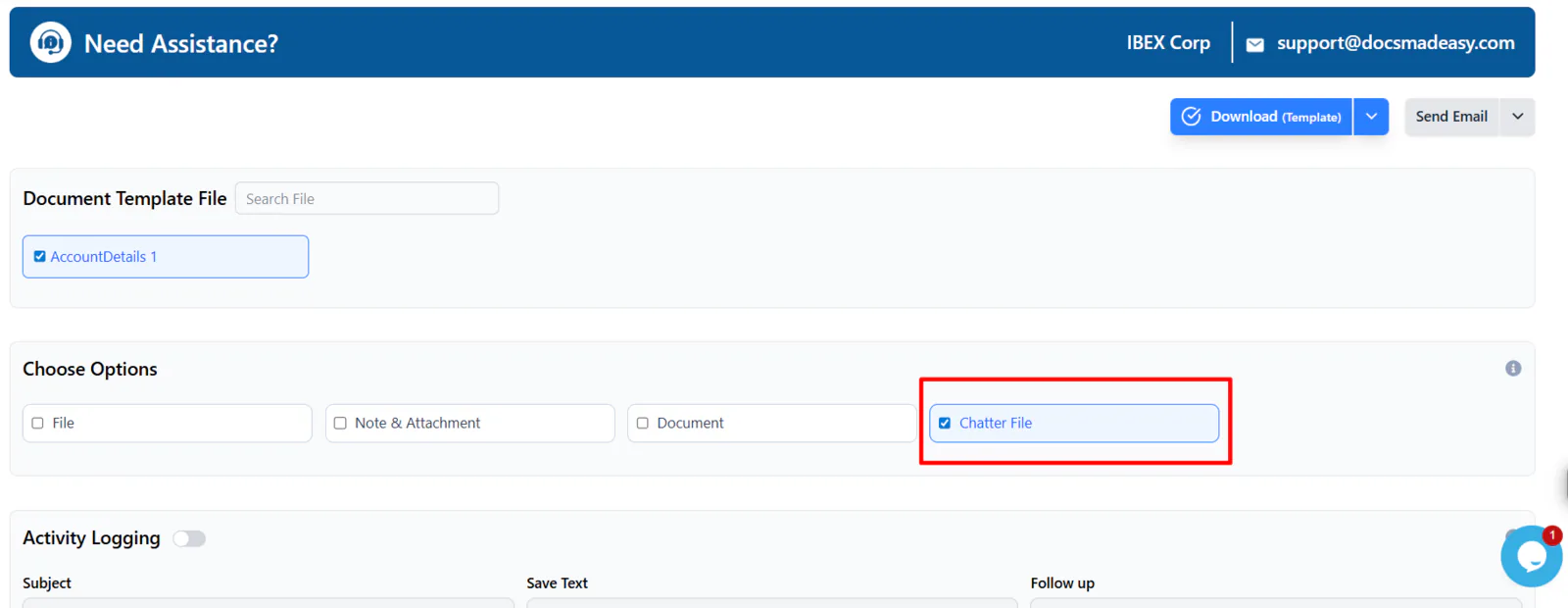
chatterFile | The Chatter checkbox is already selected. |
notesAttachment,file,chatterFile | The Notes & Attachments, Files and Chatter checkboxes are already selected. |
With SC=chatterFile, the Chatter checkbox is already selected when the Composer page opens:
To preselect several locations, enter a comma-separated list:
Works in
SC is set on the solution, not written in a template. It works only when the Composer page opens, so not in background mode. When the user clicks Download on the Composer page, the file is also saved to the ticked locations.
Combine with
Common errors
- The checkboxes aren't preselected. Check that
bgmisn't set on the solution: background mode skips the Composer page. Check the spelling of each value against the table. - The copy isn't saved, or Salesforce reports insufficient access. The user needs access to the record and permission to add files, attachments or Chatter posts to it. See DME-SF-004.
- The file isn't where you expected. See Where generated documents are saved.