
The TableHide:Master parameter hides a table in a Word template based on a field value on the master (primary) Salesforce record. When the document is generated, Docs Made Easy compares the field with the value you give, using the operator you choose. If the condition is true, the whole table that contains the parameter is left out of the document.
Syntax
{{TableHide:Master:FieldName:Operator:Value}}
Values
| Component | Effect |
|---|---|
FieldName | The field on the master record to check, for example StageName. |
Operator | How to compare: equals (=), not equal (<>), greater than (>) or less than (<). |
Value | The value to compare with, for example Closed Lost. |
When the condition is true, the table is hidden. When it's false, the table appears as usual.
= and <> work in TableHide:Master. They don't work in native conditional statements, which use EQ and NEQ instead.
Where to add it
Put the tag inside the table you want to hide, for example in a header cell. It must be inside a table.
Example
An opportunity's line item table should be left out when the deal is lost.
Template:
Product name {{TableHide:Master:StageName:=:Closed Lost}} | Quantity | Price |
|---|---|---|
{{TableStart:Opportunity.r.OpportunityLineItems}}{{Name}} | {{Quantity}} | {{TotalPrice}}{{TableEnd:Opportunity.r.OpportunityLineItems}} |
Output:
| Opportunity stage | Result |
|---|---|
| Closed Won | The line item table appears. |
| Closed Lost | The whole table is left out. |
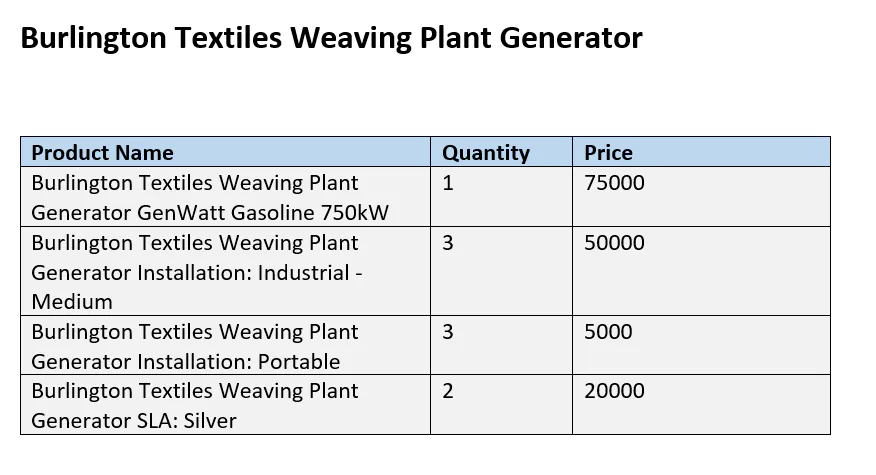
When the opportunity stage is Closed Won, the table appears:
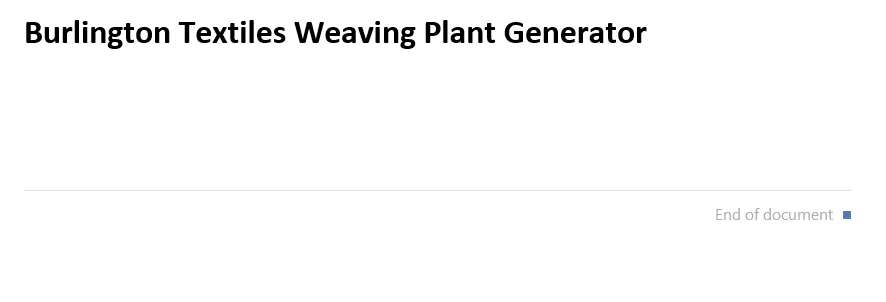
When the stage is Closed Lost, the table is hidden:
Works in
The example on this page uses a Word (DOCX) template.
Combine with
- To hide a table when it has no related records instead, use TableHide.
- To show or hide other content based on a field, use native conditional statements.
Common errors
- The tag shows as text and the table isn't hidden. The tag isn't inside the table, or Word split it with mixed formatting. See Merge fields are blank or show as {{…}} text.
- "No such column" on the field. Use the field's API name, such as
StageName, not its label. See DME-SF-002. - A template syntax error. Check that every part, including the operator and value, is present. See DME-TPL-000.