
The TableHide parameter hides a table in the generated Word document when there are no related records, so empty tables don't appear in the output.
Syntax
In the template, in the table's header row:
{{TableHide:Object.r.RelationshipName}}
Or, instead of the tag, on the solution: Gather Data > the child relationship > If No Records > Delete Table. There's no Other Parameter or button URL form.
Values
| Value | Effect |
|---|---|
A child relationship, for example Account.r.Contacts | Hides the table for that relationship when the record has no child records. Use the same relationship as the table's TableStart and TableEnd tags. |
| If No Records > Delete Table (relationship setting) | Removes the related table from the output when the relationship has no child records. |
| If No Records > Keep Table (relationship setting) | Shows the table with no rows. |
To hide a table based on a field on the main record instead, use TableHide:Master.
Where to add it
You can turn it on in either of two ways.
In the template
Put the TableHide tag in the table's header row, above the TableStart/TableEnd row for the same relationship. The row that holds the TableHide tag is removed from the output:
{{TableHide:Account.r.Contacts}} | |||
|---|---|---|---|
{{TableStart:Account.r.Contacts}}{{FirstName}} | {{LastName}} | {{Department}} | {{Phone}}{{TableEnd:Account.r.Contacts}} |
In the relationship settings
On the Gather Data page of your solution, open the child relationship.
Under If No Records, select Delete Table, then click Save.
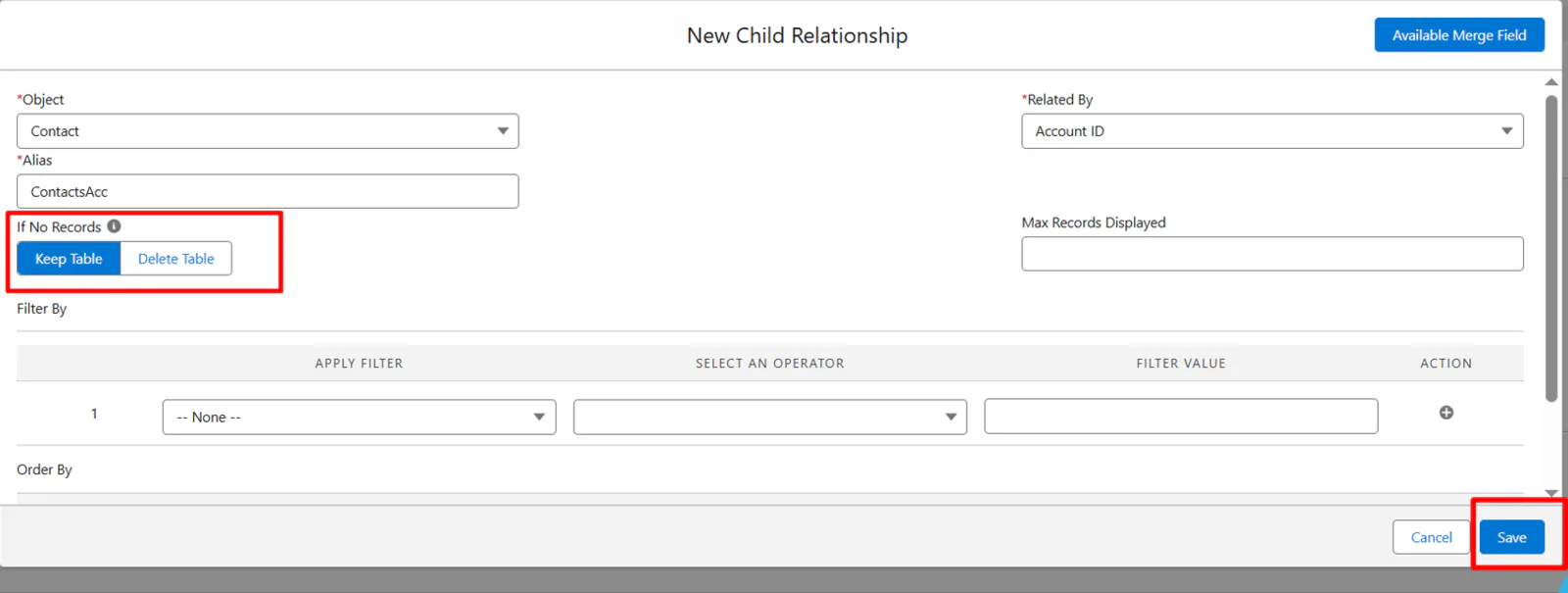
When this is on, Docs Made Easy hides the related table in the output if the relationship has no child records.
Example
Input: an account with no contacts, and the template table above.
| Setup | Output |
|---|---|
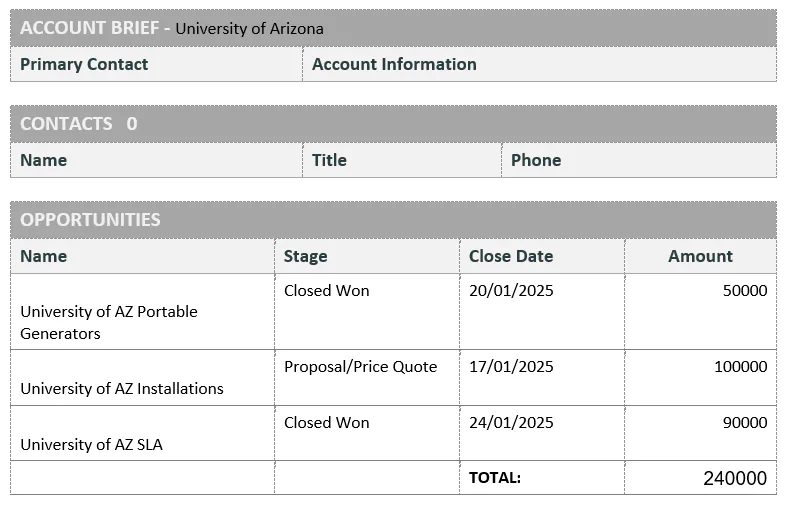
No TableHide | The empty contacts table still appears. |
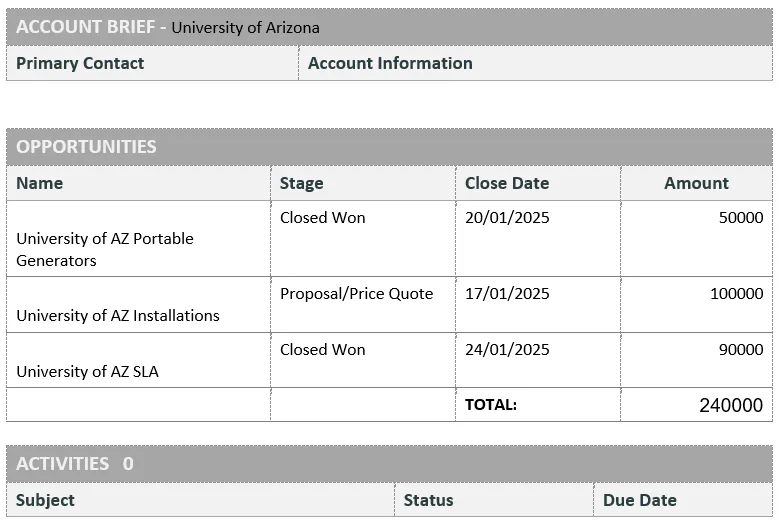
{{TableHide:Account.r.Contacts}} in the header row | The empty table is hidden. |
Without TableHide, the empty table still appears:
With TableHide, the empty table is hidden:
Works in
Word (DOCX) templates: this page describes hiding a table in the generated Word document.
Common errors
- The document doesn't generate and reports a template syntax error. Check the tag's spelling and relationship name. See DME-TPL-000.
- The table is hidden, or empty, when you expected rows. The record has no child records, or a filter or limit on the relationship hides them. See Related-list tables are empty, show one row or repeat.
- The empty table still appears. Check that the
TableHidetag uses exactly the same relationship name as theTableStartandTableEndtags.