
The _PageBreak_ parameter inserts a page break in the document. When the template is processed, everything after it starts on a new page. Use it to separate sections, records or tables for a clearer, more professional layout.
Syntax
{{_PageBreak_}}
Values
_PageBreak_ takes no options. Where you place it decides what happens:
| Placement | Effect |
|---|---|
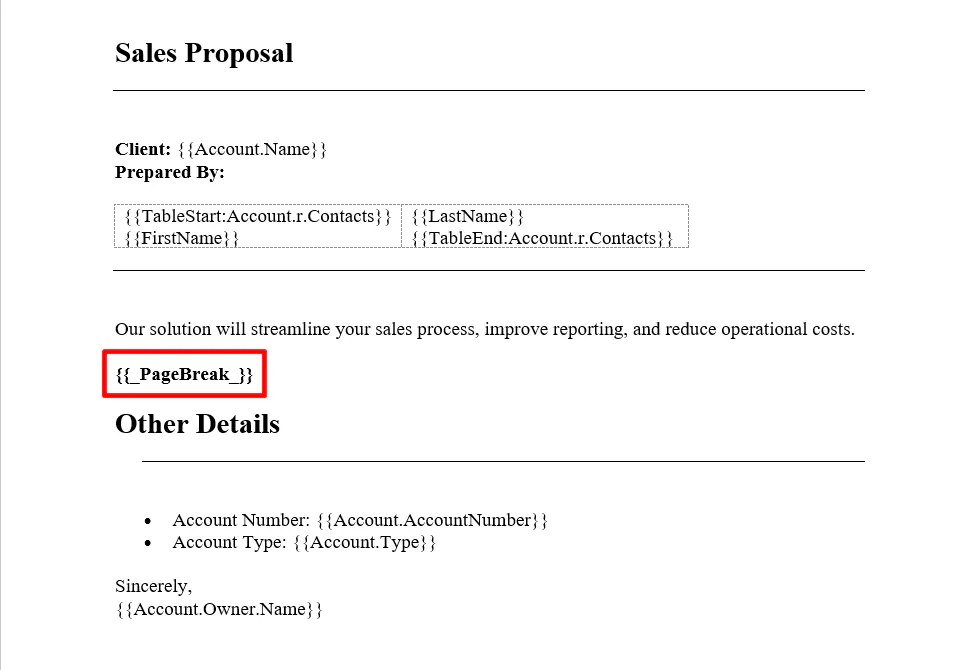
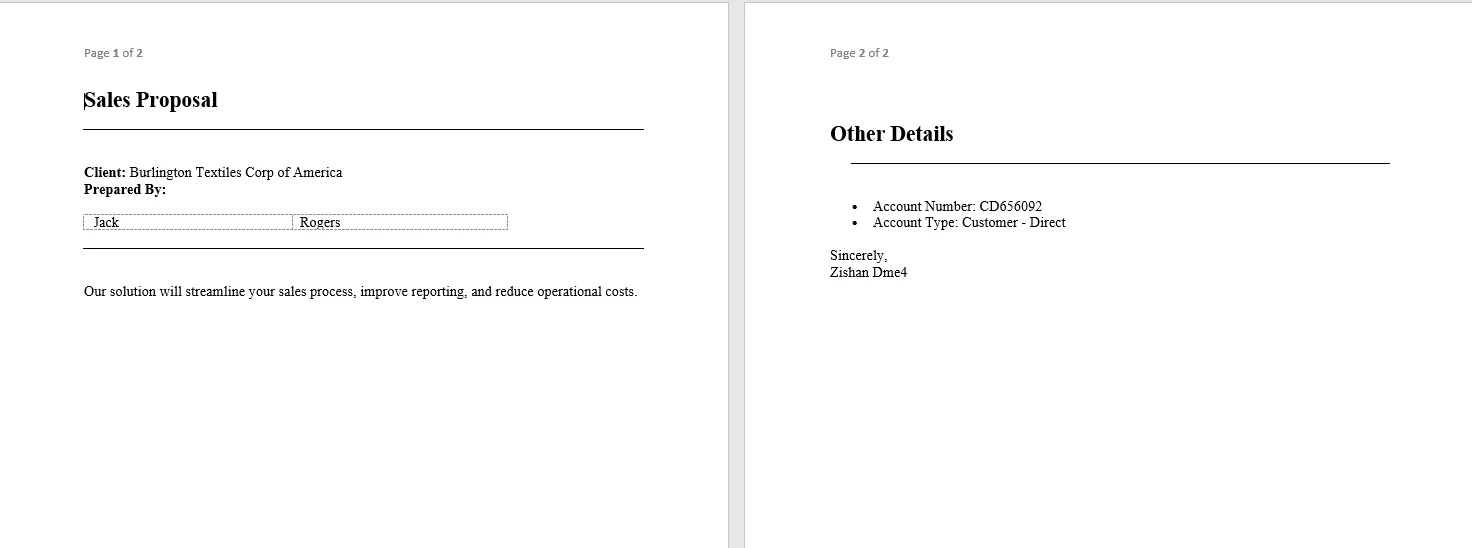
| Between sections | Everything after the tag starts on a new page. |
Inside a table, directly after TableStart | Each table row (each record) is generated on its own page. |
Where to add it
- Between sections: type
{{_PageBreak_}}in your Word template where the new page should start. In the Template Editor, you can also use its page break option. - Inside a table: place
{{_PageBreak_}}directly afterTableStartto put each table row on its own page.
Example
Page break inside a table
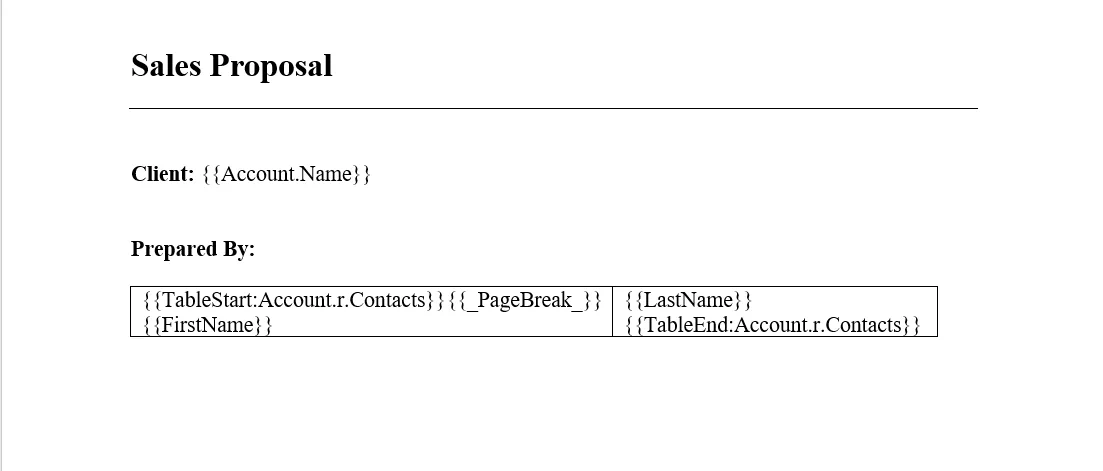
An account with three contacts, and this table row in the template:
| First name | Last name |
|---|---|
{{TableStart:Account.r.Contacts}}{{_PageBreak_}}{{FirstName}} | {{LastName}}{{TableEnd:Account.r.Contacts}} |
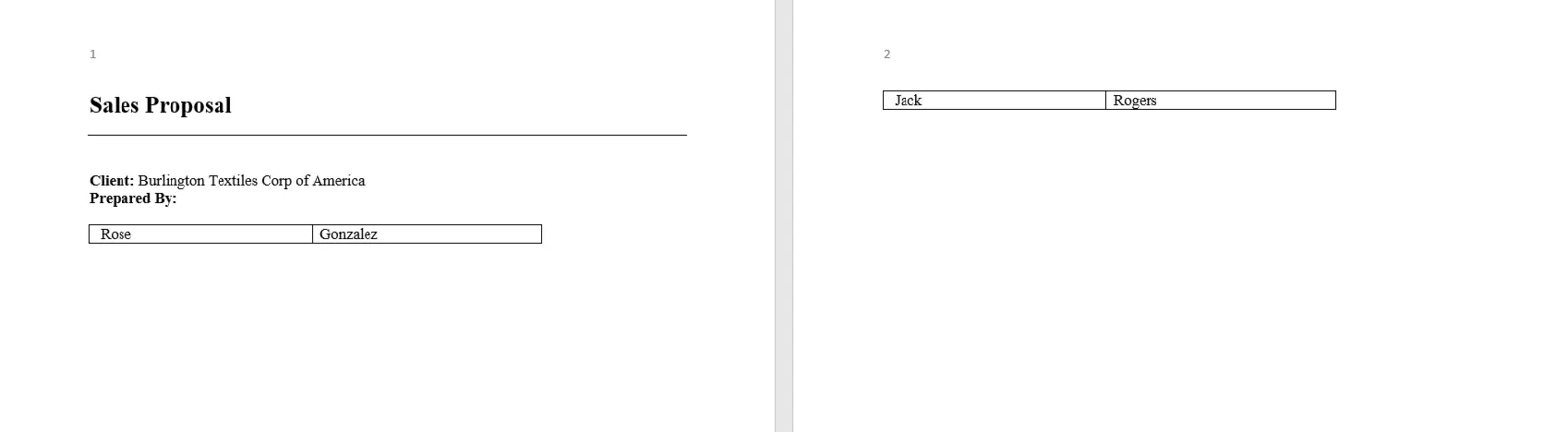
Output: three pages, one contact per page. This is useful for contracts, invoices or certificates where each record must be on a separate page.
The template table:
The generated document, with one contact per page:
Page break between sections
The template with the page break:
The generated document, with the content after the tag on a new page:
Works in
Word templates and the Template Editor, which has its own page break option (Headers, footers and page setup).
Common errors
- Blank pages. Each page break starts a new page, so two page breaks in a row, or a break at the end of the document, create blank pages. Remove the extra
{{_PageBreak_}}. - Records aren't on separate pages. The tag must sit directly after
TableStart, inside the table row. See Related-list tables are empty, show one row or repeat. - The document shows
{{_PageBreak_}}as text. Retype the tag in one go, including both underscores. See Merge fields are blank or show their tags.